
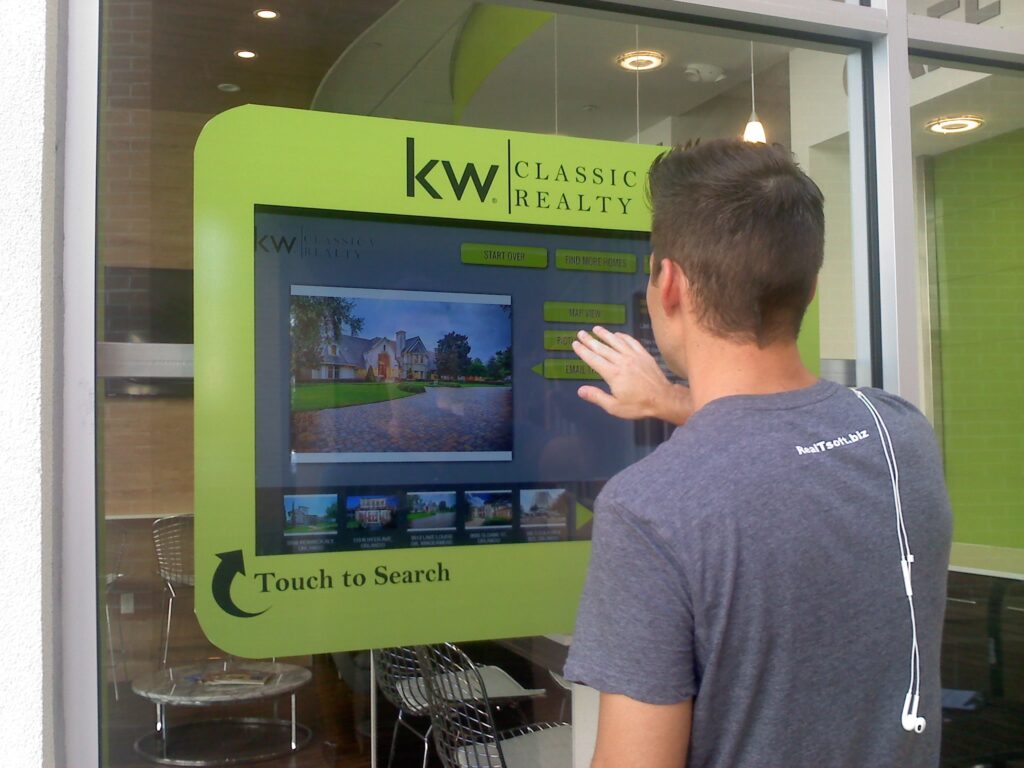
Touch foil adds touch to glass you already have. It is a transparent film with a fine grid of sensing wires that mounts on the inside of a glass or acrylic pane. When a finger touches the outside of the glass, the foil senses it and reports the position to the computer, just like a touch screen. This guide explains what each part does and how a typical installation comes together.
The parts
- The foil: the sensing film, sized to the screen area. ProFoil Clear has no visible wires; the other models use a very fine wire grid.
- The controller: a small board, included with the foil, that reads the foil and connects to the computer by USB. It is powered by 5 V over USB and is plug-and-play.
- The image: an LCD or LED display behind the glass, or a projector with rear-projection film on the glass.
- The computer: runs your content and sees the foil as a standard touch screen.
Step by step
- Check the glass. It must have no metal in it, and metal frames or fixings should stay at least 3 mm from the foil. Thinner glass gives better touch: ProFoil Standard works through glass up to 10 mm, Pro Touch up to 12 mm including laminated double glass with no air gap.
- Plan the screen area. The foil has a marked active area. Line it up with the edges of the display or projected image so touches land where people expect.
- Test before you stick. Lay out the foil, controller and cables and confirm the layout, because a foil is a one-time install and cannot be moved to another pane.
- Apply the foil. The foil is wet-applied to clean glass. Squeeze out the water and any bubbles, then let it dry for 24 to 48 hours.
- Connect and ground. Use grounded power, fix the controller to the frame and ground it, and route the USB cable away from power and display cables.
- Calibrate. ProFoil Standard calibrates automatically; Pro Touch uses zone calibration.
What to expect
Touch accuracy is about plus or minus 2 mm (under 1 mm on Object Recognition), with a response under 10 ms. Light transmission is 89 percent or more (85 percent or more on ProFoil Clear), so the image behind the glass stays bright. The foils are CE and RoHS compliant and carry a 3-year warranty, with 1 year on the controller.
Choosing a model
For most single-user windows and kiosks, ProFoil Standard (10 touch points, 10.1 to 55 inch) is the starting point. For larger screens or several users, Pro Touch 20 / 40 goes up to 100 inch. Object Recognition adds marker pucks, ProFoil Clear has no visible wires, and Circular Touch Foil covers round tables and domes.
See the full build on How It Works, sizes on Sizes and Specs, and when you are ready, get a quote with your glass and screen size.
Planning a touch project?
Tell us about your glass and screen and we will recommend a foil.