What Is Touch Foil and How Does It Work?
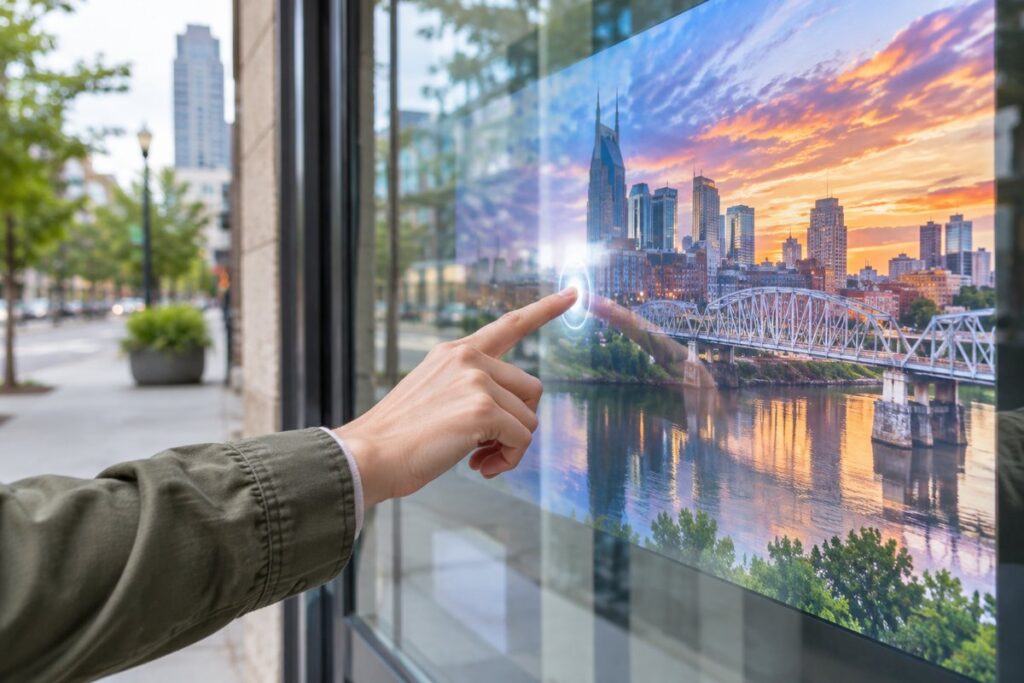
Touch foil is a transparent film embedded with a fine, nearly invisible sensing grid. When placed on the inside surface of glass or acrylic, this film transforms the glass into a multi-touch screen, enabling customers, visitors, or staff to interact through the glass without any visible electronics or exposed components. The technology senses up to dozens of touch points through the glass, depending on the model, and is compatible with storefront windows, kiosks, tables, and larger installations.
The foil is always installed on the protected, interior side of the glass, away from the weather or public touch, preserving its durability and clarity. With configurations available for both standard and specialized shapes, touch foil solutions such as those offered by TouchFoil provide flexibility for retail, museum, hotel, and commercial environments throughout Nashville.
Key elements of a touch foil setup include a controller board and USB cable (powered by 5V over USB), ensuring plug-and-play compatibility with most computers. Once installed, the touch foil senses taps, swipes, and gestures through the glass, creating intuitive digital experiences on surfaces that were traditionally non-interactive.
Understanding the Touch Foil Construction
Each touch foil uses a sensing grid—typically a matrix of ultrafine wires embedded in the transparent film—to track touches across its surface. Models such as ProFoil Clear feature no visible wires, delivering a completely transparent finish that won’t distract from window displays or digital signage.
The touch foil film is available in several models, each with features suited to specific applications. The ProFoil Standard supports up to 10 touch points through glass up to 10 mm thick, while Pro Touch 20/40 increases the touch point count and can handle double glazed panes (up to 12 mm) without air gaps. For specialty projects, the Object Recognition model detects puck-shaped markers as well as fingers, and the Circular Touch Foil is designed specifically for round tables or domes.
The foils are CE and RoHS compliant. Every kit comes with a 3-year foil and 1-year controller warranty. Custom sizes are available up to 1.4 x 4.5 meters for truly unique installations. See all touch foil sizes and specifications for more details on available options.
Turning Your Glass Into a Multi-Touch Screen
There are two common configurations for interactive glass solutions:
- LCD/LED configuration: Touch foil is mounted on the inside of the glass with an LCD or LED display directly behind it. This approach is sleek, supports bright displays, and works well for interactive kiosks and smaller windows.
- Rear-projection setup: A projector and rear-projection film are placed behind the glass and foil, allowing for large-format interactive storefronts or immersive exhibits. The right projection film is essential to manage ambient light and viewing angles—see recommendations at RearProjectionFilms.com.
It’s critical to align the active area of the foil precisely with the visible portion of the display to ensure responsive touch performance. To learn about step-by-step installation, visit how touch foil works and how to install it.
Planning for Glass Thickness, Type, and Size
Glass selection plays a vital role in touch performance and installation success. Touch foil works best on non-metallic, smooth glass or acrylic. Thinner panes improve touch sensitivity: ProFoil Standard and most models perform well through glass or acrylic up to 10 mm thick, while Pro Touch 20/40 handles up to 12 mm, including laminated double glass (as long as there is no air gap).
Plan installations to keep any metal (frames or mounting hardware) at least 3 mm away from the edges of the foil’s active area. For larger windows or curtainwalls, check glass size and weight limits for both the structure and the intended touch foil. For details on available foil dimensions, see sizes and specifications.
Always ensure the window or glass is free from embedded wires, metallic mesh, or tints that could interfere with capacitive touch. For large custom projects, consider building mockups and consult with glass specialists and the Nashville building department regarding oversized or unconventional glazing, referencing the Construction and Permits portal.
Installation Best Practices and Pitfalls to Avoid
Touch foil is a permanent, one-time installation that must be handled carefully. The film is wet-applied to thoroughly cleaned glass, with the active sensing area precisely aligned to the intended display area. Installers press out water and air bubbles, then allow 24 to 48 hours for drying and curing before powering the system.
The foil cannot be moved or reused on a different pane after initial installation—always test placement before mounting. Follow the recommendations to keep USB and power cables separated and away from signal or audio cables to avoid signal interference. Ensure the controller is securely fixed and grounded to the frame, and always use properly grounded power supplies for both the controller and display.
For projects in retail windows, museums, or hotel lobbies, align installation timing with your construction or renovation permit process. Nashville’s Construction and Permits office can provide guidance on requirements for modifying windows or mounting new displays.
Managing Ambient Light and Display Visibility in Nashville
Downtown Nashville and surrounding commercial districts present unique lighting challenges for interactive storefronts and kiosks. Daylight glare, street lighting, and nighttime illumination can reduce the effectiveness of your digital display or projection.
For rear-projection setups, review commercial lighting ordinances—§ 17.28.100 — Lighting outlines permitted and restricted lighting for businesses, which is important when considering projector brightness and window orientation. In high-traffic or tourism zones, additional rules may apply for digital installations; consult with building managers or local authorities before adding interactive screens.
Selected rear-projection films, paired with bright and directional projectors, can help overcome ambient light. Screen Solutions International sister site RearProjectionFilms.com offers a variety of films that work with touch foil installations. Proper planning and compliance with Nashville lighting codes will ensure your installation is both eye-catching and compliant.
Use Cases: From Storefronts to Interactive Tables
Touch foil is used across a range of applications by retailers, designers, visitor centers, schools, and event venues looking to create impactful digital experiences through existing or new glass surfaces. Storefront windows can engage passersby with interactive promotions 24/7, while museums and universities can create information-rich kiosks that operate through protective glass for easy cleaning and durability.
The versatility extends to interactive tables for meeting rooms, exhibits, or hospitality spaces—ProFoil’s Circular Touch Foil provides solutions for round surfaces, domes, and collaborative workspaces up to 280 cm in diameter. For brands wanting to experiment with tangible digital engagement, the Object Recognition model lets users place puck-like markers on the glass to trigger content, ideal for gallery or educational interactives.
Project planners in Nashville can explore what’s possible by researching visitor trends and major events using Tourism Nashville, ensuring interactive technology serves the unique demands of the local environment and audience.
Compliance and Longevity Considerations
Every ProFoil touch foil from TouchFoil is CE and RoHS compliant, supporting current safety, health, and environmental protection standards for electronic products. While project and installation specifics can influence lifespan, the foil comes with a 3-year foil and 1-year controller warranty. For best results, select grounded, non-metallic glass, and plan cables and display integration according to the manufacturer’s technical recommendations.
Electrical safety is essential: Connect all equipment to grounded circuits, and check that controllers and displays don’t introduce local interference or signal noise. Avoid modifying or retrofitting foil to non-recommended applications—custom options are available but should only be planned with expert consultation and the right technical information.
Building or renovating in Nashville? Start by verifying window and display changes with the local permitting office, and ensure compliance with all codes and ordinances for safe, long-term operation of touch interactive displays.
Touch Foil FAQ for Nashville Installations
Can I install touch foil on any glass window?
Touch foil works on clean, smooth, non-metallic glass or acrylic, up to the maximum thickness listed for your chosen model. Avoid glass with embedded wires, metallized coatings, or metal frames within 3 mm of the active area. Always test before permanent application.
How does touch foil handle Nashville’s varying lighting conditions?
Projector-based installations should use a compatible rear-projection film to reduce glare and maximize contrast. Review Nashville lighting ordinances to ensure your display doesn’t violate local codes, especially when planning for 24-hour visibility or nighttime interactivity.
What permitting process should Nashville businesses follow?
New installations that alter shopfront windows or add electronic signage may require a permit. Check with the city at Construction and Permits early in your planning process to avoid costly changes later.
Get Started: Plan Your Interactive Window Project in Nashville
Whether you’re upgrading a retail storefront, building a museum exhibit, or designing interactive tables for visitor engagement, touch foil offers a flexible path to transforming glass into a digital surface. Every project is unique—get recommendations for the right foil size and model, and ensure compliance with all local building and lighting requirements before your installation begins.