
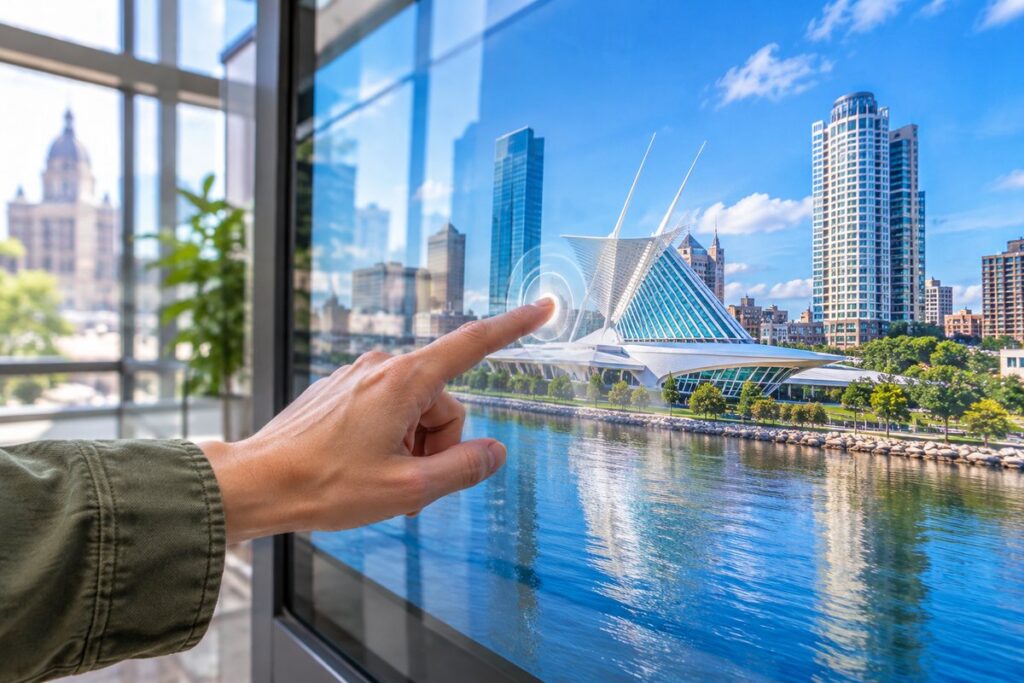
Understanding Touch Foil: Bringing Interactive Tech to Milwaukee Spaces
As touch technology becomes a core feature of modern public and business environments, many Milwaukee retailers, museums, schools, and corporate spaces are exploring interactive alternatives to traditional static displays. Touch foil is an innovative solution that allows you to transform glass, acrylic, or even a custom touch table into an interactive touch screen. This multi-touch capability brings engagement to storefront windows, kiosks, museum exhibits, and more—without altering your existing architecture or compromising aesthetics.
So, what is a touch foil? It’s a transparent film embedded with a fine grid of sensing wires. When laid onto the inside of non-metallic glass or acrylic, and paired with a display or projection, it senses touches through the substrate. With the right planning, touch foil offers Milwaukee businesses a practical, scalable path to hands-on, dynamic customer experiences. Let’s walk through the essentials, from technology and planning to installation tips and local resource considerations.
How Does Touch Foil Work?
The core of a touch foil system is a thin, flexible film with a very fine conductive grid—no visible wires on some models—mounted on the inside surface of glass or acrylic. Users can touch the outside of the glass: the foil detects their touch positions and relays this information to a controller board using a simple USB connection. A compatible LCD or LED display, or a projector with rear-projection film, is placed behind the glass for visual content.
TouchFoil, exclusively available from Screen Solutions International (SSI), offers several models, each supporting different applications and glass sizes. When paired with the right hardware, touch accuracy is consistently high—generally plus or minus 2 mm, and under 1 mm with Object Recognition models—and response time is under 10 ms. Light passes through the setup with a transmission of 89% or higher depending on the chosen foil, keeping displays vivid and storefronts bright.
For a technical breakdown, the How Touch Foil Works and How to Install It page provides visuals and further details about how the foil and included controller integrate with digital displays behind glass.
Planning Your Touch Foil Project in Milwaukee
Planning is key to a successful interactive storefront window, touch table, or kiosk using touch foil. Milwaukee’s range of architecture—historic brick storefronts, modern glass lobbies, busy university halls—means every project may have unique considerations. Start by defining the intended interaction: will your audience get product information from an interactive storefront, explore museum exhibit content, or navigate property listings in a real estate office?
Next, consider the display type. For daylight visibility on bustling city corners like Wisconsin Avenue or Brady Street, high-brightness LCD or LED panels are favored. If your space offers lighting control (such as museums or internal kiosks), a projector with a high-quality rear-projection film—find options at TouchFoil’s sister site, RearProjectionFilms.com—may fit the bill. Whichever you choose, the display sits behind the glass, and the touch foil always mounts inside, protected from the elements.
Regulations may apply, especially in public or historic areas. For guidance on power requirements, local permits, or code questions, check with Milwaukee’s municipal offices or consult project engineers. Up-to-date weather considerations—like extreme winter conditions—can also affect install logistics; bookmark the National Weather Service for timing your installation or maintenance.
Display and Mounting Options: Finding the Right Combination
Touch foil supports two main ways to build an interactive system:
- Foil + Glass + Rear-Projection Film + Projector + Computer: Ideal for environments where an integrated screen would distract from interior design, or where physical displays can’t be mounted. The projection film is layered behind the glass and touched from the outside, with the projector positioned for rear projection.
- Foil + Glass + LCD/LED Display + Computer: Well-suited for storefronts, hotels, and visitor centers where high brightness and resolution are required, even in bright daylight.
Touch foil is flexible—custom sizing accommodates unique glass dimensions, from small interactive podiums to full storefronts or domes. For technical sizing and compatibility, consult Touch Foil Sizes and Specifications. Always choose non-metallic, non-coated glass for best touch performance, and ensure displays, computers, and mounting hardware can be safely secured and powered in your environment.
Lighting also plays a crucial role: interior reflections or bright exterior lights, common during Milwaukee’s long winter months, may need to be managed to minimize glare and maximize interactivity.
Glass Selection: Thickness, Type, and Local Conditions
Your choice of glass affects both touch sensitivity and the overall look of your installation. Thinner glass usually results in more responsive touch performance. For high-traffic locations or safety concerns, laminated glass can be used—as long as there’s no metal mesh or coatings, and no air gap between panes (laminated layers are acceptable for the Pro Touch 20/40 foil).
For Milwaukee’s diverse climates—hot, humid summers and icy winters—consider insulating glass designs carefully. The foil must be kept dry and protected from condensation. Always mount the touch foil on the inside surface facing your display, never outdoors. Glass thickness limits vary by model; for instance, ProFoil Standard works on glass up to 10 mm, while Pro Touch 20/40 operates through up to 12 mm, even on laminated glass for added safety.
Check building codes and coordinate with local authorities for glass requirements in public spaces or historic districts. For environmental planning and weather-related timing, the National Weather Service provides essential forecasts and alerts relevant to projects across the Greater Milwaukee area.
Touch Foil Models: Matching Technology to Your Application
TouchFoil offers a range of models tailored for different applications. Understanding the strengths of each makes it easier to match your specific use case:
- ProFoil Standard: 10 touch points, detects through glass up to 10 mm, auto-calibrates, available in 10.1 to 55 inch sizes—suitable for information kiosks and interactive tables.
- Pro Touch 20/40: Ideal for larger screens up to 100 inch, through glass up to 12 mm including laminated (no air gap). 10 points under 32 inch, 20 or 40 touch points above. 40-point version works with macOS and supports advanced multi-touch in compatible applications.
- Object Recognition: Detects over 40 touch points, recognizes up to 13 physical markers on glass, supports sizes 43 to 75 inch, offers SDK support for custom software or turnkey packages—ideal for museums, collaborative learning tables, or interactive mapped displays.
- ProFoil Clear: 10 touch points, no visible wires at all, up to 98 inch, delivered laminated on glass, great for premium retail and luxury lobbies.
- Circular Touch Foil: For round tables and dome-like installations, up to 140 cm diameter per half, up to 280 cm when two halves are joined.
All models are CE and RoHS compliant, and come with a 3-year foil and 1-year controller warranty. For robust technical details and to plan your touchscreen through glass, see Touch Foil Sizes and Specifications.
Milwaukee Installation Tips: Getting the Best Results
Milwaukee’s climate and building styles require special attention during installation. Touch foil is always applied on the inside face of glass or acrylic, away from humidity and temperature swings typical of lake-effect weather. The application process is straightforward but requires detail: the foil is wet-applied to thoroughly cleaned glass, with the marked active area exactly aligned to your screen edges. Water, air bubbles, or dust must be squeegeed out completely before drying.
Drying can take 24–48 hours depending on room temperature and humidity—so plan installation during periods of stable indoor climate, and avoid disturbing the setup. It’s a one-time installation: if a foil is removed, it cannot be reused, so always test placement before the final application. Ensure that the glass is free of metallic content, and keep any metal framing or fixtures at least 3 mm away from the foil.
For power, use grounded circuits, and ground the controller board to the frame. Route the USB cable away from display and power lines to minimize interference. Technical guides and more step-by-step information can be found on How Touch Foil Works and How to Install It.
Practical Uses: Retail, Education, and More in Milwaukee
Milwaukee’s vibrant mix of retail venues, museums, corporate lobbies, hotels, universities, and innovative exhibit designers all stand to benefit from turning glass into an interactive surface. Touch foil enables secure, weather-protected, and clean touch control for walk-by customers or guests—perfect for everything from product catalogs in storefronts to navigation stations in public buildings.
For example, a retail shop on North Water Street could deploy a Pro Touch system to display inventory or specials to passersby, rain or shine. Museums along the lakefront can use object recognition foils for hands-on family exhibits, while corporate or hotel lobbies create high-impact welcome screens or wayfinding tables. Universities can build collaborative workstations and modernize campus info points, all behind easy-to-clean glass that maintains accessibility and ADA conformance.
Local builders and AV integrators can consult Get a Touch Foil Quote for project assessments and technical input tailored to Wisconsin’s requirements. For all these uses, careful planning ensures the right model, glass thickness, and screen configuration are chosen for the environment.
Local Resources:
- National Weather Service — Milwaukee weather and severe alerts for project timing
- TouchFoil — For interactive glass and project planning guides
Frequently Asked Questions
How does touch foil sense touches through glass?
Touch foil relies on a near-invisible grid of sensing wires embedded in a transparent film. When applied to the inside of non-metallic glass or acrylic, it creates an electric field that detects the position of fingers (even gloved hands) on the outside surface. The foil connects to a controller by USB, which relays touch inputs to your connected computer or digital signage player.
What kind of glass works with touch foil?
The best results are achieved on clear, non-metallic glass or acrylic. Standard single-pane glass, as well as laminated safety glass with no metal mesh or coatings, is compatible—within model thickness limits. Touch accuracy may decrease on extra thick or specialty glass; for double-paned windows, ensure there’s no air gap (laminated ok).
Can touch foil be installed outdoors in Milwaukee?
The foil is always applied on the inside of the glass, never outdoors. This protects the sensitive grid and installation from Milwaukee’s temperature extremes and unpredictable moisture. For installs exposed to drafts, condensation, or sun, choose proper weather protection for supporting hardware, and consult weather resources before installation.
Ready to Start Your Project?
Touch foil technology unlocks interactive potential for Milwaukee’s storefronts, museums, educational facilities, and more. With thoughtful planning and attention to local conditions, it’s possible to deliver engaging, secure and accessible touchscreen experiences through almost any glass. Explore technical details, Touch Foil Models, and sizing information to find your best fit, or Get a quote for your next interactive project.