
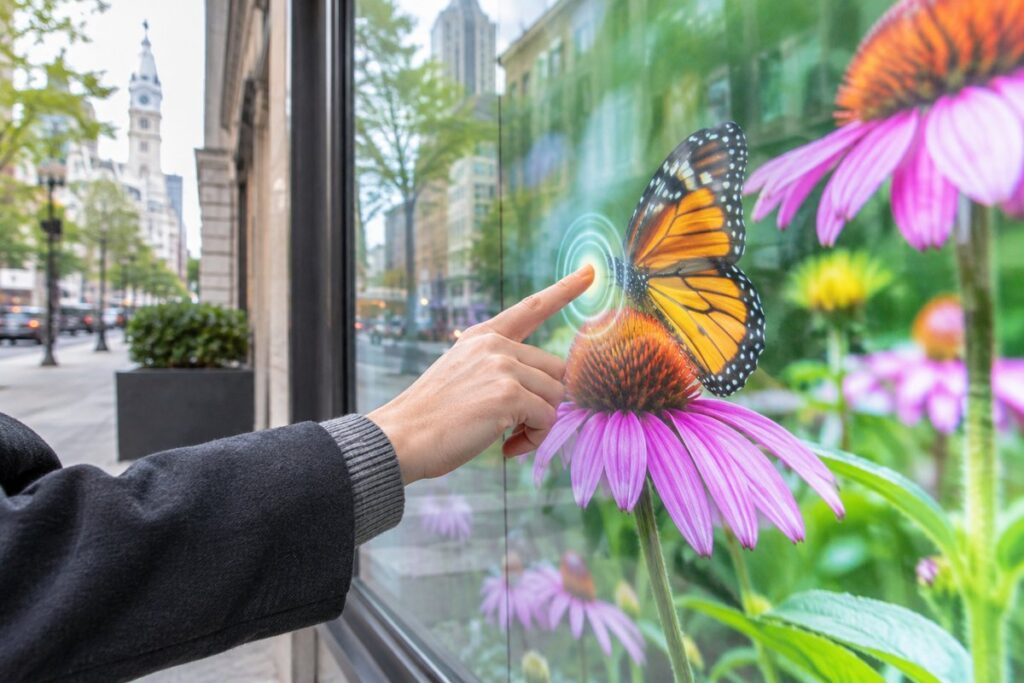
What is Touch Foil? Turning Glass into Interactive Displays
Touch foil is an innovative technology that transforms ordinary glass windows, kiosks, or tables into engaging multi-touch screens. By affixing a transparent film with a fine, nearly invisible sensing grid to the inside surface of glass or acrylic, you can enable interactive input through the material. Touch foil is especially appealing for vibrant storefront displays, interactive kiosks, glass-walled meeting rooms, and interactive tables—delivering captivating experiences without altering the visual appeal or transparency of the glass itself.
Unlike traditional touchscreens, touch foil works by sensing contact through the glass, meaning the technology can be kept protected behind the glass surface. This is especially valuable in high-traffic environments or public spaces, as it makes cleaning and maintenance much easier and helps protect sensitive electronics from direct wear and tear. For retailers, museums, and lobbies across Philadelphia, touch foil provides a modern solution to create interactive storefront windows that remain appealing and robust.
To learn more about the technology and its different variants, visit Touch Foil Models, which details the Standard, Pro Touch 20/40, Object Recognition, Clear, and Circular options—each suited for specific application needs and installation scales.
How Does Touch Foil Work?
The core of a touch foil system is a thin, transparent film containing a grid of ultra-fine sensing wires (with no visible wires on ProFoil Clear) that register multiple finger touches through the glass. This film is always mounted on the inside of the glass or acrylic to ensure performance, durability, and easy cleaning from the user side. Each foil comes with a controller board powered by USB, offering plug-and-play connectivity through a standard 5 V USB cable.
Touch response is impressively fast, with reaction times under 10 milliseconds, and touch accuracy is typically within plus or minus 2 mm, or under 1 mm with Object Recognition models. The technology allows touch to be reliably detected through glass up to 10 or 12 mm thick (model-dependent) and features high light transmission (89% or greater, or 85% for Clear models), preserving the visual quality of window or table installations.
A typical installation positions a rear-projection film and projector, or an LCD/LED panel, directly behind the glass for interactive visuals. The result: a seamless, modern interface that invites customers and visitors to engage with your brand or content. For details on how the system is built, visit How Touch Foil Works and How to Install It.
Building Your Interactive Storefront or Table: What Goes Behind the Glass?
Touch foil technology enables two distinct build options for interactive glass:
- Projection Build: Foil + glass + rear-projection film + projector + computer. This creates a digital canvas directly on the window, activated by touch—often chosen for large, high-visibility displays in Philadelphia’s shopping streets, hotels, or museums.
- Direct Display Build: Foil + glass + LCD or LED display + computer. This routes interactive content precisely where it’s needed, such as for interactive kiosk touch foil installations, digital directories, or touch tables.
Selection depends on your environment, content, lighting conditions, and available space behind the glass. For outdoor-facing windows and brightly lit spaces common in Center City Philadelphia, LCD or LED displays often deliver the most vivid image; rear-projection builds are ideal for larger display surfaces or when you want to maximize engagement after hours. For rear-projection film options, see RearProjectionFilms.com (sister site).
The versatility of touch foil means you can develop interactive museum signage, digital real estate showcases, and educational lobby installations, all behind a single glass panel.
Choosing the Right Touch Foil Model and Size
Not all projects have the same demands. To help, TouchFoil offers an array of models and custom sizes up to 1.4 x 4.5 meters. Here’s what sets each apart:
- ProFoil Standard: Handles up to 10 simultaneous touch points through glass up to 10 mm thick, with automatic calibration. Sizes range from 10.1″ to 55″ diagonal.
- ProFoil Pro Touch 20/40: For higher interactivity, supports 20 or 40 points on larger formats (32″ to 100″), and thicker glass (up to 12 mm, including laminated double glass with no air gap). The 40-point option supports Mac multi-touch in compatible versions.
- Object Recognition: Supports more than 40 touch points, detects special marker pucks (5 per set, expandable to 13), and is ideal for collaborative tables and interactive exhibits with turnkey software or SDK for developers—especially valuable for museums, schools, or collaborative workplaces.
- ProFoil Clear: Delivers completely transparent touch with no visible wires, for premium display needs up to 98″; supplied pre-laminated on glass for extra clarity.
- Circular Foil: Round active areas up to 140 cm, perfect for circular tables and domes (pairs join for up to 280 cm diameter).
For a complete list of supported sizes and technical specs for each option, check Touch Foil Sizes and Specifications. Every project should be custom quoted to ensure the right fit—see the end of this guide to request a quote.
Planning Glass Thickness, Size, and Installation in Philadelphia
When planning a touch foil installation, key engineering and regulatory guidelines should always be considered:
- Glass or Acrylic: The glass must not contain metal (no conductive coatings or metal mesh), and thinner glass gives better touch performance. For public-access installations, safety glass is generally required. In multilayer or laminated panes, there must be no air gap between sheets.
- Metal Spacing: Metal frames or mullions should be at least 3 mm away from the active foil area to avoid interference.
- Sizing: Choose a foil size that closely matches your display surface; foils are custom cut for each pane, so accurately measure your installation area before ordering.
The local climate in Philadelphia, especially with its seasonal humidity and temperature swings, also affects your planning. All foil mounts are designed for indoor application only (the foil never goes outside), which means your storefront or lobby glass can be shielded from exposure. Building and safety codes may vary by district and use case, so check with local officials and see the city’s building permit office for window-mounted projection or signage installations before starting work.
Interactive tables for schools or hotels should consider accessibility and safety standards for edge treatments and glass height, ensuring comfortable and safe use for the intended audience.
Step-by-Step Installation: Tips for Success
Proper installation ensures optimal system performance. Here’s an overview based on Touch Foil’s installation guide:
- Preparation: Clean the glass thoroughly on the inside face—remove dust, grease, and dirt for perfect adhesion.
- Alignment and Application: The foil is wet-applied, and its marked active area must be lined precisely with the intended display area. Carefully squeeze out any water and bubble pockets after application, then allow 24–48 hours for drying before use.
- Final Checks: Test the foil in position (without final sticking) to verify touch performance before permanent install, as the foil cannot be re-applied once set.
For system reliability, use grounded power and fix/ground the controller securely to the frame. Keep the foil’s USB cable separate from high-voltage wiring and video cables to reduce any risk of electrical noise. Touch accuracy is usually within plus or minus 2 mm (under 1 mm for object recognition), enabling precise multi-user interaction for Philadelphia’s high-traffic venues and educational centers.
Philadelphia Considerations: Permits, Power, and Local Needs
Any interactive storefront or kiosk touch foil project in Philadelphia needs to account for local ordinances, historical considerations, and power availability. Signage and technology installations visible from the street often require building and possibly zoning or electrical permits, especially around historic districts or retail core areas. Start by contacting the relevant city office through the permit application guide to confirm local requirements for window or signage displays.
Reliable, grounded power near your display location is essential for safety and stable performance. For installations in museums or visitor centers, consider public accessibility and ADA requirements, making use of resources like Visitphilly.com for inspiration about local visitor traffic and expectations. Lighting conditions may also affect your display choice; direct sun may require high-brightness screens, while interior lobbies may allow for more flexible projector-based builds.
Always check with project stakeholders—property managers, facility engineers, AV integrators, and designers—to identify specific needs and ensure your installation aligns with Philadelphia’s vibrant, interactive spirit.
Warranty, Compliance, and Support
Touch foil products from TouchFoil come with a 3-year foil and 1-year controller warranty. All models are CE and RoHS compliant. You can find more information about available models and technical support through TouchFoil’s main website, which provides comprehensive product resources and links to partner solutions from SSI Displays.
Need specialized software integration, or envision object recognition for collaborative learning? The Object Recognition model offers a developer SDK as well as turnkey hardware and software solutions to streamline your project’s deployment for museums, schools, and research centers across Philadelphia.
Whether you’re planning interactive retail windows, digital directories, classroom tables, or museum exhibits, every installation is unique; project support and detailed specification guidance are available with your custom quote.
FAQ: Touch Foil in Philadelphia Storefronts and Venues
How durable is a touch foil installation behind glass?
When properly installed, the touch foil is protected on the inside of the glass and does not require direct contact for cleaning or operation. This positioning keeps it safe from the elements and routine wear in busy public areas. Always use laminated or tempered safety glass for public spaces and check local codes for additional safety requirements.
Can I use touch foil on any type of glass or window?
Touch foil requires non-metallic, non-coated glass or acrylic. Thinner panes provide better touch sensitivity. For thicker glass, select a compatible model, such as ProFoil Pro Touch 20/40 for glass up to 12 mm thick. Avoid glass with metal mesh, tints containing metal, or specialty coatings, as these interfere with the touch sensor.
Do I need permits for an interactive window display in Philadelphia?
Yes, most interactive signage or digital displays visible from the street will require permits. Requirements may include building permits, zoning permissions, or electrical approvals depending on your location and installation type. Always consult Philadelphia’s permit guide before you begin planning and installation.
Ready to plan your own interactive storefront, kiosk, or table in Philadelphia? Every project is quoted to match your unique requirements—use Get a quote to start your touch foil project consultation today.