
01 · Step One
Consult & Plan
Define your goals—retail engagement, wayfinding, or interactive kiosks—and choose the glass feature and screen style for your Las Vegas venue.
Touchfoil from SSI brings invisible, multi-touch interactivity to Las Vegas storefront windows, visitor centers, lobbies, and kiosks.
As Las Vegas continues to define immersive hospitality and retail, interactive digital experiences set venues apart. TouchFoil enables you to turn any storefront window, interior glass wall, or table into a dynamic, multi-touch screen. With a transparent film mounted on the inside of glass, customers and visitors interact naturally—no exposed technology, just stunning digital content at their fingertips.
Ideal for high-traffic Strip locations, museum exhibits, luxury resorts, and brand-driven showrooms, TouchFoil is plug-and-play and supports displays and projectors. The specialized transparent foil senses touch through glass up to 12 mm, with models supporting 10, 20, 40, or over 40 touch points for group, table, and object recognition scenarios. Every installation is quoted per project and is covered by a 3-year foil / 1-year controller warranty.
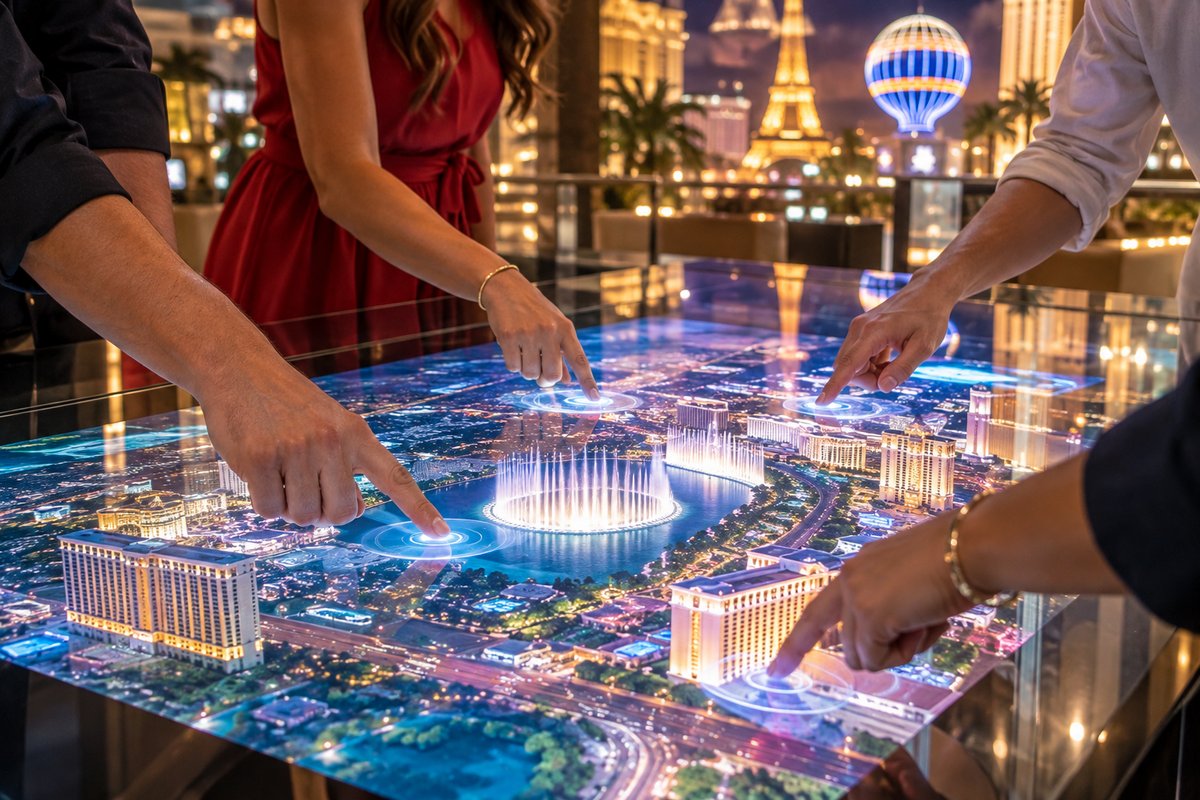
Define your goals—retail engagement, wayfinding, or interactive kiosks—and choose the glass feature and screen style for your Las Vegas venue.
Select a TouchFoil model and specify size and glass type. Pair with a display or projector behind the glass depending on the visual impact and lighting at your location.
Install the touch foil carefully on the interior side of the glass, align with the screen area, and connect the USB controller. Allow 24–48 hours for curing before use.
Engage foot traffic day and night with interactive window displays that respond to touch, ideal for Las Vegas Strip boutiques and grand entryways.
Equip hotel and casino lobbies, reception desks, or information kiosks with touch-through-glass screens to streamline check-ins and inform guests.
Transform cases and exhibit glass into educational multi-touch tables and interactive displays for museum visitors or school presentations.
Compare available foil widths, lengths, and supported glass thickness to match your Las Vegas project. Essential for retail showcase windows or interior features in venues with unique layouts.
Select from ProFoil Standard for quick 10-point touch, Pro Touch 20/40 for multi-user engagement, Object Recognition for advanced interactivity, or Clear/Circular versions for maximum visibility or round surfaces.
Understand the installation process, power requirements, and best practices for mounting touch foil behind glass. This helps Las Vegas installers and designers plan for high uptime during business and event hours.
Every project is unique in Las Vegas. Use the quote tool to specify your project details for a tailored spec and pricing proposal.
Confirm with the Las Vegas permitting office to ensure your installation meets local glass, projection, and signage codes.
Review Las Vegas visitor data and seasonal trends to design interactive displays that appeal to tourist and business crowds year-round.
Las Vegas is a city where first impressions matter—especially along the world’s most trafficked pedestrian corridors and in luxury hospitality spaces. Touch foil interactive storefronts not only grab attention but support unique blended digital-physical experiences, which are increasingly expected by both local residents and international visitors. From spring conventions to bustling fall weekends and winter holidays, interactive windows help your business stand out year-round.
Museums, galleries, and visitor centers in Las Vegas can upgrade exhibit glass, display tables, or entry portals without distracting from artifact displays. Multi-touch tables invite group participation, while object recognition options add unique educational engagement.
Hospitality venues—such as hotels, casino lobbies, and conference halls—use interactive glass for elegant check-in desks, automated ticketing, or event wayfinding. Kiosks and glass tables withstand constant use and can be easily sanitized between guest interactions, aligning with health and safety requirements.
Las Vegas real estate offices, event companies, and pop-up shops also benefit from interactive glass that transforms ordinary spaces into destination experiences. Rotating content can be tailored for promotions, conventions, or themed events to keep engagement fresh.
Electrical infrastructure in casino resorts, retail pavilions, and schools may differ. The touch foil’s USB-powered controller requires a 5V USB port and must be grounded and mounted securely in the frame, with USB cables routed away from display and high-voltage power wires to prevent interference.
Ensure your glass has no metal, is no thicker than the touch foil’s model supports, and that the area behind the glass allows for an unobstructed display or projection field. If you plan to mount components on or behind building glass in Las Vegas, verify local electrical codes and permit requirements, especially for public-facing or exterior locations.
Lighting is a critical consideration for touch-through-glass. Las Vegas’ intense sunlight during late spring and summer requires carefully selected display brightness or rear projection film to maintain visibility and touch accuracy. For night use, the screen effect stands out dramatically amid the city’s neon and LED lighting.
Before final approval, most commercial settings in Las Vegas require inspection for mounting, low-voltage wiring, and signage compliance—always check with city officials before beginning work.
Applying touch foil to glass containing metallic films, tints, or wire mesh will disrupt touch sensitivity—always request glass spec sheets from your contractor. Keep metal hardware and mullions at least 3 mm from the foil’s active area per installation guidelines.
Attempting to move or reuse a touch foil after application will result in poor performance or void warranty. Test-fit all displays, film, and projection image alignment before applying the foil. Installation is a one-time, wet-apply process that is not repositionable.
For larger interactive zones such as tables or museum walls, ensure your foil model and display size match the viewing distance and expected group size. Overlooked zone calibration or using models beyond their specified glass thickness leads to touch inaccuracy, especially in high-traffic Las Vegas settings.
Always allow for 24–48 hours of curing after application to ensure full adhesion. Premature use may cause water entrapment or calibration errors, which can impact performance.
Touch foil uses a transparent grid of sensing wires that mounts on the inside of glass or acrylic to detect finger touches through the pane. The ProFoil Standard works up to 10 mm glass, while Pro Touch 20/40 models work through glass up to 12 mm, including laminated double glass (no air gap). For best results, thinner, non-metallic glass is recommended in all cases.
Yes. Every project is covered by a 3-year foil and 1-year controller warranty, and all foils are CE and RoHS compliant. Always reference your quote and official documentation for warranty coverage specific to your project.
No, the touch foil is designed for one-time installation on the inside of glass and cannot be moved after curing. Outdoor installation of the foil itself is not supported. Proper testing and alignment before installation are essential for long-term performance.
TouchFoil works with either rear-projection film and a projector or with a commercial LCD/LED display positioned behind the glass. Choose the setup based on ambient light—projectors are best for shaded or interior use, while direct-view displays excel in bright or busy retail locations typical of Las Vegas.
Install only on clean, non-metallic glass using the wet-apply method described in the technical guide. Ensure proper power supply safety, controller grounding, and USB cable routing. Consult the Las Vegas permitting office for building or signage modifications before starting the project.
TouchFoil models support from 10 touch points (ProFoil Standard) up to 20 or 40 (Pro Touch 20/40), and even more with the Object Recognition version (over 40). Group and table use is fully supported for collaborative displays, touch tables, and interactive exhibits.