
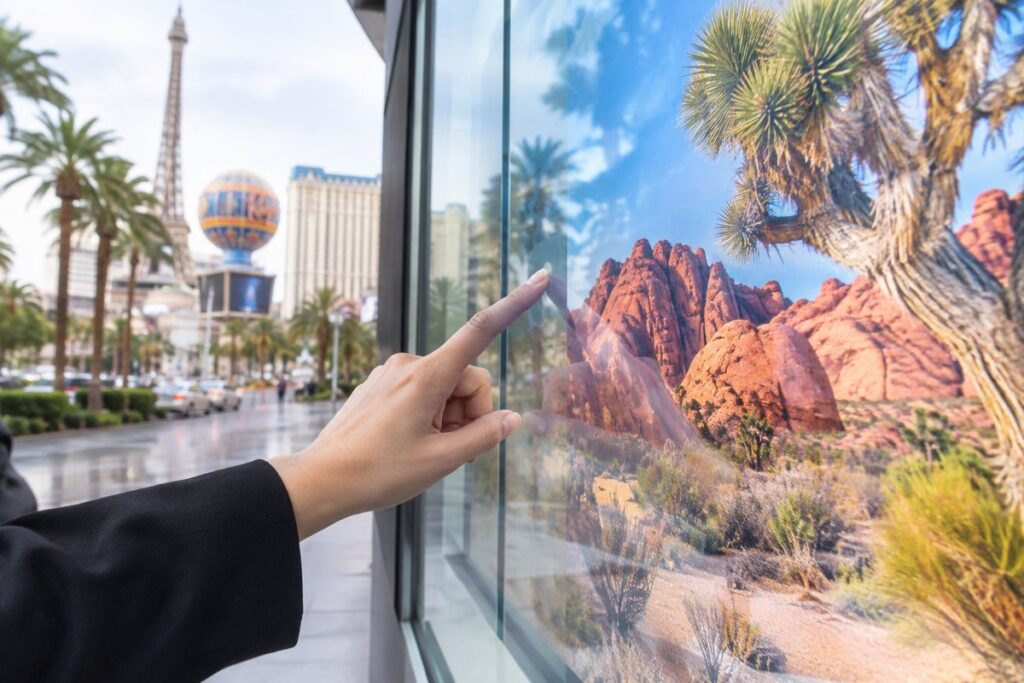
What Is Touch Foil? The Basics Explained
Touch foil is a transparent film—with a fine grid of sensing wires—that installs directly on the inside surface of glass or acrylic. When paired with a display behind the glass, touch foil senses multiple fingers or objects through the glass, turning an ordinary window, kiosk, or table into a responsive multi-touch screen. Not all foils are the same; options like ProFoil touch foil from Screen Solutions International (SSI) let you choose models tailored to your needs, such as fully clear varieties, circular foils for tables, or object recognition for hands-on exhibits.
Unlike older surface-mount touch technologies, touch foil never exposes components to weather or tampering because it always installs on the interior face of the glass pane. This design allows for a clean, durable interface in busy public spaces while supporting high light transmission (89 percent or more, depending on model). The included controller board connects via USB—powered by 5 V—delivering plug-and-play simplicity for most modern computers. The fine grid is hidden; on ProFoil Clear, even the wires are invisible.
Touch foil enables fast response times (under 10 ms) and accurate touch sensing (about ±2 mm, or under 1 mm on object recognition models). It works across a range of sizes, thicknesses, and shapes—ideal for the creative demands of Las Vegas’s retail, hospitality, and museum venues.
How Touch Foil Turns Glass Into a Multi-Touch Screen
Touch foil is always combined with a visual display source behind the glass. There are two main system types. The first uses a large LCD or LED display behind the foil, visible through the glass, creating a straightforward interactive window. The second combines a projector, a rear-projection film, and a computer—ideal for large custom displays and unusual shapes, such as curved storefronts or domes. You can read more about these approaches at How Touch Foil Works and How to Install It.
In both setups, the sequence is: glass facing the public, touch foil adhered to the inside face, display (LCD/LED or rear-projection film), and your content on a local computer. The foil detects fingers or objects through the glass and sends precise touch signals via USB to the PC, allowing apps, games, or information kiosks to be operated by anyone passing by—without touching hardware.
Projection-based systems are flexible and can go much larger than standard displays but may require consideration of ambient light and projector placement. In busy tourist districts and convention areas of Las Vegas, these systems allow for eye-catching, interactive storefront windows that engage visitors even outside business hours.
Touch Foil Models and Sizing Options
SSI’s ProFoil line covers a variety of use cases and installation types. Touch Foil Sizes and Specifications detail dimensions ranging from 10.1 inches up to custom sizes of 1.4 by 4.5 meters. The ProFoil Standard covers 10 simultaneous touches through glass up to 10 mm thick, while Pro Touch 20/40 models support up to 40 touches and operate through glass or laminated glass up to 12 mm—suitable for larger installations or touch tables in high-traffic venues.
The ProFoil Object Recognition model adds the ability to identify tagged objects (marker pucks), enabling interactive exhibits, educational stations, or custom retail experiences—perfect for museums or branded showcases along the Las Vegas Strip. The ProFoil Clear variant is fully transparent with no visible conductors and is bonded to glass at delivery for completely unobtrusive touch sensitivity. For round tables and installations, Circular Touch Foil is available up to 140 cm active diameter, with the option to combine two halves for extra-large applications.
Sizing is always custom-quoted. Explore the models and specifications or request a project-specific recommendation at Touch Foil Models.
Planning Glass Thickness, Size, and Local Compliance in Las Vegas
Touch foil works best with thin, clear, non-metallic glass. Thinner glass (under 10 mm, or 12 mm for Pro Touch 20/40) yields the highest touch accuracy and responsiveness. For safety, commercial applications often use tempered or laminated glass, and it is essential to confirm that no metal meshes, tints, or embedded wires are present—these can interfere with touch accuracy.
Glass panel size must correspond with your foil order; always align the active area precisely with the screen behind. For custom designs, check local regulations and building permit requirements. The City of Las Vegas requires that significant modifications to storefront window structures, installation of projection equipment, or major signage changes go through an official process—see the Building & Offsite Permits portal for details and guidance. This ensures your project meets safety codes and avoids costly delays.
Consider weather exposures and local building code standards for all storefront installations. Although touch foils are always installed on the interior face, factors such as insulated glass or double panes must be taken into account for proper calibration and performance.
Installation Process: Step-by-Step Practical Advice
Installing touch foil in Las Vegas typically requires careful coordination with local contractors or experienced AV technicians. The foil is applied using a method similar to large window decals: the glass must be thoroughly cleaned, and no metal or debris can contact the active area. The marked sensor area of the foil must be perfectly aligned with the visible display behind. A wet-application process is used: water and any air bubbles are squeegeed out, and then the foil is left to dry undisturbed for 24 to 48 hours.
Touch foil is a one-time installation—removal detaches or destroys it—so testing fit and verifying content before applying is strongly recommended. Routing of USB cables is important: keep controller and data cables grounded and isolated from power and video signal lines. The controller should be mounted on a grounded frame to reduce interference, and a dedicated USB port is required for plug-and-play operation. For detailed instructions, visit How Touch Foil Works and How to Install It.
Always plan installation to allow access to power and connectivity to your content player or PC. When in doubt, check with your IT or AV provider, or review the configuration best suited to your installation size and environment with the SSI team.
Las Vegas-Specific Challenges: Power, Lighting, and Tourism
Las Vegas’s climate and urban lighting create unique considerations for interactive glass projects. Bright ambient lighting, digital billboards, and reflections from neighboring properties can all affect display visibility. If using a rear-projection setup, choose a projection film and projector brightness that counter local conditions. The Las Vegas Convention & Visitors Authority offers trends and insights on local visitor behavior, which can help shape kiosk location, interactivity, and messaging strategies to maximize engagement.
Power outlets may be limited in older hotels or retail spaces, and local ordinances often dictate the safe routing and grounding of new electrical lines. All computers and controllers must be connected to grounded circuits. If modifying your storefront or adding displays, check the relevant city permit requirements at the Building & Offsite Permits portal. This is essential for commercial compliance, especially in high-traffic districts.
Las Vegas’s year-round tourism means that entryways and lobbies may see high use at all hours. Designing your interactive storefront for maximum durability, minimal maintenance, and straightforward content updates helps keep your installation running smoothly for locals and visitors alike.
What Products and Specifications Should You Choose?
Each touch foil installation is unique: a museum exhibit’s needs differ from those of a retail window facing the Strip or a hotel’s interactive wayfinding kiosk. Key criteria include the size of the glass, expected number of simultaneous users, and touch response demands. For basic retail interactivity, ProFoil Standard offers 10 points and simple calibration; for large, multi-user surfaces or creative experiences, Pro Touch 20/40 or Object Recognition unlock more advanced features.
Consider the thickness of your glass or acrylic, type of display (LCD versus projection), lighting environment, and physical access.
For a clear overview of the available models, use Touch Foil Sizes and Specifications and consult Touch Foil Models for side-by-side feature comparisons and data sheets.
FAQ: Touch Foil for Las Vegas Storefront Windows
Can touch foil be installed outdoors or on exterior glass?
No. Touch foil is always mounted on the inside of glass or acrylic—never on exterior faces. This protects the sensors from temperature swings, weather, and tampering, which are especially important in the Las Vegas climate.
How are permits handled for interactive storefront displays?
Permits for modifying commercial storefronts, electrical runs, or installing new displays are typically required in Las Vegas. Check requirements with your local authority at Building & Offsite Permits and coordinate with any building management or commercial landlord.
What warranty and compliance come with ProFoil touch foils?
Every ProFoil touch foil comes with a 3-year warranty on the foil and a 1-year warranty on the controller, and all models are CE and RoHS compliant. Individual configurations are quoted per project.
Next Steps: Start Your Interactive Touch Foil Project
Transforming a Las Vegas storefront, lobby, or exhibit into an interactive screen is now more accessible and customizable than ever. Whether you are a retailer aiming to engage visitors, a museum exploring new ways to connect, or a venue updating information kiosks, touch foil offers a practical, versatile solution. Review your needs, consider the space, and outline your vision. For help with planning, specifications, or quoting a custom project,
to move your interactive display forward.