
01 · Apply
Mount the Foil Inside Glass
Touch Foil is wet-applied to the clean inside surface of glass or acrylic, ensuring the active area aligns precisely with your screen, whether in a retail window, lobby partition, or kiosk face.
Transform glass storefronts, museum exhibits, and public spaces in Honolulu with seamless touch screen experiences using Touch Foil.
Honolulu’s vibrant retail districts, high-traffic tourism venues, and innovative hospitality settings are ideal backdrops for dynamic digital engagement. Touch Foil, from Screen Solutions International, empowers designers and builders to create transparent, multi-touch interactive glass installations on the inside of windows or display panels—perfect for the city’s renowned blend of tradition, technology, and welcoming aesthetic.
Whether updating a Waikiki storefront, enhancing resort lobbies with interactive wayfinding, or building hands-on museum exhibits, Touch Foil offers models to support retail, education, and visitor experience in Hawaii’s unique climate. Each project receives specialized support, ensuring the transparent touch foil meets the requirements for clarity, responsiveness, and durability in high-humidity island environments.
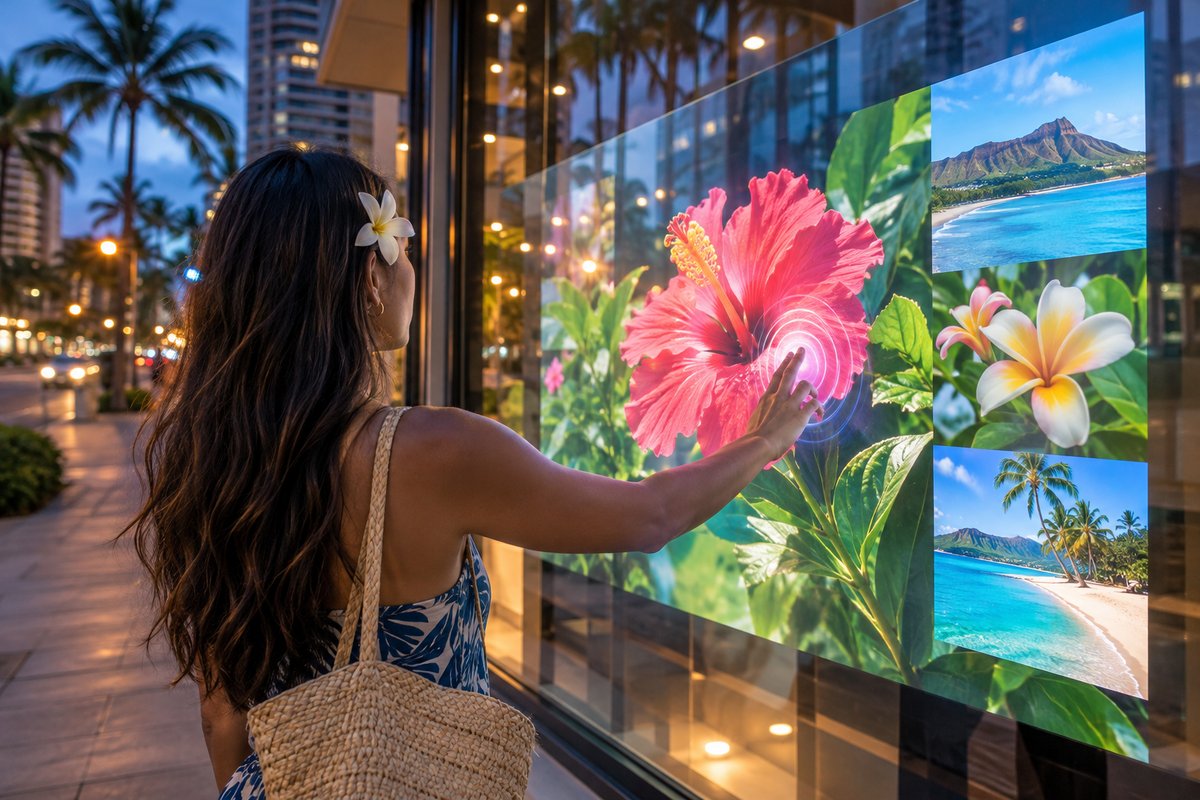
Touch Foil is wet-applied to the clean inside surface of glass or acrylic, ensuring the active area aligns precisely with your screen, whether in a retail window, lobby partition, or kiosk face.
The included controller and USB cable deliver 5 V power and a plug-and-play interface to your computer. Securely fix and ground the controller to the frame, and route cables following project guidelines for best performance.
Integrate a rear-projection film and projector or use an LCD/LED display behind the glass. The touch foil senses up to 40+ touch points, letting you create interactive storefront windows, tables, or information kiosks.
Upgrade retail windows along Kalakaua Avenue or Ala Moana Center to engage passersby with dynamic digital content—without compromising on natural light or transparency.
Hawaii’s museums and visitor centers can provide hands-on digital experiences—maps, timelines, or educational games—through protective glass, all while preserving artifacts and displays.
Enhance hotel and resort lobbies, event check-in kiosks, or interactive maps in high-traffic areas, streamlining guest experience with easy-to-clean, multi-user touch screens built into glass.
Compare active sizes, touch point options, and optical properties to fit bright island conditions, from small kiosks to large, daylight-readable storefronts. Custom sizes up to 1.4 x 4.5 meters are available for unique locations.
Select from ProFoil Standard, Pro Touch 20/40, Object Recognition, Clear, and Circular models. Choose based on glass type, size needed, or desire for full transparency or object recognition for interactive tables.
Get step-by-step installation guidance designed for Honolulu’s humid ocean climate. Learn best practices for wet-application, grounding, and cable management specific to busy public spaces.
Every Touch Foil project in Honolulu or anywhere in Hawaii is quoted individually. Request a quote to receive sizing, compatibility, and usage recommendations for your venue or event.
Explore guidelines, inspirations, and marketing opportunities for visitor‑focused digital installations in Honolulu.
Honolulu’s subtropical climate means displays are often exposed to higher ambient humidity and significant daily foot traffic, especially in downtown retail zones, waterfront resorts, and educational campuses. Touch Foil’s high light transmission makes it suitable for the natural brightness of venues facing open air promenades and garden views. When planning a display, consider shading and ambient sunlight: brighter locations benefit from pairing touch foil with an LCD or a bright rear-projection film for optimal content visibility.
Museum exhibits, information kiosks, and event check-ins at hotels benefit from glass’s easy-to-clean surface, crucial for public health and high turnover during tourism peaks. For continuous visitor engagement, touch-enabled windows and tables can remain interactive through glass, keeping electronics shielded from environmental exposure.
Retailers in Honolulu shopping districts use interactive storefront windows to draw in customers after hours, displaying promotions, catalogs, or videos throughout the day and evening. Large venue spaces, such as convention centers or airport lounges, are ideal for wayfinding maps and directories that multiple users can operate simultaneously—especially with ProFoil Pro Touch 20/40 or Object Recognition models.
Schools and universities on Oʻahu can enhance STEM labs, libraries, and campus guides with touch tables or wall-mounted informational panels, letting groups collaborate or learn together while preserving classroom security and style.
Before installation, confirm the glass has no metallic content and is as thin as safely possible, as thinner glass boosts touch precision. Exclude any metal framing or structural elements within 3 mm of the foil’s active area. Laminated safety glass is supported for most models—check your requirements with the Touch Foil team for double-pane or specialty glass designs.
Use a dedicated, grounded power source for the controller, and physically mount and ground the controller board to the display frame. USB cabling should be kept at a distance from electrical power and high-voltage display cables to avoid touch noise or interference—especially important in older Honolulu buildings with legacy wiring.
Installers should plan to wet-apply the foil only after verifying positioning, as removal for reapplication is not possible. Honolulu’s high humidity may extend the drying period to the full 48 hours. Avoid scheduling installations during rainy spells or when the venue has elevated indoor moisture levels.
For any commercial or public display, review local display, signage, and electrical regulations. Permits, ADA compliance, and historic property guidelines may affect placements—always check with Honolulu city or state offices before starting work.
Rushing through the initial test fit before installation is a frequent oversight—once the foil is installed, its position cannot be adjusted or reused, so always fully test its alignment and performance with your chosen display technology before final application.
Leaving glass ungrounded or mixing USB, power, and signal cables in a tight conduit can introduce signal interference and reduce touch sensitivity. In Honolulu venues with older infrastructure or limited grounding options, taking time for careful cable management is especially important.
Another common mistake is selecting a display that is not bright enough for outdoor-facing or sunlit window locations. For high-glare settings typical of Waikiki or Ala Moana Center, always match the touch foil with a daylight-readable display to ensure content is visible and engaging.
Finally, assume that permit or accessibility checks aren’t needed—while most indoor venues are straightforward, heavily trafficked or public-facing locations may require city review to ensure compliance with local codes and Hawaii’s strict accessibility standards.
Touch Foil is a transparent film layered with a fine grid of invisible sensing wires (fully transparent on ProFoil Clear) that is applied to the inside surface of glass or acrylic. When a finger touches the other side of the glass, the foil senses its precise location and sends input to the connected computer via USB. The technology works through various thicknesses of non-metallic glass, letting you use glass partitions, windows, or walls as touch screens.
Yes, Touch Foil is designed for indoor applications and works effectively in Honolulu’s humid conditions as long as it is installed on the inside of glass and the drying window is observed—typically up to 48 hours. For lobbies, retail windows, and attractions facing ocean breezes or tropical conditions, always install the foil on the protected inside and use grounded power. Direct outdoor exposure or use on the exterior surface is not supported.
You can use either a rear-projection film with a projector or a direct-view LCD/LED display behind the glass. Rear-projection is excellent for large areas or unique shapes, while LCD/LED panels are best for locations with high ambient light or where maintenance access is limited. Always choose a display with sufficient brightness for the typical lighting in your venue.
Touch Foil is available in several models: ProFoil Standard (supports up to 10 touch points through glass up to 10 mm thick), Pro Touch 20/40 (20 or 40 points for large multi-user installations and Mac support), ProFoil Object Recognition (detects objects or pucks for interactive tables), ProFoil Clear (completely transparent, no visible wires), and Circular Touch Foil (for round tables or domes). The right choice depends on your size, touch point needs, and transparency preferences.
Requirements depend on the building, location, and usage. For public-facing or commercial displays, it’s essential to consult Honolulu city offices about permits, ADA compliance, and any display signage rules. Venues in historic or tourism zones may have additional guidelines, so always check early in the project planning process.
Begin by reviewing your venue’s glass dimensions, thickness, and available power sources. Consider whether you’ll be using rear-projection or an LCD/LED display, and define the type and number of touch points required. Then, visit the Get a Touch Foil Quote page to provide your project details. Each quote includes sizing, compatibility, and recommendations for your Honolulu venue.