
01 · Plan
Choose the Right Glass and Location
Work with your building team to identify suitable glass—clear, metal-free panes deliver optimal touch sensitivity and accuracy for Columbus weather and street conditions.
Create interactive glass experiences for Columbus businesses, museums, and public spaces using TouchFoil technology inside your windows or walls.
In Columbus, OH, shifting seasons, vibrant retail districts, and a spirit of innovation inspire businesses and institutions to seek engaging ways to connect with visitors and customers. TouchFoil, powered by SSI and installed on the inside of glass, transforms any window, kiosk, table, or glass wall into a responsive touch screen—while retaining a clear, open view.
Whether it’s a High Street storefront, a museum at COSI, or a hotel lobby across from the Short North, TouchFoil makes your glass interactive without altering your existing exterior or room design. Designed for custom integration with LCD/LED displays or projection film, it’s quoted per project and CE and RoHS compliant. Explore how this technology opens new engagement for Columbus, paired with local planning and compliance essentials.
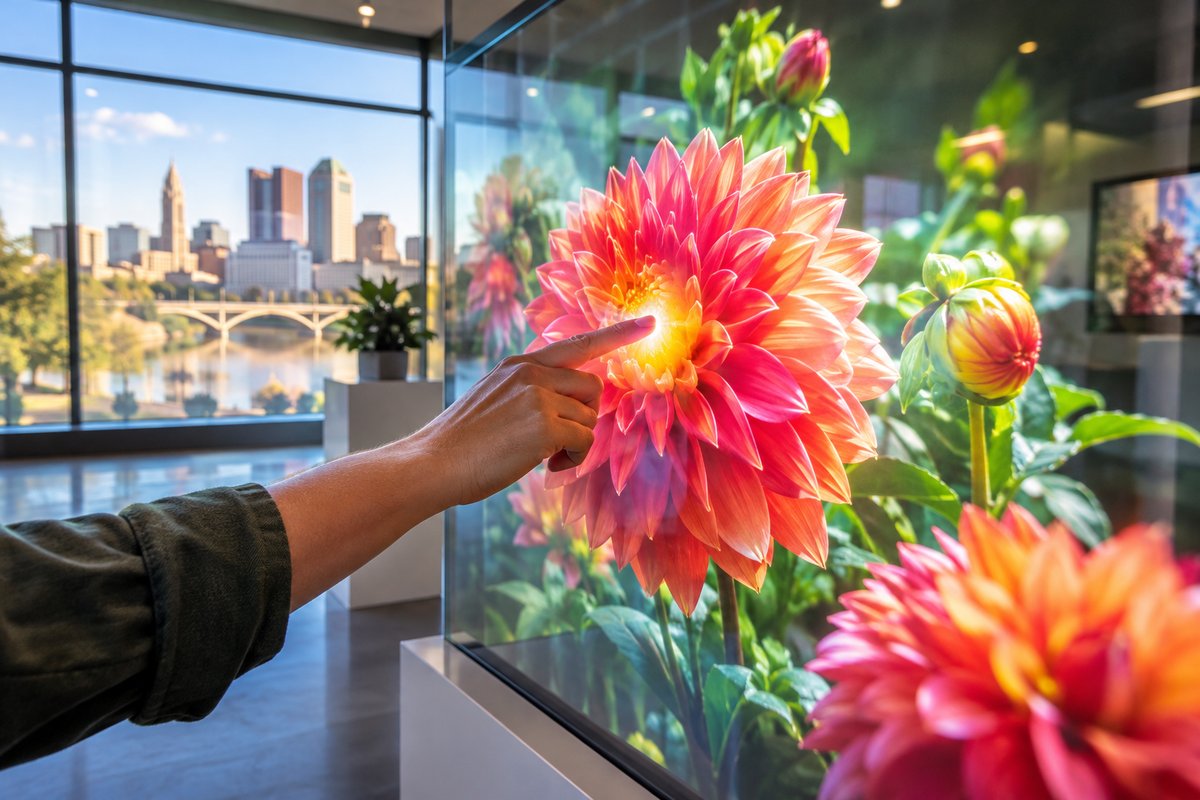
Work with your building team to identify suitable glass—clear, metal-free panes deliver optimal touch sensitivity and accuracy for Columbus weather and street conditions.
Electronic setup is plug-and-play.
Connect your display or projector, load interactive software, and transform your space for public engagement, information, retail interaction, or branded experience.
Engage curbside foot traffic along the Short North and Polaris with interactive window shopping and product browsing, even after hours.
Enable hands-on digital exhibits at COSI, art galleries, and visitor information centers for immersive, durable public experiences.
Host interactive directories or event check-ins in hotels and corporate towers, or add touch tables to Columbus event venues for collaborative presentations.
Refer to the sizes and specs to match your Columbus window, wall, or table. Choose custom shapes and sizes up to 1.4 x 4.5 meters to fit unique entryways or exhibit pieces.
Explore ProFoil Standard for most retail displays, Pro Touch 20/40 for larger walls or multi-user tables, Object Recognition for educational or interactive museum tables, ProFoil Clear for transparent design, and Circular Touch Foil for round installations.
Understand every step of mounting TouchFoil inside glass, safety checks for Columbus buildings, and how to achieve optimal touch responsiveness based on local climate.
Every TouchFoil project in Columbus is unique—submit your window or wall details for a customized quote tailored to your display and interactive goals.
Check building or electrical permit requirements for interactive display installations behind public-facing glass.
Align museum or visitor-center interactive plans with city tourism strategies for wider reach and coordinated messaging.
Columbus experiences four distinct seasons, which means storefronts and public venues need display solutions that work year-round—from winter downtown holiday shopping to bustling summer events. TouchFoil operates behind glass, so your interactive screen is shielded from rain, snow, and dust, ensuring engagement without exterior exposure.
Retailers can adapt TouchFoil for seasonal promotions: from spring product launches at Easton Town Center to fall festival displays along Gay Street. Local museums and event spaces can swap in new content displays as the city calendar changes, making use of a single pane’s persistent interactive functionality.
As a college town with diverse events, custom-sized TouchFoil enables unique installations—from touch tables at student centers to creative windows at festivals or trade shows. The nearly invisible grid on ProFoil Clear makes it a discreet choice for minimalist glass-front cafés or boutiques seeking to attract visitor attention.
All interactive glass applications are adaptable to Columbus’s mix of historic and contemporary venues. TouchFoil adds a digital edge without compromising existing architectural features—a flexible fit for downtown or suburban settings.
Before installation, ensure that your project complies with local codes—commercial building permits may be necessary for new electronic equipment behind glass, especially in public or retail settings. Always consult with the City of Columbus Building and Zoning Services before beginning your project to determine requirements for display integration.
Proper power and grounding are crucial for TouchFoil performance. The controller is powered using 5 V over USB, but it’s important to run cabling away from power or display video lines to prevent interference. Metal-framed glass or metal accessories should remain at least 3 mm from the foil. For larger installations or those integrated into complex environments—such as new-build retail or high-traffic lobbies—engage your IT/AV contractor during the planning stage.
Columbus’s changing indoor/outdoor temperature and humidity mean it’s important to follow recommended wet-application techniques when mounting TouchFoil. Allow the full drying time before activating, and make sure your glass meets thickness and material specifications for your model.
Retail and museum teams should coordinate with local tourism and urban development contacts. Secure all physical mounting and cable routes for safety, considering varying foot traffic and compliance with local accessibility standards.
A common oversight is choosing glass with embedded metal or coatings, which interferes with touch sensing. Always confirm pane specifications before procurement or installation, especially for renovated or older Columbus properties.
Another mistake is rushing the wet-application process. In Columbus’s varied humidity, bubbles or dust can become trapped if glass is not properly cleaned and prepared—careful alignment and thorough squeegeeing are required for optimal touch performance.
Improper cable management can cause signal interference or controller grounding problems. Always route USB cables carefully and secure the controller to a grounded frame. Never share USB power with other high-draw electronics or displays on the same circuit.
Finally, skipping the project review with local building officials can result in unexpected delays or retrofits. Check city permit requirements in advance and coordinate your display plans with property management or district design authorities.
No, TouchFoil must always be mounted on the inside of glass or acrylic. This design shields the touch foil and electronics from rain, snow, and dust while keeping your display accessible to passersby on Columbus streets. The foil is never installed outdoors or exposed directly to the elements.
TouchFoil is designed for use with clear, metal-free glass or acrylic. Thinner glass (up to 10 mm for most models and up to 12 mm for Pro Touch models) offers higher touch sensitivity and accuracy. Avoid panes with embedded metal wires or coatings, and keep metal frames at least 3 mm from the touch area.
Permit requirements for mounting electronics behind public-facing glass vary by venue and may depend on overall project scope. For Columbus, check with the City of Columbus Building and Zoning Services to determine if a building or electrical permit is required for your display or interactive window upgrade.
TouchFoil is powered via a USB cable connected to the included controller, which receives 5 V power. The system is plug-and-play, compatible with most computers, and includes zone or automatic calibration depending on the model. Ground the controller and route cables away from display and power lines for best performance.
TouchFoil is available in several models: ProFoil Standard (10 touch points), Pro Touch 20/40 (higher touch count and size), Object Recognition (detects marker pucks), ProFoil Clear (fully transparent), and Circular Touch Foil (round shapes for tables or domes). Model choice depends on your glass type, display size, and interaction needs.
There is a 3 year warranty on the foil and a 1 year warranty on the controller, as provided by SSI. All TouchFoil products for Columbus projects are CE and RoHS compliant for peace of mind during planning and building approval.