Massachusetts · year-round interactive glass experiences

Touch Foil for Interactive Glass in Boston, MA

Bring interactive glass to Boston’s storefronts, exhibits, and venues with TouchFoil’s advanced touch foil technology.

Boston, MA thrives on innovation, history, and engaging experiences—making interactive glass a standout upgrade for any retail store, museum, corporate space, or educational venue in the city. TouchFoil turns any window, acrylic panel, or glass wall into a responsive, transparent multi-touch screen. Whether you’re attracting tourists at an exhibit, upgrading a hotel lobby for digital concierge, or outfitting a retail window for interactive promotions on Boylston, you can transform glass instantly while maintaining all-day visibility inside and out.

TouchFoil, from Screen Solutions International, offers a range of ProFoil models to match every project, with foils that mount discreetly behind the glass. Each foil arrives ready to combine with a display or projection film, enabling near-invisible interactive technology for everything from kiosks to long glass walls. With Boston’s dynamic seasons—from snowy winters to bustling summers—having an all-season, protected, interior-mounted solution delivers durable interactive performance for public, staff, and visitor use.

interactive storefrontmuseum technologykiosk touch screen

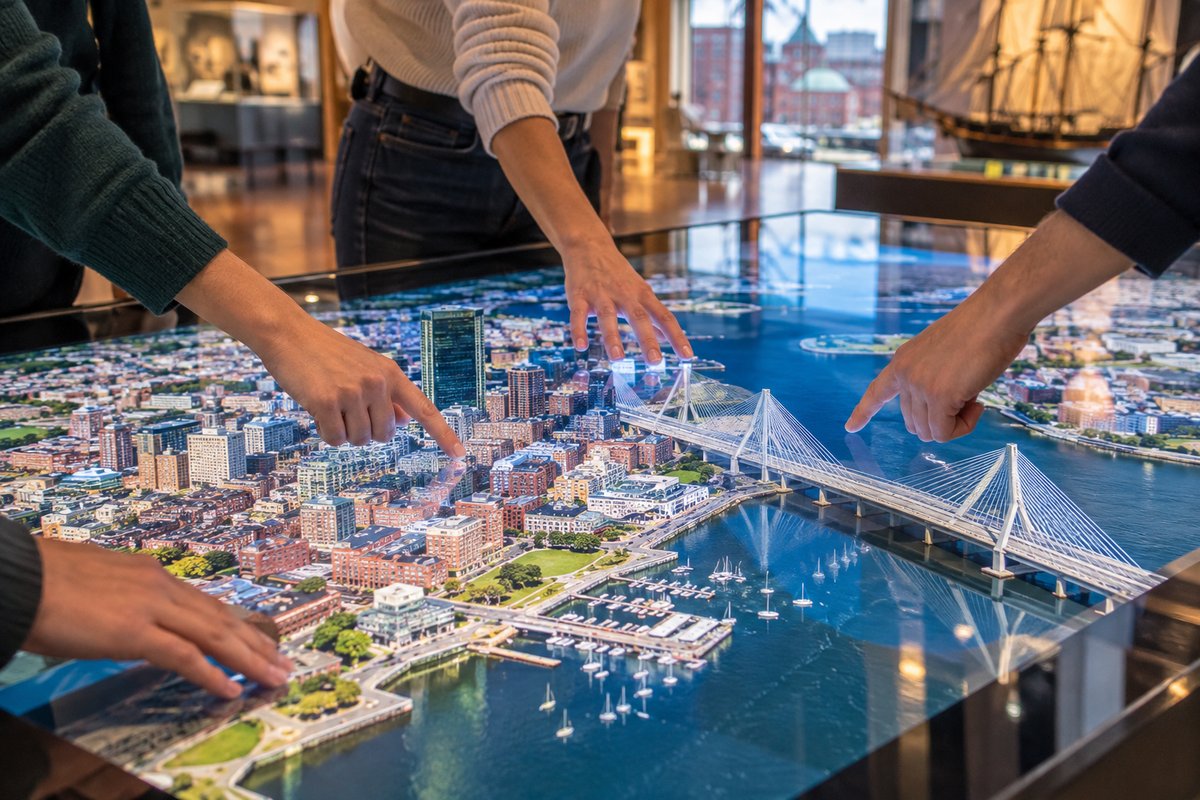
Interactive glass storefront in Boston used with touch foil at dusk.
Illustrative AI concept image, not a documented installation.
Plan your touch glass

How to Add Interactive Touch Foil in Boston

01 · Plan

Select Your Glass and Size

Measure your interior glass or acrylic window, table, or kiosk and determine the active touch area needed for your project. Be sure the glass has no metal and is within the thickness supported by the chosen ProFoil model.

02 · Combine

Pair with Display or Projection

Choose between mounting an LCD/LED display or using a projector and rear projection film behind the touch foil. Ensure your display source fits the active zone and glass area.

03 · Install

Install and Connect

After preparing and cleaning the glass, wet-apply the touch foil to the inside surface. Connect the included controller and USB cable to your system and allow 24–48 hours for the foil to dry before first use.

Where it works

Where Touch Foil Makes a Difference in Boston

Retail

Interactive Storefront Windows

Attract passersby along Newbury Street and downtown Boston with touch-enabled displays inside your retail glass. Let customers browse catalogs, upcoming events, or real-time inventory right from the sidewalk, even after hours.

Corporate & Cultural

Museum, Hotel, and Lobby Installations

Enhance museum exhibits, visitor center wayfinding, or hotel check-ins with interactive touch walls behind glass. Perfect for Boston’s historic museums and innovative hotels needing high-traffic, secure public interaction.

Education & Events

Touch Tables and Kiosks

Transform glass-topped tables and interactive kiosks at schools, city events, and office buildings. Encourage group engagement and dynamic presentations that withstand Boston’s busy academic and event calendars.

Featured touch foils

Featured Touch Foil Products and Solutions

Specs Sheet

Touch Foil Sizes and Specifications

Review available foil sizes, touch point support, and glass thickness for ProFoil models suited to Boston’s many venues. Custom sizes up to 1.4 x 4.5 m serve unique building designs and window layouts.

See Touch Foil Sizes and Specifications

Product Range

Touch Foil Models

Explore the Standard, Pro Touch 20/40, Object Recognition, Clear, and Circular foils, ideal for everything from small kiosks to large-format interactive storefronts. Every Boston project is quoted based on use and size.

See Touch Foil Models

Setup Guide

How Touch Foil Works and How to Install It

Understand two main integration options for Boston properties: combine foil with either a display or a rear-projection film. Follow the step-by-step installation and alignment guide for best performance indoors.

See How Touch Foil Works and How to Install It

Project Inquiry

Get a Touch Foil Quote

Every Boston installation is custom-quoted. Get tailored advice for your venue, active glass area, and building requirements—submit details to receive design options and a project proposal.

See Get a Touch Foil Quote

Local planning resources

Boston Resources for Interactive Glass Projects

Permits & planning

All permits

Access guides to electrical and building permits needed when adding power or making structural modifications behind glass in Boston.

Visit search.boston.gov

Tourism

Office of Travel and Tourism

Get support and information for venues, museums, and retailers aiming to draw Boston’s many local and tourist visitors to interactive displays.

Visit mass.gov

Links are to official or established local sources and were checked when this page was drafted. Confirm current rules with each office before installing.
Before you order

Boston Project Checklist: Interactive Touch Foil

  1. Confirm Glass Type and Thickness. Check your glass or acrylic is metal-free, meets thickness requirements, and allows the desired viewing and touch sensitivity.
  2. Select the Best ProFoil Model. Choose from Standard, Pro Touch 20/40, Object Recognition, Clear, or Circular based on size, points, and Boston venue use.
  3. Plan Integration with Display Technology. Decide if you’ll use a rear-projection film and projector, or an LCD/LED display, ensuring alignment with the foil’s active area.
  4. Prepare for a Clean Dry Installation. Schedule time for careful wet-application on clean glass and allow 24–48 hours for curing. Test placement before installation, as the foil cannot be moved after.
  5. Review Permit Requirements. Check Boston permit and building code regulations if modifying wiring or structural elements behind storefront glass.
TouchFoil is only for indoor mounting on the inside surface of glass or acrylic.
Boston seasons

Boston Applications: Interactive Touch Foil Year-Round

Boston’s seasonal climate—with freezing winters, hot summers, and busy tourist periods—means venues need signage and interactive elements that work reliably all year. By mounting touch foil on the inside of existing glass, your interactive display is shielded from weather, salt, and street debris common in New England. Retailers and venues along high-traffic routes like Faneuil Hall and the Back Bay benefit from all-season usability, including during snow or rain.

In the winter, indoor touch foil windows let retailers and hotels interact with customers without opening windows to frigid air; in summer, they perform just as well, maintaining visibility and light transmission. Throughout the year, Boston’s museums, universities, and offices use touch foil to update displays, wayfinding, or visitor information—without seasonal maintenance or security issues typical for outdoor screens.

Special events like college move-in, marathon weekend, and downtown festivals offer opportunities to use large interactive formats for maps, check-ins, or interactive sponsorships. For transient and pop-up applications, fixed glass installations with touch foil are robust and tamper-resistant, helping meet the needs of changing exhibitions or storefront window campaigns.

Power & Planning

Planning a Touch Foil Installation in Boston

When planning your touch foil project, begin by reviewing electrical and permitting guidelines with Boston’s local building authorities. Any integration requiring new power, rewiring, or structural glass modifications may require city permits—especially in commercial buildings or historical properties. Using low-voltage USB-powered control, touch foil is easy to add to clean glass, but always coordinate with building management before any modification.

For best touch performance, select non-metallic, high-quality glass, ideally thinner than 10–12 mm depending on your model. Avoid metallic tints or coatings, and keep any nearby metal frames or signage at least 3 mm away from the foil’s edge to prevent interference. All installations should use securely grounded power and mount the included controller as recommended.

Consider the complete viewing environment—Boston’s older brick buildings, historic interiors, and abundant daylight require displays and projection films that maintain interior natural light when not in use. For large lobbies or storefronts with unique shapes, custom-sized touch foils allow creative digital interaction without disrupting the original glasswork.

Common issues

Tips for Successful Interactive Glass Projects

A key success factor is proper installation: after thoroughly cleaning the glass, carefully apply the foil using the wet method and remove all bubbles while aligning the marked active area precisely to the display. Remember, touch foils are a one-time install—once adhered and dried, they cannot be moved or repositioned. Always dry-test content, alignment, and interactive elements with the foil supplied protective film still in place before final application.

Route all USB and data connections away from high-voltage or video/power cables to minimize electrical interference, and securely attach and ground the controller hardware to the glass frame or display enclosure. For Boston’s bustling retail environments, test for stray electrical noise from nearby neon, LED, or building wiring.

If using rear-projection, balance indoor lighting and projection brightness for daylight hours typical in Boston’s venues. Always check new content or interactive software works with your chosen operating system for your model’s touch point support—especially if using MacOS or large-format object recognition.

Common questions

Interactive Glass FAQ for Boston, MA

Can I install touch foil on store windows facing the street?

Yes. Touch foil is mounted on the inside surface of any suitable glass or acrylic, protecting it from weather, debris, and cleaning. All controls connect via USB inside the building. Make sure the glass has no metallic tint and is within the thickness supported by your selected model for Boston’s store windows.

What types of displays can I use with touch foil?

You can use touch foil with either an LCD/LED flat panel or a projector with rear-projection film. Both options allow interactive touch through the glass. For Boston’s mix of classic and modern storefronts, choose the display method that best matches your space, light, and content needs.

Does glass thickness affect touch performance?

Yes. Thinner glass provides greater touch sensitivity and accuracy. Each ProFoil model supports a maximum glass or acrylic thickness (up to 10 or 12 mm depending on the model). Always verify your glass type and avoid metal or wiring near the foil’s edge for best touch results.

How long does it take to install a touch foil?

Typical installation involves a thorough cleaning, wet application, and an essential 24 to 48 hours for curing before use. Because the foil is a one-time application and cannot be reapplied, always test alignment and display before final installation.

What are the warranty and compliance details?

Touch foil comes with a 3-year warranty on the foil itself and a 1-year warranty on the controller. All foils are CE and RoHS compliant. For support, always refer to your purchased model and keep your product documentation.

Do I need a permit for installation in Boston?

Depending on your project, including whether you add power, new displays, or change structural glass, you may require one or more city permits. Always check with Boston’s permitting office for current requirements, especially for retail, public, or landmark buildings.