
01 · Prep
Prepare the Glass Surface
Clean the interior side of your glass or acrylic thoroughly and ensure there’s no metal content. Thinner, non-metallic glass works best for touch accuracy.
Bring interactive storefronts, lobbies, and exhibit glass to life throughout Anchorage, AK with transparent touch foil technology.
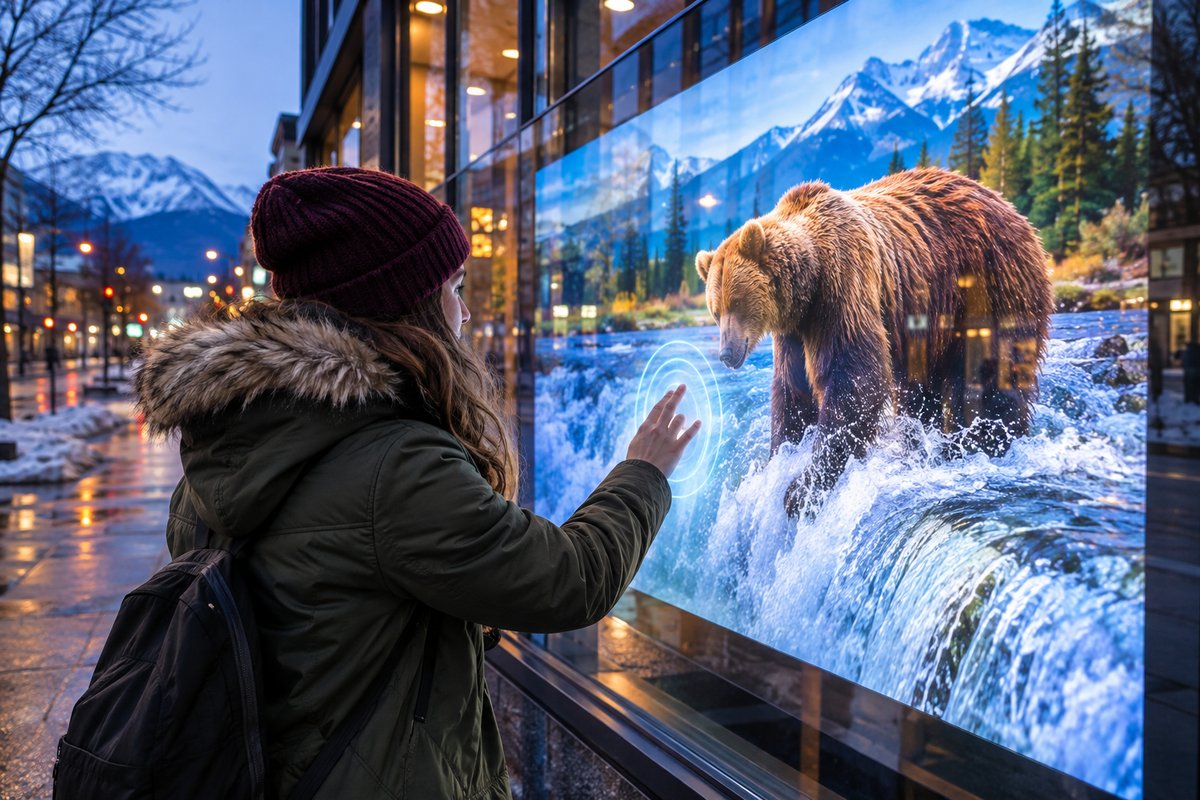
As Anchorage’s seasons shift from bright summer days to long winter nights, local businesses, museums, and institutions need display solutions that invite engagement all year round. TouchFoil by Screen Solutions International (SSI) provides a versatile answer: a transparent touch foil that fits behind glass, enabling you to turn any window, touch table, or kiosk into a multi-touch interactive experience while protecting the hardware from the elements.
Whether you’re optimizing retail storefronts for holiday traffic, updating museum displays to spark visitor interaction during the Iditarod, or equipping hotel or office lobbies for digital check-ins and wayfinding, SSI’s ProFoil models are quoted per project and can be completely customized. All touch foils are designed for interior glass mounting and are CE and RoHS compliant, with technology that meets the needs of Anchorage’s diverse venues and climate demands.
Clean the interior side of your glass or acrylic thoroughly and ensure there’s no metal content. Thinner, non-metallic glass works best for touch accuracy.
Wet-apply the foil to the inside of the glass with the active area lined up to your screen. All water and bubbles must be carefully removed before leaving it to dry for 24–48 hours.
Install your LCD, LED, or rear-projection film system behind the glass, connect the included controller via USB, ground everything, and calibrate following Anchorage’s power standards.
Catch attention on dark winter days or light summer evenings with interactive displays inside glass windows and kiosks. Let customers engage even when the store is closed.
Enable hands-on exploration in museums, visitor centers, and galleries. Touch foil is ideal for interactive timelines or real-time guides at the Anchorage Museum or university spaces.
Upgrade hotel entryways, real estate offices, and lobbies with touch-enabled directories and check-in screens behind glass—clean, secure, and inviting in any season.
Choose a foil that fits your glass—standard to custom sizing available up to 1.4 x 4.5 meters. Match the active area to Anchorage venues from small kiosks to wide retail windows.
Select from ProFoil Standard, Pro Touch 20/40, Object Recognition, Clear, or Circular models. Each offers specific touch counts, glass thickness compatibility, and features to suit your local project’s requirements.
See step-by-step details and engineering tips before you begin, including local Anchorage planning, power, and glass selection considerations.
Every setup is unique—contact SSI for a quote based on your exact glass size, touch application, and display needs in Anchorage, AK.
Anchorage’s environment sets some unique requirements for interactive glass displays. In summer, daylight hours can stretch late into the evening, while winter brings long nights and potential condensation against exterior glass. By mounting ProFoil touch foil on the inside of glass or acrylic, you ensure both hardware protection and year-round usability, regardless of temperature swings or ice outside.
For retail, using touch foil behind front windows lets you promote, entertain, or inform even when the storefront is closed or the weather is harsh. In museums, institutes, and visitor centers, touch tables or wall displays work as interactive exhibit tools, free from direct exposure to crowds or environmental sources.
Because light transmission remains high (89% or more), your digital content will be visible through most glass types common to Anchorage’s commercial windows. When choosing screen size and brightness, consider both low-light winter conditions and the intense summer sun—touch foil is adaptable, with multiple model choices to match the light and your use case.
Always ensure the glass is interior and non-metallic for best performance, and factor in local cleaning and maintenance routines so displays look sharp through snow, rain, or the summer tourist season.
All ProFoil systems—including controller and USB cabling—require a properly grounded power setup. Electrical safety is especially important in Anchorage, where power surges during storms, heater cycles, or grid changes can happen.
The controller is fixed and grounded to the frame for every installation, with USB routed away from any power or display lines to protect touch accuracy. Anchorage venues may also be subject to specific codes about digital signage or interactive installations inside commercial windows or lobbies—always review local regulations and check with the city office for any electronic display or power requirements.
If you’re integrating with an LCD/LED panel or using rear-projection film with a projector, select a computer or media device that is anchorage-ready for seasonal temperature and power fluctuations. All hardware is mounted safely indoors, so you’re protected from Anchorage’s snow, rain, or temperature dips.
For extended or custom installations, consult your AV or IT team on surge suppression, physical security, and maintenance access, especially in frequently visited public or commercial spaces.
A successful installation starts by choosing glass free of metal content, with a thickness suited to the ProFoil model selected—thinner glass generally improves touch sensitivity, with Pro Touch 20/40 handling up to 12 mm including laminated double glass with no air gap.
Before installing the foil, test alignment and touch response with a temporary setup. Installation involves a wet-apply process: align the foil’s marked active area with your planned display zone, use plenty of clean water to remove dust and static, then gradually smooth out bubbles, squeezing excess water to the edges.
It’s crucial not to move an installed foil: each is a one-time application, designed to remain in place as long as the glass is used for the display. Calibration is automatic for most models, with advanced options in Pro Touch 20/40 and Object Recognition foils—be sure to follow all steps in the installation guide, and always allow up to 48 hours for the foil to fully dry before final connection.
Touch accuracy is typically within ±2 mm (or under 1 mm for Object Recognition), supporting reliable experiences for users of all ages in Anchorage venues. Remember, metal objects—frames, brackets, or electronic signage—should be placed at least 3 mm from the foil’s edge for best results.
No, touch foil must always be mounted on the interior-facing surface of glass or acrylic. This setup protects the technology from direct weather, condensation, and temperature swings common in Anchorage. The display and foil remain safely inside, while passersby interact with the outside glass.
The right model depends on your glass thickness, desired interactivity, and screen size. ProFoil Standard suits most retail glass up to 10 mm; Pro Touch 20/40 offers higher touch points and compatibility with double laminated glass up to 12 mm. Object Recognition and Clear options are available for more specialized installations. Refer to the model guide or request a tailored quote based on your Anchorage project.
You can pair touch foil with either an LCD/LED display or a projector with rear-projection film. Anchorage’s varied daylight means brighter displays may be better for retail windows, while projectors work well in controlled light like museums or lobbies. Be sure the setup is safely behind non-metallic glass and meets local building codes.
All ProFoil touch foils carry a 3 year warranty on the foil and a 1 year warranty on the controller. Each foil is CE and RoHS compliant and is designed for permanent, reliable use indoors behind glass.
Avoid applying the foil to glass with any metal content or installing on exterior glass surfaces. Always take your time during wet-application, ensuring a dust-free, bubble-free finish, and allow up to 48 hours drying time before use. Maintain proper power grounding and spacing from metal, and follow all installation and safety instructions.
Each TouchFoil installation is quoted individually. Use the online quote request form with your window or display size, intended use, and environment details. For technical or local planning advice, refer to guides provided and check with local codes or AV professionals as needed.