
Understanding Touch Foil: The Basics
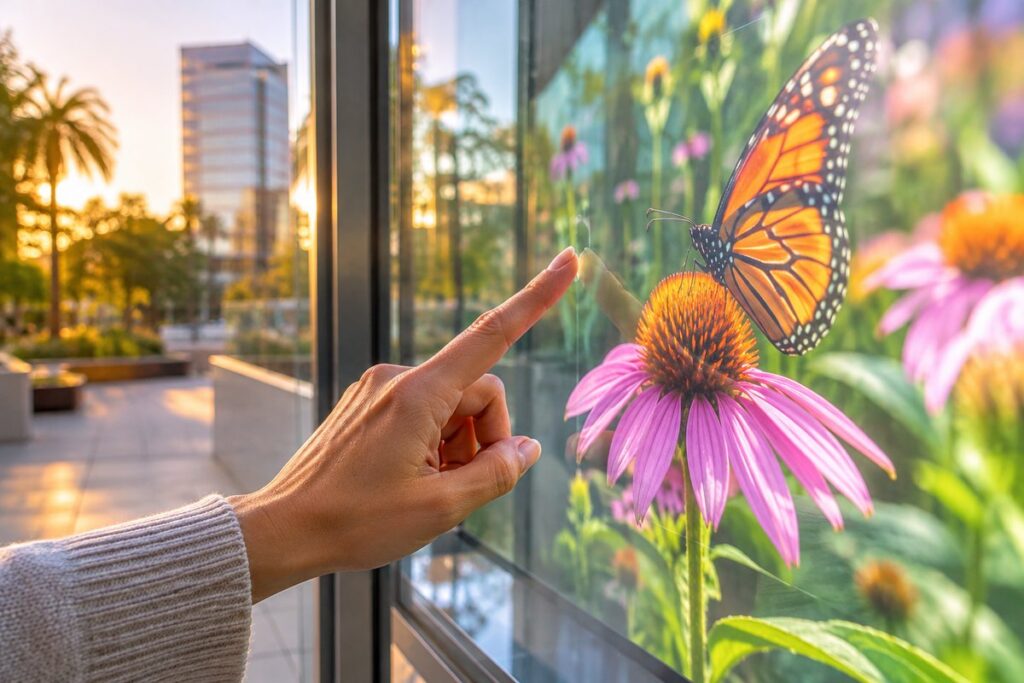
If you are exploring new ways to make your San Jose storefront, lobby, or public exhibit more interactive, touch foil technology offers a practical and versatile solution. At its core, touch foil is a transparent film incorporating a fine grid of sensing wires—no wires are visible on certain models—that mounts on the inside surface of glass or acrylic. When a user touches the exterior of the glass, the foil’s sensors detect finger position through the glass, creating a true multi-touch experience without any bulky overlay or bezel.
Every foil includes a controller board and USB cable; both work together to send the touch data to your connected computer or device. Powered by 5 V over USB, touch foil works plug-and-play with compatible hardware. Since touch foil sits inside, it remains protected from outdoor elements—perfect for San Jose’s fluctuating weather and high foot traffic areas.
For a more complete breakdown of sizing and compatibility, see the Touch Foil Sizes and Specifications guide. Understanding these fundamentals helps ensure a successful and interactive installation, whether for a bustling retail window downtown or a museum kiosk in the heart of Silicon Valley.
Turning Your Glass into a Multi-Touch Screen: How It Works
With a touch foil mounted behind your window, glass wall, or acrylic display, you create a touch-enabled surface that looks just like normal glass from the outside. The sensing grid inside the foil picks up contact through glass—detecting up to 40 or more simultaneous touch points in some models. The response time is under 10 milliseconds, and touch accuracy lands within about 2 mm (or under 1 mm on models with object recognition).
This means users can type, swipe, zoom, draw, or interact with apps right through the glass. The foil itself is optically clear, offering light transmission of 89% or more (over 85% for ProFoil Clear), so your content remains bright and inviting. Multiple people can interact with the surface at once, supporting collaborative scenarios for retail, education, or public engagement throughout San Jose.
If you want a step-by-step explanation of the technology and demonstration videos, visit How Touch Foil Works and How to Install It. Understanding these details can help you better plan your display’s role in an interactive environment, from a boutique in Santana Row to a university science lab.
Display Options: What Goes Behind the Foil
A completed touch foil interactive display involves more than just the foil and the glass. Behind the glass, you may choose either an LCD/LED screen for bright daytime use, or a projector with rear-projection film for flexible, large-format visuals. Both options have their place in San Jose’s diverse retail, museum, and business environments.
If you want the thinnest profile or a seamless look, an LCD or LED display is most common. For larger displays, unusual sizes, or immersive digital art installations—for example, in downtown exhibit spaces or hotel lobbies—a rear-projection setup using specialized film can provide a high-impact solution without needing a huge physical screen. The sister resource RearProjectionFilms.com can offer more about projection film choices for your scenario.
Whichever method you decide on, the display should closely align with the foil’s active area, with enough brightness for your window’s location and lighting conditions. Checking lighting, sun direction, and possible reflections during site visits ensures your interactive display draws people in—whether along busy Market Street or in a quiet visitor center off the main square.
Planning for Glass Thickness, Size, and Local Installation
Choosing the right glass and preparing for installation are essential steps for a reliable interactive storefront window or kiosk in San Jose. Touch foil always mounts on the inside of the glass. Thinner glass (with no metal content) gives better touch response—choose tempered or laminated glass up to the model’s specified thickness. The ProFoil Standard works through up to 10 mm glass, while Pro Touch models can sense through up to 12 mm—including laminated double glass, as long as there’s no air gap.
Keep metal at least 3 mm from the foil, and make sure the glass is clean and dry before applying the film. Local building codes or permitting requirements may apply for significant storefront changes; check with the appropriate department using the resources at Visit San Jose to help plan compliance. Power must be grounded, and all controllers must be fixed and grounded to the display frame, with USB routed away from power and video cables to avoid interference.
For more size and model guidance—whether you need a 10-inch museum label or a 100-inch interactive table—see the full range at Touch Foil Models. Custom foils go up to 1.4 x 4.5 meters, and a circular version supports round tables and domes up to 280 cm diameter when two halves are joined.
Installation Best Practices: Step-by-Step
The installation process for touch foil is precise: wet-apply the foil to the clean (interior-facing) glass surface, carefully line up the marked active area with the display’s edges, and fully squeeze out all water and bubbles. Allow 24 to 48 hours for the film to dry and adhere securely before powering up the controller and display. The foil is designed for a one-time installation—test fit and position before removing the adhesive liner, as it cannot be repositioned to another pane once installed.
For larger-format installs, handling and alignment may require careful planning—especially for oversize windows found in retail environments and office lobbies in San Jose’s growing downtown. Always verify that your planned glass contains no embedded metal (such as security wire), and keep display electronics away from potential sources of electrical noise. Be sure the touch foil installation fits within the scope of any local remodeling regulations—permits may be needed if you’re modifying the storefront façade.
To explore details about installation, calibration, and site readiness, consult the How Touch Foil Works and How to Install It page for a foundational overview and handy tips for project success.
Which Touch Foil Model Is Right for Your San Jose Project?
The ProFoil product lineup makes it easy to match the right interactive foil to your application in San Jose. The ProFoil Standard offers 10 touch points and senses through glass up to 10 mm thick, in standard sizes from 10.1 to 55 inches—ideal for wayfinding kiosks, retail displays, or visitor centers. If your project calls for more simultaneous users, the Pro Touch 20/40 range supports either 20 or 40 touch points (as modelled), works through glass up to 12 mm or laminated units with no air gap, and comes in sizes up to 100 inches. The 40-point model supports multi-touch in macOS where the OS version allows it.
If you want true object interaction—such as recognizing marker pucks for educational games or multi-user controls—the ProFoil Object Recognition model is available in 43- to 75-inch formats. It detects both fingers and unique physical markers, with an included SDK for developers or turnkey options for interactive installations. The ProFoil Clear provides invisible sensors and extreme clarity for high-end retail and museum applications, and a circular touch foil turns any round table or dome into a collaborative digital hub, up to 280 cm diameter.
Each foil is CE and RoHS compliant, includes a controller and USB cable, and carries a three-year foil and one-year controller warranty. Every project is custom-quoted; for a detailed list of available sizes and recommended use cases, visit the Touch Foil Models or review performance data in Touch Foil Sizes and Specifications.
Local Considerations: Lighting, Power, and Community Impact
San Jose’s busy downtown, dynamic shopping centers, and frequent public events make it an excellent setting for interactive window displays. Plan for sunlight exposure and nighttime use—the choice of rear-projection film and screen brightness helps displays excel in changing local light conditions. The tourism audience in Silicon Valley is significant; connecting with partners like Visit California can help amplify the impact of your installation and attract more visitors to your venue.
Reliable power and grounded electrical supply are vital for electronic installations in public areas. If your project is located in a high-traffic zone, consider how your installation will operate during events and local festivals. Using resources such as Visit San Jose’s event submission helps coordinate with city schedules if you wish to roll out interactive campaigns to coincide with major local happenings.
In addition to technical requirements, consider the broader goals of your installation—whether that’s inspiring discovery in an educational setting or driving foot traffic to a retail store. Combining robust planning with resources from local tourism and business groups helps maximize both utility and impact.
FAQ: Touch Foil Interactive Displays in San Jose
Can touch foil be used on any type of glass?
Touch foil is designed for use on non-metallic glass or acrylic only; metal in the glass (such as embedded wire) affects sensitivity and should be avoided. Thinner glass increases touch sensitivity, but it must meet safety requirements for your space. Always confirm specifications on your chosen glass type using the detailed charts at Touch Foil Sizes and Specifications.
What is the installation process and can the foil be moved once applied?
Installation is a one-time process: the foil is wet-applied to the cleaned inside surface of glass or acrylic, aligned with the screen’s visible display area. Water and bubbles must be squeezed out thoroughly, with a 24- to 48-hour drying period. Once installed, the foil cannot be removed and repositioned to another pane—be sure to review the full instructions at How Touch Foil Works and How to Install It before beginning.
How do I select the right model and size for my project?
Model and size selection depend on several factors: desired glass thickness, number of users, shape (rectangular or circular), and display type. Consult the model comparison on Touch Foil Models and the sizing chart at Touch Foil Sizes and Specifications, or request guidance for your San Jose site based on traffic volume and installation type.
Get Started with Your San Jose Touch Foil Project
Touch foil interactive storefronts and displays unlock new ways for audiences to connect with your business, school, or exhibit space in San Jose. With careful planning around glass, display, and installation practices, touch foil gives you the tools to turn ordinary glass into extraordinary digital experiences. Every project is individually quoted to match your requirements; for personalized assistance and a custom proposal, Get a quote today.
- Learn more about TouchFoil
- Get a quote for your San Jose project
- Plan your display for tourists