
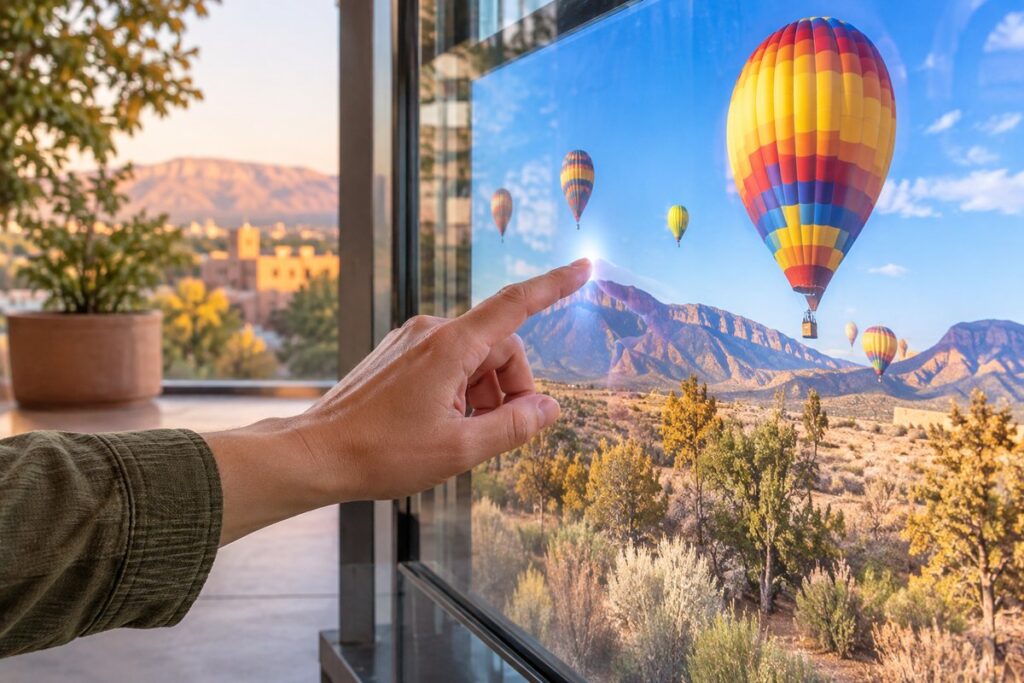
What Is Touch Foil? The Basics Explained
Touch foil is a transparent film that lets you transform virtually any glass or acrylic surface into a multi-touch interactive display. The heart of this technology is a fine, nearly invisible sensing grid within the foil, which detects the presence and movements of fingers through the glass. Touch foil always mounts on the inside of the glass, keeping the sensitive grid secure from the elements while allowing touch to register from the outside. For Albuquerque retailers, museum exhibit designers, and hospitality venues, understanding this foundation is the first step toward interactive window displays and kiosks that catch the eye and invite engagement.
When a user touches the glass, the foil’s grid interprets location and movement, relays signals to a controller board, and connects directly to a computer via USB. This plug-and-play setup means no visible wires (especially with ProFoil Clear), making for a seamless modern presentation. Touch foil technology supports multiple simultaneous touch points, allowing for more interactive and collaborative experiences, whether on a storefront, informational kiosk, or touch table.
If you want to dive into detailed specifications—such as supported glass thickness, touch points, and available sizes—visit Touch Foil Sizes and Specifications for more information.
How Touch Foil Turns Glass Into a Smart, Multi-Touch Surface
The transformation happens from the inside out. Touch foil is wet-applied to cleaned glass with the marked active area lined up to match the display edge. After squeegeeing out water and bubbles, it dries over 24 to 48 hours. This makes the foil a one-time, permanent installation. Once in place, it detects finger touches with about ±2 mm accuracy (even higher with Object Recognition foils), and response times are under 10 ms, creating a highly responsive interactive surface.
Behind the glass-mounted foil, you can either place an LCD or LED display, or use a rear-projection setup with projection film and a projector. The system is powered by USB, with grounding and cable management considerations for reliable performance. ProFoil models support up to 40 simultaneous touch points (and more for Object Recognition applications).
For more details on installation, setup, and touch sensing principles, check How Touch Foil Works and How to Install It. This resource covers every step and gives a clear overview of what goes into a touch foil-equipped display.
Interactive Storefronts and Visitor Engagement in Albuquerque
Albuquerque’s vibrant retail corridors and cultural destinations offer a unique setting for interactive storefront windows, kiosks, and touch tables. With tourism and local engagement a significant focus (see Visit Albuquerque for why), creating dynamic experiences helps businesses and organizations stand out in the region’s diverse neighborhoods. Touch foil lets you offer passersby interactive directories, digital product catalogs, or playful educational content—without compromising daylight or security.
Interactive touch tables can also enhance museums and visitor centers, offering new ways to explore local history or art. In hotels or lobbies, touch-enabled glass provides self-service guest information or digital concierge access right through the window or wall. This hands-on engagement can drive foot traffic, dwell time, and create memorable visitor interactions in Albuquerque’s lively downtown or Old Town districts.
Choosing the right touch foil model for your application depends on the touch points needed and display size. Touch Foil Models details each variant, from ProFoil Standard for common touch points to Pro Touch 20/40 for large, collaborative interactive tables and walls.
What Goes Behind the Touch Foil: Display Options
Interactive glass with touch foil requires a vivid image from behind the glass. There are two main ways to set up your display:
- LCD/LED Display: This is an excellent option for applications up to 100 inches. Simply place the screen directly behind the window or wall, aligning it with the foil’s active area. This works well for storefront product catalogs, lobby directories, and interactive museum exhibits.
- Rear-Projection with Projection Film: For ultra-large installations or uniquely shaped spaces, you can use a projector pointed at a special rear-projection film behind the glass. This approach is flexible, scalable, and supports nearly any custom dimension—or even curved glass. Learn more about projection film options at TouchFoil’s sister site, RearProjectionFilms.com.
Each display option requires planning around power, ventilation, and lighting, especially considering Albuquerque’s high altitude and sun exposure. High-brightness displays or projectors may be necessary for south-facing windows or sunlit spaces. Your installation must also follow local rules for construction and electrical work, so consult Permits — City of Albuquerque Building Safety Division for guidance before making choices.
Glass Thickness, Size, and Installation: Plan for Success
Getting touch performance right starts with understanding the glass. The touch foil works through non-metallic glass with a recommended maximum thickness of 10–12 mm (varies by model; see Touch Foil Sizes and Specifications). Thinner glass delivers even better touch sensitivity. Always ensure that no metal is present in the glass, and that any metal frames or supports are set at least 3 mm away from the foil’s edges to avoid interference.
Custom sizes are available, including circular foils for round tables or domes. With Albuquerque’s prominence in art, science, and interactive events, these solutions are ideal for creative installations in event venues or modern classrooms. Multi-panel walls or large-format tables are possible up to 1.4 x 4.5 meters, covering vast interactive surfaces for presentations or exhibitions.
During installation, use only clean, undamaged glass, and follow local building and safety standards as required. Installation is wet-applied and permanent, so planning is essential. Testing the alignment and touch field before installation is strongly recommended; the foil cannot be repositioned once dry. For install guidance, refer to How Touch Foil Works and How to Install It.
Power, Permits, and Practicalities for Albuquerque Projects
Before deploying an interactive storefront window or kiosk, confirm all required building and electrical permits with the City of Albuquerque. For any installation involving projection equipment, new display power, or add-ons to public areas, visit the city’s permits page for official requirements. Permit needs can vary depending on location, structural modifications, and whether your project is in a historic district or public space.
All powered components, including the foil’s controller and behind-glass displays, should use properly grounded power sources. The controller is fixed to the frame and grounded for stable touch operation in New Mexico’s dry climate and frequent temperature swings. Routing USB cables away from high-power or display wiring helps avoid interference and maximizes touch accuracy.
It’s also vital to design your interactive display to withstand sun exposure and rapid weather changes—the high desert sun can impact projected images and LCD brightness. Consider anti-glare solutions, and, if possible, install in shaded areas or add solar control films behind the display for the best results.
Choosing and Specifying Your Touch Foil Solution
Touch foil models from SSI at TouchFoil fit a wide array of project types. ProFoil Standard is aimed at most retail, museum, and table installations, supporting 10 simultaneous touches on glass up to 10 mm thick. The Pro Touch 20/40 allows larger screens (up to 100 inches) and up to 40 simultaneous touches, zoned calibration, and compatibility with Mac as macOS supports. Object Recognition foils can sense special marker pucks, perfect for classrooms or visitor centers wanting to blend analog and digital interaction.
For installations where aesthetics are critical—boutiques, galleries, or glass walls in premium spaces—the ProFoil Clear model provides full transparency and up to 10 touches, with no visible wires and light transmission of at least 85 percent. Circular foils support round interactive tables and domes up to 140 cm in diameter, or joined for up to 280 cm, opening possibilities for creative and collaborative learning or event experiences.
All ProFoil touch foil models are CE and RoHS compliant. Each purchase includes a 3-year foil and 1-year controller warranty. Every project is quoted—no two installations are alike—so the recommended next step is to outline your vision, check sizing, and get a quote to see which foil suits your Albuquerque application best.
Short FAQ: Touch Foil for Interactive Albuquerque Projects
Can I install touch foil on any glass window or wall?
Touch foil works through non-metallic glass or acrylic with no metal content. For best results, glass should be under the maximum recommended thickness (typically up to 10 or 12 mm, model-dependent), and all metal should be at least 3 mm from the edge of the foil. Always install on the inside of the glass.
What permits do I need to install an interactive storefront window or kiosk?
Permit requirements for interactive displays and projection equipment may include building, electrical, or trade permits—especially in commercial locations or public-facing installations. Visit Permits — City of Albuquerque Building Safety Division for up-to-date guidelines.
How do I choose the right touch foil model for a museum or educational venue?
Consider the interactive experience: ProFoil Standard supports 10 touches for common content, Pro Touch 20/40 increases touch points for collaborative tables or walls, and Object Recognition enables tangible pucks for extra interactivity. See Touch Foil Models and consult with the supplier for project-specific recommendations.
Helpful Albuquerque resources: building and electrical permits, visitor engagement and tourism info.
Start Your Interactive Touch Foil Project in Albuquerque
Touch foil technology offers an accessible way to turn any glass, window, or table into a vibrant, interactive touch screen—ideal for engaging customers and visitors across Albuquerque’s retail, cultural, and educational spaces. Plan your project by matching the right model and size to your goals, considering local permitting, environmental factors, and installation best practices. For expert help in specifying the right interactive storefront window, kiosk, or touch table, Get a quote from TouchFoil.