
01 · Apply foil
Mount the Touch Foil
Wet-apply the transparent touch foil to the inside of clean glass or acrylic, making sure to align the active area with your chosen display screen edge.
Transform your Houston glass with TouchFoil: interactive technology for storefronts, lobbies, and public spaces.
Houston is a city where innovation meets hospitality, from bustling shopping hubs to high-profile museums and lively corporate lobbies. Screen Solutions International’s TouchFoil technology brings interactive capabilities directly to local glass surfaces—helping create memorable experiences for shoppers, visitors, and guests while harnessing advanced touch control through any standard glass panel.
Whether you want to turn your storefront window, hospitality kiosk, classroom wall, or real-estate office glass into a touch screen, TouchFoil enables seamless multi-touch functionality—without altering your building’s external aesthetics. With robust support for a range of glass thicknesses, display types, and custom sizes (plus models for specific applications), TouchFoil is tailored to meet the demands of Houston’s diverse venues, seasons, and customer interactions.
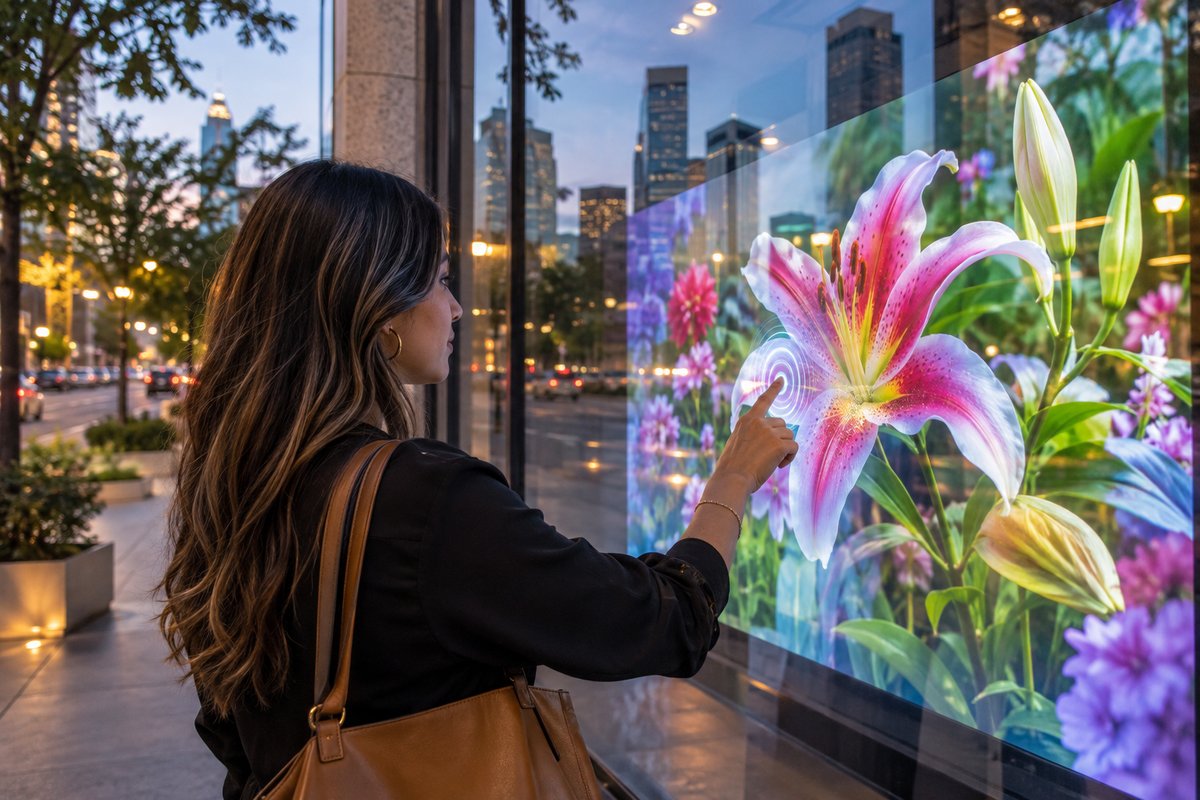
Wet-apply the transparent touch foil to the inside of clean glass or acrylic, making sure to align the active area with your chosen display screen edge.
Install your LCD/LED display or rear-projection setup behind the glass, paired with TouchFoil for interactive use while preserving clean sightlines.
Connect the included controller and USB cable to your computer system, then calibrate as needed for your chosen TouchFoil model.
Houston’s retail centers use TouchFoil to engage passersby with interactive catalogs, event calendars, or real-estate listings—right through the glass.
Museums and visitor centers leverage touch foil for hands-on exploration, interactive maps, and digital exhibits embedded into glass walls or display cases.
Hotels and business lobbies across Houston can use touch tables or glass directories to offer guests and visitors interactive wayfinding and information kiosks.
Explore available sizes—ideal for Houston’s varied storefronts, venues, and displays, including custom options for unique local installations where window or wall space varies.
Select from standard, multi-point, object recognition, clear display, or circular foils based on your touchpoint needs, glass thickness, or specialty uses such as tables or curved surfaces.
Get details on mounting and connecting your foil in Houston’s climate, including best practices for local conditions—important for store owners, AV integrators and exhibit builders.
Receive a tailored quote for your Houston application—every project is unique and quoted specifically, so you get the right model and configuration for your environment.
Use the city’s centralized online portal to check requirements for building, electrical, or sign permits before installing interactive storefronts or glass displays.
Houston’s retail and entertainment districts thrive on high pedestrian traffic, even during the humid summers and mild winters. An interactive storefront window using touch foil draws attention regardless of the season—providing air-conditioned shoppers and passersby a reason to stop, browse, and interact even from the sidewalk. Applications range from product catalogs and web kiosks to interactive event calendars or directories suitable for the city’s year-round cultural calendar.
TouchFoil’s technology, which sits behind the glass, is protected from Houston’s tropical rains and high pollen counts, ensuring content remains visible and accessible. Museum campuses and school entrances benefit as well, creating digital walls and maps free from the dust or humidity that can affect open devices.
Multi-touch foils enhance visitor experiences at major attractions, festivals, hotels, and busy lobbies. Uses can be seasonal—like interactive class lists during back-to-school or a themed retail window during city-wide events—or year-round, such as digital walls in public lobbies or real-estate offices.
Early planning ensures the window size, foil model and companion AV hardware meet the diverse programming and seasonal crowds typical in Houston.
Electrical access is crucial: TouchFoil’s controller runs on 5 V USB power, so plan for a grounded outlet within safe distance of your window, display, or kiosk. Reroute USB and device cables away from main power and high-voltage lines to minimize signal interference and maintain smooth performance in high-traffic commercial environments.
Houston’s combination of high humidity, heat, and sudden weather shifts calls for careful consideration of component placement. As TouchFoil foils always mount on the protected interior side of glass or acrylic, they avoid direct sun or storm exposure—but displays or projectors should be chosen with the local climate in mind (for example, higher-brightness displays for sunlit facing windows).
Permitting requirements vary greatly—before starting, consult the Houston Permitting Center for guidance on building, display, signage, and low-voltage wiring compliance. Requirements typically depend on project size, building type, and location in commercial, public or mixed-use zones.
Working with your AV contractor or designer early can help surface issues with power, structural supports, compliance, and integration to avoid delays and ensure a seamless public launch.
One of the most frequent issues on interactive glass projects is glass or frame selection. Ensure your chosen pane is non-metallic, as metal near or in the glass can disrupt touch sensing or reduce accuracy. If installing in a storefront remodel, check for embedded frame hardware or pass-throughs that can create interference.
Improper application can add time and cost—test foil and screen alignment in advance, as touch foils are not reusable and require precise placement and drying time. Take extra care to squeegee out all trapped water and air bubbles during mounting and allow the full recommended 24–48 hour drying period before system use.
Ignoring display brightness or sunlight direction is a common pitfall. Houston’s bright afternoons can easily overwhelm rear-projection or LCD displays not rated for sunlight adjoining glass. Work with your AV integrator to choose compatible displays and rear-projection films.
It’s important not to overlook local permissions or permit requirements. Always check with the Houston Permitting Center before moving forward, particularly for projects visible from public areas or affecting building exteriors.
TouchFoil models support a range of glass thicknesses, typically up to 10 mm for most models and up to 12 mm for certain Pro Touch versions—even including laminated double glass (with no air gap). For best touch accuracy and responsiveness, thinner non-metal glass is the preferred substrate. Always verify your specific glass during the project planning phase.
Permit requirements in Houston depend on display size, building type, and location. Most commercial installations—especially those changing signage or adding electronics—require approval. Check with the Houston Permitting Center before starting any window or display project to confirm what’s necessary for your site.
TouchFoil sits on the inside of glass, making regular maintenance straightforward. Clean the glass with a mild, non-abrasive cleaner using a soft cloth. Avoid harsh chemicals or abrasive scrubbing directly on the installed foil area. Maintenance is typically minimal as the active side faces the protected interior environment.
Yes. TouchFoil can be paired with either an LCD/LED display or a projector with rear-projection film. The choice depends on your display goals, available space, and Houston’s ambient lighting. Rear-projection works well for interactive windows in rooms with controlled lighting, while LCD/LED is a strong choice for areas with high exterior brightness.
TouchFoil offers several models supporting up to 40 touch points or more and even object recognition with marker pucks for specialized applications such as museums, educational tables, or collaboration walls. Review each model’s specifications to match your desired touch capability and software compatibility.
Every TouchFoil includes a 3 year warranty on the foil and 1 year on the controller. All foils are CE and RoHS compliant. Be sure to register your product and review warranty terms for details and support.