
01 · Preparation
Select Your Glass and Foil Model
Choose the glass or acrylic location and select the ideal TouchFoil model and size for integration—whether a single window, a tablet, a large display wall, or a circular table.
Reimagine your Dallas glass walls, storefront windows, and tables as vibrant touch screens with transparent TouchFoil.
Dallas is a city where technology and hospitality intersect, from bustling retail shops in Uptown and Deep Ellum to innovative museum spaces and soaring hotel lobbies across the Metroplex. As public interaction and digital engagement grow in importance, transforming existing glass surfaces into intuitive, immersive touch screens creates new opportunities for branding and visitor engagement—without bulky hardware or dramatic remodels.
Touch foil is a transparent film engineered to turn your glass or acrylic surfaces into responsive, plug-and-play multi-touch interfaces. Always mounted on the inside of glass, TouchFoil solutions are ideal for interactive storefront windows, sleek retail and real-estate kiosks, educational touch tables, or digital signage at Dallas’s cultural venues. Every system is quoted per project and tailored to your specifications.
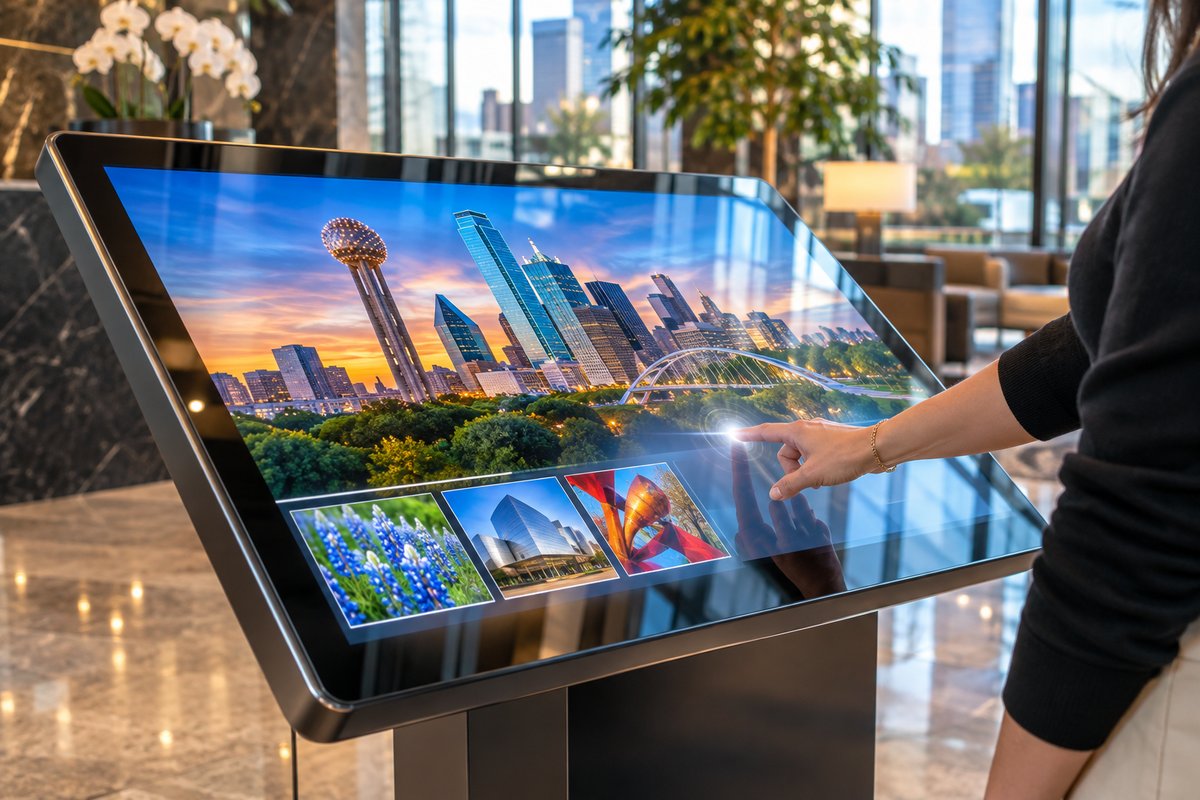
Choose the glass or acrylic location and select the ideal TouchFoil model and size for integration—whether a single window, a tablet, a large display wall, or a circular table.
The foil is wet-applied to the inside of clean, non-metallic glass, aligned with your display. Once installed, connect the USB-powered controller, perform software calibration, and allow 24–48 hours for drying.
Behind the foil, add a rear-projection setup or mount an LCD/LED display. Connect to your PC or media player; your screen is now finger-responsive through the glass for public or staff use.
Inviting window displays stand out day or night in Dallas’s shopping districts. TouchFoil creates interactive shopfronts or real-estate office windows that engage passersby, even after hours.
Create dynamic exhibits, donor recognition walls, or welcome screens for museums, hotels, and convention centers—ideal for high-traffic Dallas tourist destinations aiming to impress and inform visitors.
Transform glass tables and student info points at Dallas schools or universities into collaborative touch learning hubs, or add interactive kiosks for events and campus tours.
Reference detailed dimensions and capabilities to specify the best fit for your Dallas storefront, conference space, or interactive table. Look here when needing to compare sizes for floor-to-ceiling glass or compact kiosks, considering local usage patterns and seasonal crowd levels.
Review all TouchFoil options—from Standard to Object Recognition and Circular—to choose the right model whether your Dallas project requires extra touch points, unique shapes, or Mac compatibility in creative agency showrooms or corporate suites.
Get easy-to-follow, practical guidance on planning, mounting, and integrating touch foil with your display and computer equipment. Detailed steps help Dallas teams and designers understand install nuances for each setting.
Request a custom quote tailored for your glass size, use case, and integration needs. Every Dallas project is unique, so get precise recommendations and a detailed scope for your venue, season, and visitor flow.
Explore visitor trends and major event calendars in Dallas to plan impactful interactive displays that meet tourist and community expectations.
Dallas is known for hot summers, mild winters, and unpredictable spring weather influenced by Texas’s changing climate. For interactive storefront applications in retail corridors like the Dallas Galleria or Bishop Arts District, peak foot traffic coincides with cooler evenings and major events, while summer brings tourists indoors. Hotels, museums, and office towers often feature large expanses of glass—perfect for engaging touch experiences in lobbies and public spaces.
When planning a project, weigh the rhythm of the Dallas events calendar—state fairs, convention season, and holiday shopping peaks influence both window display opportunities and technical requirements for touch screens.
Choose your foil type and size based on both the location’s glass configuration and expected user volume. ProFoil Standard or Pro Touch 20/40 may suit high-traffic museum lobbies, while Object Recognition models excel in educational or collaborative environments needing advanced interaction.
Every TouchFoil system runs on 5 V over USB, and, for best performance, grounding your controller and ensuring isolated cable pathways is crucial. Dallas commercial spaces often feature large windowpanes with metallic frames—always maintain at least a 3 mm distance from any metal to the foil, and select thinner glass where possible for the most responsive touch.
Local electrical codes may shape display placement and wiring for public-facing installations. If adding projection systems or very large LCDs behind glass, coordinate with your AV provider to ensure safe mounting and code compliance.
Permitting for digital signage or novel interactive displays depends on your Dallas district, especially for storefronts or buildings in historic or commercial zones. Always check with the local office to clarify display rules and permissions before installation.
Rushing installation before testing the foil on-site can result in misalignment or reduced sensitivity. Always test foil and display layering on your actual glass in Dallas’s humidity before final mounting, as foils are single-use and can’t be moved later.
Make sure that all cables—especially USB—are kept away from display power lines to minimize noise and ensure responsive touch. Don’t forget to allow 24–48 hours for the application to dry fully; Dallas’s climate can vary, so factor in air conditioning or humidity control if needed.
Confirm all equipment is CE and RoHS compliant and that your team observes recommended safety and application practices at every step. Double-check that any AV integration—whether for a new retail launch or a museum upgrade—fits the venue’s lighting, access, and safety requirements.
TouchFoil is designed for use on non-metallic glass or acrylic. For Dallas venues, the glass should be free of embedded metal and less than 10 to 12 mm thick. Thinner glass yields more accurate touch results. Always confirm compatibility before installation, and consult with your provider or project team for any unique architectural features.
You can use either a rear-projection setup with compatible film and projector or a standard LCD/LED display mounted behind the glass. In Dallas, choose the display based on your site’s natural light and viewing angles. Both options work seamlessly with TouchFoil, offering flexibility for retail, museum, or corporate environments.
TouchFoil models offer up to 10, 20, or 40+ touch points depending on size and selection. ProFoil Object Recognition delivers the highest accuracy (under 1 mm), while standard foils have approximately ±2 mm accuracy. These capabilities support multi-user interaction for Dallas’s busy venues and events.
Permit requirements vary based on your location, building type, and the nature of your display. For public-facing installations in Dallas, check with the local city office or planning department for guidance on digital signage or interactive display regulations before proceeding with installation.
Installation involves wet-applying the foil to clean glass, squeezing out air and water, and allowing 24–48 hours for drying. Each foil is intended for one-time installation and cannot be relocated, so always test positioning before applying. Take Dallas’s climate and humidity into account for drying time.
Each TouchFoil carries a 3 years on the foil and 1 year on the controller. All foils are CE and RoHS compliant, supporting safe integration in Dallas commercial and public venues. Always request a written quotation for your project’s specific needs.