
01 · Plan
Assess Your Glass & Display
Identify the location, type, and size of glass or acrylic you want to make interactive. Verify that there is no metal in or near the glass and decide between projection, LCD, or LED behind the foil.
Bring your glass to life in Nashville with ProFoil touch foil, making storefronts and public spaces interactive and inviting year-round.
Nashville, TN is a city where innovation meets hospitality, with bustling retail districts, museums, hotels, and venues that thrive on engaging visitors in new ways. TouchFoil transforms traditional glass—whether it’s a storefront window, a museum kiosk, or a hotel lobby wall—into a dynamic, interactive surface, allowing users to interact with digital content simply by touching the glass. This transparent film installs discreetly on the inside of your glass or acrylic, offering an unobtrusive way to enhance visitor engagement and drive customer interest.
Unlike other solutions, ProFoil models from Screen Solutions International (SSI) provide a multi-touch experience through glass or acrylic with remarkable accuracy and response speed, suitable for the city’s wide variety of climates, buildings, and display sizes. Whether your project is a small touch kiosk for a boutique on Broadway or a large, interactive window for a music venue or university, TouchFoil is quoted for your unique needs and complies with CE and RoHS guidelines, ensuring confidence and flexibility for your Nashville installation.
Identify the location, type, and size of glass or acrylic you want to make interactive. Verify that there is no metal in or near the glass and decide between projection, LCD, or LED behind the foil.
After quoting, the touch foil is wet-applied on the inside surface, aligned with your display, and requires 24–48 hours to fully dry. Ensure proper cable routing and grounded power for best performance.
Plug the included controller board into your computer via USB. Complete the touch calibration, then test touch accuracy before going live with your interactive application.
Stand out on busy streets with touch foil in shop windows, letting customers browse products or services even after hours—perfect for downtown or tourist-heavy neighborhoods.
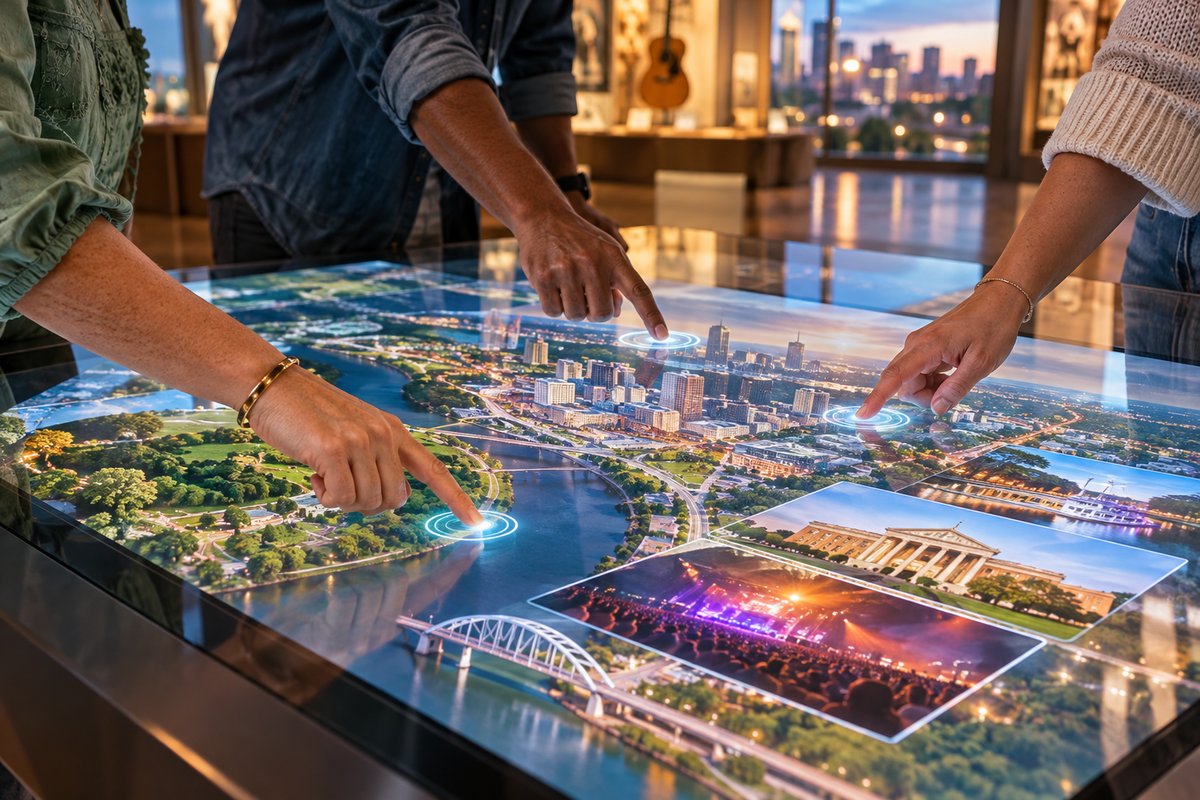
Upgrade hotel, museum, and visitor center lobbies with touch tables or wall installations that deliver wayfinding, ticketing, or exhibit interaction in a clean, high-tech format.
Create engaging interactive displays for conventions, live music events, or seasonal pop-ups—touch foil easily adapts to many venues across Nashville’s event calendar.
Use this guide to choose the right touch foil size for your specific glass or acrylic installation in Nashville. Reference it to match your screen, window, or table dimensions and get the perfect fit for your venue’s design and lighting.
Compare available models—ProFoil Standard, Pro Touch 20/40, Object Recognition, Clear, and Circular—to find the touch solution that matches your Nashville project’s needs, from simple interactive store windows to advanced multi-user applications.
Understand the complete process for planning and installing touch foil in any Nashville building. This step-by-step resource explains layout, mounting, power, and calibration, adapted for both retail and public spaces.
Every project is unique—request a tailored quote for your Nashville touch foil installation. SSI will review your requirements and recommend the right foil model, size, and setup for your specific goals.
Check Nashville’s building permit requirements to ensure your interactive window or glass feature follows local rules before installation.
Review Nashville’s rules on exterior lighting to minimize glare, light spill, and distractions in your touch foil projection setups.
Understand visitor trends and key display zones that influence interactive window placement in Nashville’s most popular districts.
Nashville’s climate ranges from hot, humid summers to cool, unpredictable winters—with frequent events and heavy pedestrian traffic in popular business districts. TouchFoil systems are designed to work reliably in indoor environments where temperatures and humidity stay within commercial norms, making them ideal for retail, hotel lobbies, visitor centers, and museums around the city.
Because Tennessee seasons often bring glare from bright sunlight or nighttime reflections near high-traffic venues like Broadway, choosing the right rear-projection film or adjusting LCD/LED brightness is essential for clear visibility. Seasonal foot traffic in the city presents unique opportunities for interactive retail, with touch foil giving you an edge during big festivals and events.
The foil’s 89% or greater light transmission (85%+ for ProFoil Clear) ensures clear digital content in most lighting conditions, so you can keep your interactive display active all year. Always pair with local-compliant lighting for best results, especially when setting up near windows in summer or under awnings in rainy fall.
For venues with heavy all-weather use, ensure your glass installation is protected from condensation and temperature swings by using appropriate HVAC and weather management. For any exposed entryway glass, verify that your foil-mounting plan keeps the electronics inside and protected from unexpected drafts, rain, or sun exposure.
Thorough preparation is key for installing touch foil systems in Nashville’s commercial and public spaces. The foil requires a stable, grounded 5 V USB power supply via the included controller, with the controller fixed to a metal frame or display case for proper grounding—critical for both performance and local code compliance.
All display, control, and power cables should be mapped before installation, avoiding paths alongside power or video cables to prevent interference. Remember, glass must have no metal layers and metal must be at least 3 mm away from any part of the foil to avoid touch anomalies.
Local Nashville codes often require notification or permits for renovations involving storefront glass, even for upgrades like interactive displays. Consult with the construction and permitting office early in your planning process. Regulations around electric signage, digital content, and accessibility can vary by district, especially near the heart of tourist areas or music venues.
If your interactive foil is intended for public spaces that see high seasonal visitors, such as university campuses or convention centers, expect extra scrutiny on safety, code compliance, and visibility. Always verify your plans with the city office before ordering or proceeding to the installation step.
For reliable touch performance in Nashville’s wide range of buildings and venues, always do a full fit and connectivity test on-site before permanent foil mounting. Touch foil is a single-use install—removing and reinstalling is not possible—so align the marked active area exactly with your display or projection bounds, check for bubbles, and allow for a full drying period of 24–48 hours.
Keep cables and controllers away from possible sources of static or electromagnetic interference, such as large lighting transformers or ungrounded power strips that are common in older buildings or quick event setups. Proper cable management ensures consistent response and avoids signal dropouts.
Lighting can make or break your touch display’s impact—review Nashville’s lighting guidelines for window and display installations to prevent issues with glare or prohibited exterior lighting that can wash out your content. Consider the angle of street and venue lighting, especially during festivals and long summer days.
If you’re planning a major retail or event display, match your foil model to your project type: use ProFoil Standard for up to 10 touches on smaller windows, Pro Touch 20/40 for larger or multi-user screens, Object Recognition for interactive exhibits with physical markers, and ProFoil Clear or Circular for transparent or specialty glass designs.
Begin by measuring your intended interactive area and reference the specifications for available touch foil sizes. The touch foil must not exceed the visible area of your display or projection zone. Custom sizing is available based on your Nashville project, and every request is quoted individually to ensure a perfect fit.
Touch foil is suitable for temporary event applications in hotels, convention spaces, or retail pop-ups around Nashville. However, remember that it is a one-time-use install; it must be permanently mounted to a single pane and cannot be removed or repositioned. For recurring temporary uses, plan for new glass or acrylic each time.
Once installed and fully dried, the touch foil is protected by the glass and requires only standard glass cleaning on the outside surface. Avoid using harsh solvents or abrasives. If your installation is in a humid or high-traffic area, ensure the location is protected from condensation and physical impact on the glass.
Display and renovation projects in Nashville may require building or signage permits, especially for modifications to public-facing storefronts. Outdoor lighting and electronic signage are regulated by local code and vary by district. Always check with the construction and permitting authorities before beginning your project.
ProFoil models are designed to work with most non-metallic glass or acrylic up to their maximum rated thickness—typically 10 mm, or 12 mm for Pro Touch models including laminated double glass with no air gap. Thinner glass will provide the most responsive touch experience. Metal or tinted layers can affect performance and should be avoided.
Each foil comes with a 3-year foil and 1-year controller warranty. All foils are CE and RoHS compliant, providing peace of mind for installations in commercial or public venues across Nashville. Always request and file your warranty details with your project quote.