
01 · Plan
Choose Your Interactive Area
Decide where you want touch control—on a storefront window, museum case, table, or glass wall. The foil always installs on the inside and is custom sized for your application.
Bring interactive glass technology to Buffalo windows, tables, kiosks and more with transparent touch foil.
TouchFoil brings interactive technology to Buffalo, NY with transparent film that turns any storefront window, glass table, or public kiosk into a multi-touch screen. Mounting entirely on the inside of existing glass or acrylic, this plug-and-play solution makes it possible to engage customers and guests with dynamic digital content—without altering the exterior look or needing expensive hardware changes.
Buffalo’s vibrant retail scene, historic museums, visitor centers by the waterfront, and busy lobbies are ideal settings for interactive installations that work in every season. Whether you’re updating a downtown storefront for winter foot traffic or adding a digital directory to a university building, touch foil is an effective, flexible addition to public and private spaces. Every foil is custom-quoted for your specific project requirements in Buffalo.
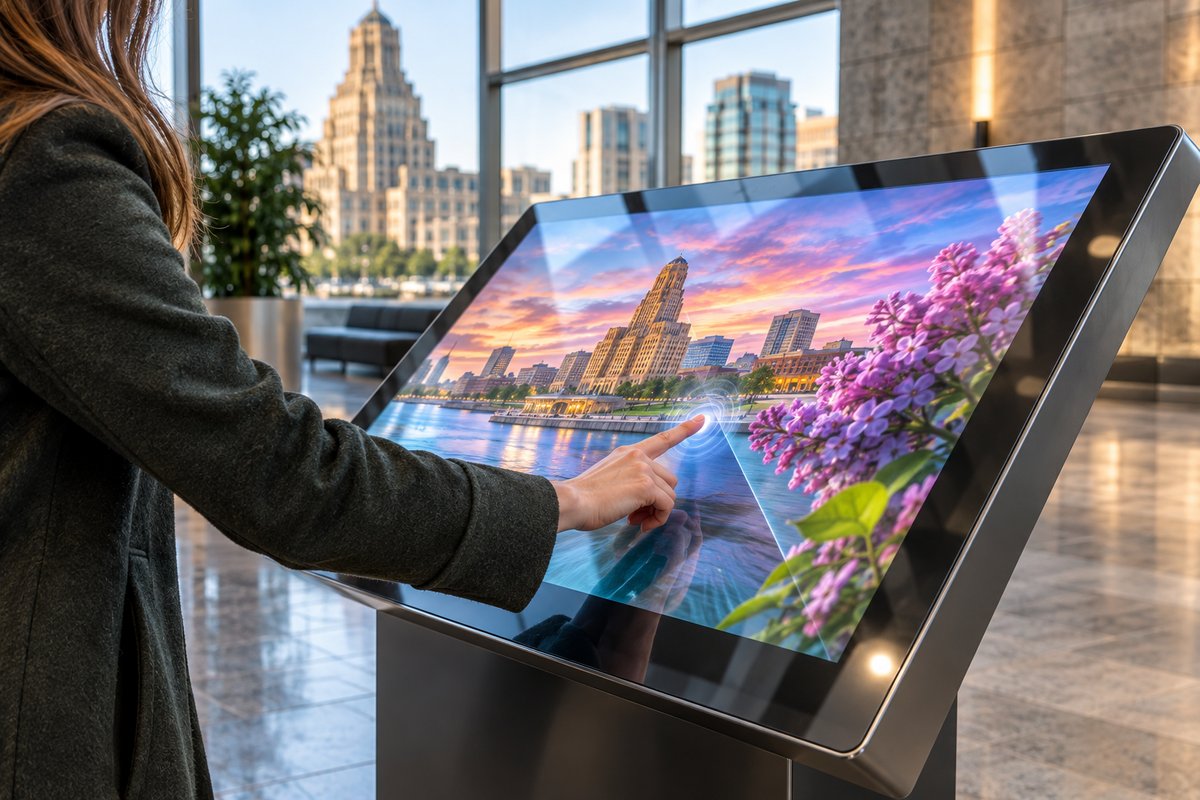
Decide where you want touch control—on a storefront window, museum case, table, or glass wall. The foil always installs on the inside and is custom sized for your application.
After cleaning the glass, the wet-applied foil is carefully aligned with your projected or LCD/LED content area, then water and bubbles are pressed out. Allow 24–48 hours for drying before power-up.
A controller board and USB cable are included—just power from a computer’s USB port and start using multi-touch with your digital content, signage, or applications.
Display promotions or product catalogs on a shop’s windows that engage pedestrians—even during the snowy Buffalo winter. Touch foil is ideal for high-traffic retail corridors, giving shoppers interactive access without entering the store.
Add touch-enabled content to educational glass cases, gallery walls, or exhibit kiosks, giving guests a hands-on experience with the region’s history and art, all behind protective glass.
Upgrade lobbies and conference spaces with interactive directories, wayfinding, or presentations. Real estate offices impress visitors with touchscreen displays through office windows—even in historic Buffalo buildings.
For Buffalo’s diverse venues, custom sizing (up to 1.4 x 4.5 meters) fits large glass doors, display cases, or tables. Choose specs based on your glass thickness, desired touch points, and installation location—full model details are available for review.
Select the ProFoil model that matches your requirements: from Standard for most storefronts, Pro Touch for advanced table or wall interactivity, Clear for display-sensitive environments, Object Recognition for multi-user education setups, or Circular for round tables and domes.
Find city attractions and visitor engagement benchmarks relevant for public and tourism-facing display projects in Buffalo.
Buffalo’s mix of historic downtown storefronts, bustling nightlife districts, and lake-effect winter weather makes it a prime city for digital glass displays that work year-round. A transparent touch foil lets businesses and venues connect with people on lively Elmwood Avenue or at events near Canalside by turning existing windows or glass walls into digital surfaces, all while keeping interiors insulated against the elements.
In retail, interactive storefronts stand out both in sunlit summer afternoons and darker winter evenings—the glass remains clear and bright, displaying vivid content and responding to touch. Museums and visitor centers benefit by upgrading exhibit glass or info stations with accessible, touch-enabled digital guides, safely behind the barrier of existing panes.
University spaces, real estate offices, and hotels near Buffalo’s medical and business corridors can employ interactive touch tables and lobby directories. These enhance visitor interaction with no visible hardware on the guest side, blending modern digital engagement into landmark buildings.
Because Buffalo buildings range from modern glass to century-old brick, careful planning ensures both an effective installation and compliance with any local building or preservation guidelines. Seasonality—including ice, snow, and moisture—affect public-facing spaces but the foil’s installation inside glass protects sensitive electronics and the touch area itself.
When planning a touch foil installation in Buffalo, it’s critical to assess site conditions such as available power, access to grounded outlets, and possible interference from nearby metal or electrical fixtures. While the touch foil itself only needs 5V USB power, always secure the controller and ground it to avoid static or electrical issues—especially in winter’s drier air.
Route USB cables away from high-voltage display or lighting cables, make sure your mounting surface is free from metal that could interfere with touch sensitivity, and confirm all components remain dry during and after installation. The foil is always mounted inside; exposure to external elements through the glass is not a concern as long as edges are sealed and the interior environment is controlled.
For public installations—such as touchscreen directories in lobbies or info kiosks in visitor centers—review relevant safety, accessibility, and fire code guidelines. Local requirements can vary depending on the building’s age, use case, and historic designation. Always check with the local office for specifics before starting work.
Winter in Buffalo can bring significant fluctuations in temperature and humidity. Plan installations in climate-controlled areas when possible, and let the installed foil fully dry before first use after application to ensure stable adhesion and optimal touch performance.
One frequent mistake is applying touch foil to glass with metal inside or nearby; even thin metal strips or wire in the glass (common in older security or insulated panes) can disrupt touch sensitivity. Check the glass construction first.
Another pitfall is failing to thoroughly clean and wet-apply the foil. Any dust or bubbles can affect the touch points’ accuracy and long-term reliability. Take special care during Buffalo’s winter, when static and salt residue are more common on glass surfaces.
People may try to move or reapply a foil after initial installation, but touch foils are designed as a one-time install and should not be relocated. Always test with the display in position before final mounting. Align the foil’s marked active area precisely with the display’s edges.
Lastly, overlooking the need for local code checks—especially in public, retail, or historic structures—can lead to delays. Getting early sign-off from building managers or local authorities keeps projects on track and ensures your installation is compliant and secure.
Touch foil is always mounted on the inside surface of a glass or acrylic pane, never exposed to outdoor weather. While the foil works perfectly for storefront windows or other projects facing the outdoors, all electronic components remain protected inside, away from direct exposure. Make sure the installation site allows for interior foil mounting.
The touch foil is compatible with clear glass or acrylic with no internal metal layers. It works through most retail and museum glass, but is not suitable for panes containing metal wire, film, or coatings. Thinner glass yields better touch accuracy; double-glazed or laminated glass is supported by the Pro Touch models as long as there’s no air gap and no metal.
Each touch foil includes a controller board powered by standard 5V USB—typically from a computer or media player. The controller connects by USB cable and must be grounded for proper function. Installation is plug-and-play, supporting most Windows and many Mac and Linux systems (see model details for multi-touch on macOS).
Installation involves wet-applying the foil to thoroughly cleaned glass, aligning the foil and display, then squeezing out all water and bubbles. Allow 24 to 48 hours for the adhesive to dry completely before powering up the touch function. Each install is a one-time application, so test positioning carefully before final mounting.
ProFoil Standard is suitable for most glass cases or windows up to 10 mm thick and sizes up to 55 inches. For larger or multi-user displays, Pro Touch 20/40 or ProFoil Object Recognition are recommended, with up to 100-inch support and specialized features like marker puck recognition. Review all model specs or get in touch for a project-specific recommendation.
Every touch foil comes with a 3-year warranty on the foil itself and a 1-year warranty on the controller. All models are CE and RoHS compliant, making them suitable for most regulated environments. For public-facing or high-volume venues, check with the local office for any specific requirements.