Missouri · retail and public interactive windows

Touch Foil for Interactive Storefronts and Displays in St. Louis, MO

Bring glass surfaces to life in St. Louis, MO with ProFoil transparent touch foil for interactive storefront windows and displays.

St. Louis’ unique blend of historic districts, forward-thinking retail, and vibrant public spaces makes it a natural setting for interactive digital displays. Whether your project is a downtown flagship, a museum in Forest Park, or a modern corporate lobby, TouchFoil lets you transform any glass, acrylic, or glass wall into a robust, multi-touch screen—without visible hardware on the customer side.

TouchFoil from Screen Solutions International offers advanced touch foil solutions that mount exclusively on the inside of glass. This means your interactive storefront window, retail kiosk, touch table, or exhibit screen delivers reliable, responsive performance all year, regardless of local weather conditions. Every system is quoted by project, ensuring the perfect fit for venues and budgets across St. Louis.

interactive glassdigital storefrontskiosk technology

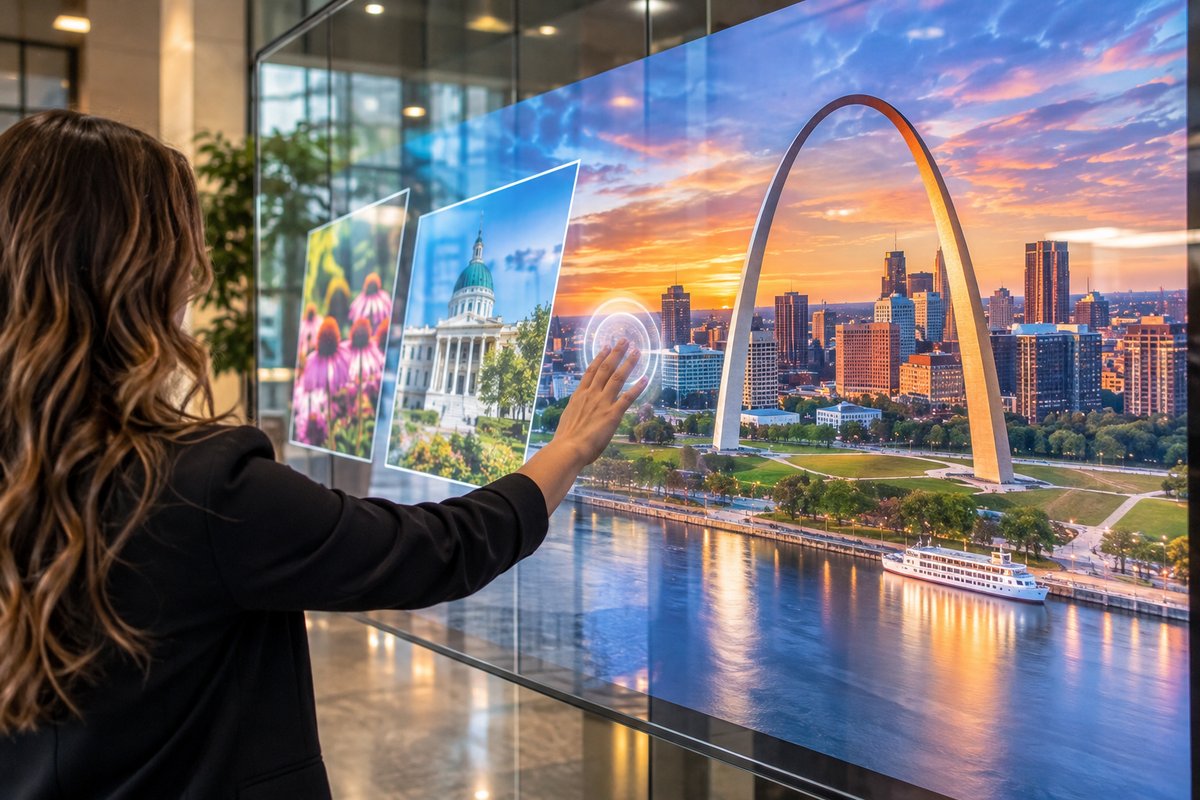
Interactive touch foil display on glass storefront in St. Louis, MO at dusk
Illustrative AI concept image, not a documented installation.
Plan your touch glass

How It Works: Touch Foil on Glass in St. Louis

01

Select Glass and Display

Choose a clean, non-metal glass or acrylic surface matched to your interactive vision—storefront window, display case, table, or wall. Decide between a projector with rear-projection film or an LCD/LED screen behind the glass.

02

Apply the Touch Foil

Install the transparent touch foil on the inside of your glass using a wet-application process. Align the marked active area, remove water and bubbles, and allow 24–48 hours for curing.

03

Connect and Calibrate

Attach the included controller and USB cable, power it with any 5 V USB device, and complete calibration as needed for your selected foil model. Then connect your computer and launch your interactive content.

Where it works

Where to Use Touch Foil in St. Louis

Retail

Storefront Windows

Create eye-catching, interactive window displays that draw in foot traffic, withstand weather extremes, and keep digital hardware secure indoors. Perfect for Central West End boutiques and shopping centers.

Education & Museums

Interactive Exhibits

Enhance museum exhibits, university lobby screens, or historic site displays while protecting screens behind glass. TouchFoil works in high-traffic and public settings throughout St. Louis.

Corporate & Hospitality

Touch Tables and Kiosks

Upgrade hotel lobbies, real-estate offices, and corporate reception areas with engaging, multi-user touch tables and glass kiosks for information lookup and interactive presentations.

Featured touch foils

Featured Touch Foil Solutions for St. Louis Projects

Specs Guide

Touch Foil Sizes and Specifications

Use this size guide to select a touch foil that matches the dimensions of your window, display case, or interactive table in St. Louis environments. Available in custom and standard sizes up to 1.4 x 4.5 meters for any project.

See Touch Foil Sizes and Specifications

Product Lineup

Touch Foil Models

Explore the range of ProFoil models—Standard for 10-touch retail applications; Pro Touch 20/40 for higher multi-touch needs or larger screens; Object Recognition for innovative museum and collaboration tables; Clear for retail or hospitality projects demanding full transparency; and Circular for round touch tables or domes in lobbies and event venues.

See Touch Foil Models

Installation Guide

How Touch Foil Works and How to Install It

Get step-by-step instructions tailored for St. Louis climate and venues, including advice for seasonal temperature swings, wet-application tips, and best practices for mounting in historic or modern glass settings.

See How Touch Foil Works and How to Install It

Request Quote

Get a Touch Foil Quote

Every St. Louis touch foil project is custom-quoted to fit your space, glass type, and technology needs. Submit your project details to receive a personalized recommendation and pricing quote.

See Get a Touch Foil Quote

Before you order

Pre-Installation Checklist for St. Louis Projects

  1. Confirm Glass Type. Ensure your glass is free of metal and is less than the maximum allowed thickness for your chosen touch foil model.
  2. Plan Screen Placement. Select a location where the display and foil will be protected from direct outdoor exposure and within comfortable reach for users.
  3. Prepare Power and Grounding. Ensure you have 5 V USB power available, and that all components, especially the controller, are securely grounded away from other cables.
  4. Schedule Application Timing. Allow at least 24–48 hours for the wet-applied foil to cure before activating the display, factoring in St. Louis’ humidity and temperature changes.
  5. Test Before Final Install. Fully test touch responsiveness and system integration before performing the one-time permanent foil application.
Touch functionality is optimized through non-metal, single-pane or laminated glass (no air gap); local building requirements vary.
Local environment

Touch Foil Performance Across St. Louis Seasons

St. Louis’ climate swings from humid summers to cold winters, with significant temperature shifts that affect storefronts and public spaces. The ProFoil system is always mounted on the inside of the glass, protecting electronic components from outdoor extremes—including rain, heat, and snow. Glass-mounted touch screens function reliably indoors through all seasons, ensuring continued interactivity for retail, museum, or corporate applications year-round.

In historic areas or renovated buildings common to St. Louis, preserving the exterior look while adding interactive technology is a priority. TouchFoil achieves this by placing all digital elements behind the glass, allowing you to upgrade classic facades or modern complexes without visible touch frames or surface hardware.

High foot traffic during events like baseball games, concerts, or conventions calls for technology that is both robust and visually inviting. Because the touch foil and all controls are on the protected side of the glass, there’s no risk of tampering or weather-related damage, making it ideal for busy Downtown and neighborhood hubs.

When installing in public-facing venues, consider the sun exposure and condensation risks—plan for shading or additional climate control if necessary to optimize display visibility and performance.

Systems & Power

Plan Power, Layout, and Glass for St. Louis Deployments

Proper system planning is crucial in St. Louis’ mix of new construction and historic buildings. The touch foil must always be paired with glass or acrylic that contains no embedded metal and is within the thickness tolerance for your selected model. Thinner, non-metal glass ensures more accurate and responsive touch experience.

All TouchFoil components must be powered via 5 V USB and grounded according to best practices—always fix the controller board to the frame and route the cable away from other power and display wires to maintain optimal performance. If retrofitting into existing storefronts, consider proximity to electrical and data infrastructure during early planning.

The two main build approaches—rear-projection with a projector and rear-projection film or LCD/LED screen—each require careful planning for mount locations and maintenance access, especially in multi-use or heritage buildings.

Consult local authorities or site managers for any electrical, glass, or signage regulations that may apply to your installation. Requirements for accessibility or safety vary by project and location, so checking in advance ensures efficient approvals.

Avoid pitfalls

Common Mistakes and How to Avoid Them

Touch foil relies on a one-time, permanent wet-application process; do not rush installation or attempt to move the foil after curing. Thoroughly test functionality and alignment while the foil is still in its temporary position.

Verify your display will be visible and interactive from the viewer’s side of the glass. Ambient light, nighttime reflections, and weather can impact projection or screen clarity—use the correct rear-projection film from a specialist and check visibility at various times of day.

Never install a touch foil on the outdoor face of any window; it must be inside, protected from the elements and accidental contact. Skipping this step risks performance and voids the warranty.

Don’t overlook the correct spacing for nearby metal objects—keep all metal hardware at least 3 mm from the sensor area to prevent touch interference.

Common questions

Frequently Asked Questions for St. Louis Projects

Can touch foil be used on any type of window or storefront glass in St. Louis?

Touch foil can be applied to most standard glass or acrylic surfaces found in retail, museum, or venue settings around St. Louis, as long as the glass is free of metal and within the recommended thickness for your chosen model. For the best touch accuracy, use thinner glass and ensure no metal elements come within 3 mm of the foil’s active area.

Is the installation process affected by St. Louis’ climate?

Touch foil is always mounted on the inside of the glass, safeguarding it from outdoor weather, moisture, or temperature extremes common in St. Louis. However, ambient temperature and humidity may impact the curing time for the adhesive during installation—plan for the recommended 24–48 hour drying period, and avoid installation during high condensation events or extreme temperatures in the installation area.

What warranty and compliance standards does the touch foil have?

Every touch foil is covered by a 3-year warranty on the foil and a 1-year warranty on the controller. All touch foil models are CE and RoHS compliant. For more information or warranty specifics, refer to official documentation or get in touch for a custom quote.

Can I move or reuse a touch foil after installation?

Touch foil is designed for a permanent, single-use installation on glass or acrylic. Once the wet-applied adhesive has cured, the foil should not be removed or repositioned. Testing before final installation is always recommended to ensure correct alignment and functionality.

How responsive is the touch experience for St. Louis applications?

TouchFoil provides quick, accurate multi-touch response through glass, with typical touch accuracy around plus or minus 2 mm (under 1 mm on the Object Recognition model) and a response time under 10 ms. Light transmission is 89 percent or better, preserving the clarity of your display content for public-facing interactions.

What types of screens or systems work with the touch foil?

Touch foil is compatible with both rear-projection film and projectors as well as LCD or LED panels, used behind glass in interactive displays, kiosks, and tables. The included controller connects via USB and is plug-and-play with most computers. For large displays, multi-user installations, or special object-recognition applications, custom quotes are available to suit your project.