
01 · Plan & Design
Pick Your Display and Glass
Select the display size, glass thickness, and location. Consider a projector with rear film or an LCD behind the glass based on available space and lighting in your Kansas City venue.
Activate storefront windows, kiosks, and displays in Kansas City, MO with transparent multi-touch foil from TouchFoil.
Kansas City, MO is a city full of energy, innovation, and visitors—making it a prime region for interactive window displays and digital experiences. With ever-evolving retail corridors, busy hotels, museums, exhibit venues, and a highly visual local culture, converting glass to an intelligent touch surface attracts attention and delivers modern engagement.
TouchFoil’s transparent films mount on the inside of glass and transform windows, acrylic panels, and tables into touch-sensitive interactive displays. This allows Kansas City retailers, designers, venues, and institutions to add immersive digital content to entryways, showrooms, lobbies, or public zones—without affecting the appearance or weather resistance of existing glass. With ProFoil models supporting multi-touch and even object recognition, every project can be tailored to the scale and use-case of the venue.
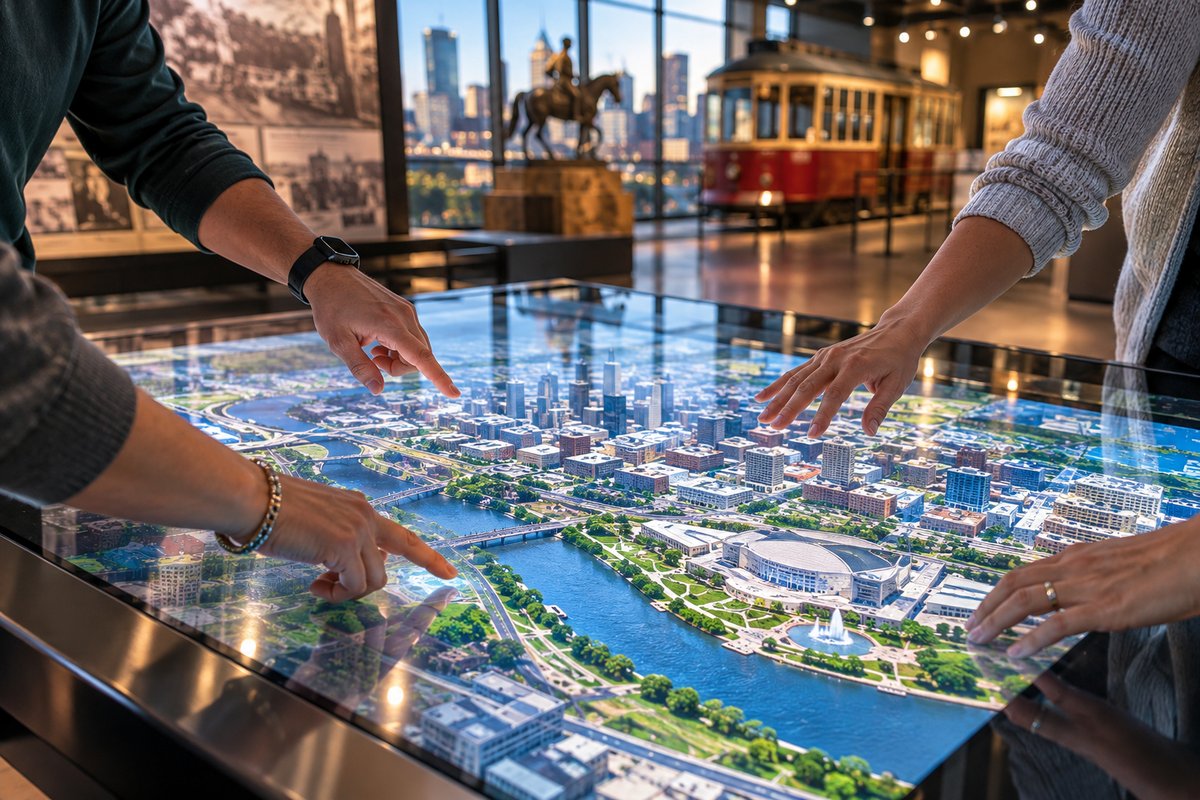
Select the display size, glass thickness, and location. Consider a projector with rear film or an LCD behind the glass based on available space and lighting in your Kansas City venue.
Wet-apply the ProFoil touch foil to the inside of clean, metal-free glass, lining up the active area with your display. Allow 24–48 hours for drying.
Connect the included controller and USB cable to your display system, secure it to a grounded frame, and perform calibration following your model’s instructions.
Draw attention on the Country Club Plaza or in the Crossroads Arts District with vibrant interactive windows that run through glass, allowing passersby to browse, search, or interact with your products 24/7.
Create engaging digital directories, wayfinding, or visitor engagement touch tables in museums, visitor centers, conference hotels, or university lobbies throughout Kansas City.
Transform meeting room glass partitions or real estate office windows into touch-enabled property showcases, interactive brochures, or event info displays without blocking natural light.
Review available foil dimensions for Kansas City storefronts, museums, or tables—choose smaller panels for boutique installations or large formats for hotels and lobbies. Custom sizing supports unique local venues.
Compare ProFoil Standard, Pro Touch 20/40 for higher touch counts, Object Recognition for exhibit tables, Clear for transparency, and Circular for round installations in Kansas City’s diverse architecture.
Learn about wet application, USB setup, and integrating rear projection or direct displays.
Every project is quoted to match your exact glass size and device needs for Kansas City spaces. Use this page to start a detailed, location-specific proposal.
Contact this office for help with local building or sign permits when planning interactive glass upgrades to your Kansas City storefront or public space.
Use the official tourism site to align your interactive window or display project with Kansas City district guidelines and visitor engagement opportunities.
Kansas City, MO experiences a wide range of temperatures, from cold, snowy winters to hot, humid summers. Interactive glass setups using TouchFoil remain protected inside the building, making them suitable for year-round use on storefronts, lobbies, museums, and university facilities. Seasonal promotions, festivals, and tourism peaks—such as Plaza Lights or summer market events—benefit from interactive windows that let passersby engage with digital catalogs, event maps, or specials no matter the weather.
Retailers can adapt their content to changing seasons, presenting winter gift guides, sports features during Royals or Chiefs games, or interactive real estate tours during spring and summer moving season. Museums and hotels can shift lobby displays to welcome visitors with self-guided content, while schools and visitor centers promote current events or local history right at the glass.
Because the touch foil always installs on the protected interior side of glass, Kansas City’s frequent thunderstorms, rain, and freeze/thaw cycles present no hazard to the sensor itself. This durable, sealed configuration keeps high-traffic venues running interactive content with minimal downtime or environmental risk.
For event venues or temporary displays, custom-sized foils can be used in pop-up windows or inside exhibit glass, letting organizers create high-visibility touch experiences that match the city’s vibrant event calendar.
When upgrading glass in Kansas City to include touch foil interactive technology, always check that the glass contains no embedded metal and is the correct thickness for your chosen ProFoil model. Low-iron or tempered indoor glass often works well, especially when thicker glass fronts are typical in district renovations or gallery settings. Keep all metal framing and components at least 3mm away from the foil’s edge zone for optimal sensitivity.
Electrical power for the touch controller must be grounded to limit electrical noise, a common issue in older buildings or high-traffic retail zones. The included controller board mounts to the frame and receives power from a standard 5 V USB connection; always separate USB from high-voltage display or lighting circuits as you route cables behind Kansas City’s display cases or windows.
Code compliance is important for street-facing digital windows or any installation visible to the public. The Kansas City Permits Division reviews plans for signage, projections, and interactive displays. Get in touch early if your installation affects exterior appearances, building egress, or uses amplifiers or large electronics.
For custom-sized installations in historic districts or public buildings, expect permit requirements and engineering reviews, but all TouchFoil models are CE and RoHS compliant, which may help streamline the documentation process with architects or planners.
The most common issue is applying the foil over metalized or laminated glass with an embedded mesh—these block the sensor and degrade touch accuracy. Always check your glass composition first, using a small sample for testing if unsure. Thinner glass yields higher sensitivity and accuracy, which is ideal for multi-touch or object recognition use in museum and retail touch tables.
Allow enough time for the wet-applied foil to fully dry—resist the urge to power up or calibrate before the recommended 24–48 hour cure period. Trapped water or bubbles can cause inconsistent touch zones that are difficult to fix after installation. Installation is a one-time process: if misaligned or removed, the foil cannot be reapplied, so careful test-fitting before peeling the liner pays off.
Coordinate early with AV integrators or IT staff in Kansas City venues to pre-plan cable routing, display mounting, and driver setup—especially when using large format displays, rear projection, or object recognition systems. Always ground your controller and avoid routing cables next to power or display signal lines to minimize interference.
Finally, consult local permitting staff about sign ordinances, digital projections, and window code to avoid expensive rework. Kansas City’s downtown and entertainment districts often have unique signage rules, so it’s best to clarify these during the planning stage.
Touch foil installs on nearly any glass or clear acrylic panel that is free from metal content. For best performance, use thinner glass and avoid metal-mesh, wired, or laminated glass with embedded metal. If you’re unsure about your site’s glass, test with a sample before full installation or seek advice on material compatibility.
Touch foil systems come with a controller and USB cable and operate on 5 V over USB. Use grounded power and keep USB cables away from main power lines and display signal cables to minimize interference and ensure accuracy. No special power supplies are required, but safe electrical setup is important, especially in older Kansas City buildings.
Many storefront, public, or digital window installations require a permit in Kansas City, especially for changes visible from the street or involving electrical work. Contact the Kansas City Permits Division early in your planning process to confirm what is required for your venue and project.
Touch foil should be wet-applied only to clean, prepared glass. Installation typically takes less than an hour, but allow 24–48 hours for the adhesive to fully cure and for water or bubbles to clear. Do not attempt calibration or operation until the foil has dried fully for best touchscreen performance.
Touch foil is designed as a permanent, one-time installation. Once applied and cured on glass, it cannot be removed and reinstalled elsewhere. Always perform fitting and testing before the final installation to avoid wasting material or needing to reorder for new glass.
All TouchFoil models available for Kansas City projects are CE and RoHS compliant. This supports many local permitting or project specification needs and indicates suitability for use in public and commercial environments. Always check local codes for any additional requirements.