
01 · Plan
Choose Your Window or Display
Decide which glass surface will become interactive. Confirm the glass is non-metal and suitable thickness for your selected foil model.
Bring windows, kiosks, and tables to life with ProFoil touch foil solutions in Minneapolis, MN.
With ProFoil touch foil from TouchFoil, any shop window or glass wall in Minneapolis, MN can become a vibrant multi-touch display. The foil mounts on the inside of your glass or acrylic and senses fingers through the surface, making it ideal for retail storefronts, visitor centers, lobbies, museums, schools, and event spaces.
From winter’s biting cold to the heights of summer festival season, Minneapolis venues use touch foil to add digital interactivity without exposing electronics outdoors. ProFoil operates entirely inside, protecting the hardware and giving you a clean, seamless display that stands out in the city’s unique architectural landscape.
Decide which glass surface will become interactive. Confirm the glass is non-metal and suitable thickness for your selected foil model.
Wet-apply the foil to clean glass, lining up the marked area with your projected image or display edges. Squeeze out all water and bubbles, then allow 24–48 hours for drying.
Plug in the controller by USB, ground it to the frame, and set up your computer, display, and (if needed) rear-projection film. Calibrate touch zones and start creating interactive experiences.
Let shoppers browse, tap, and swipe right on your glass from the sidewalk—create dynamic displays that stand out year-round, even through Minneapolis winters.
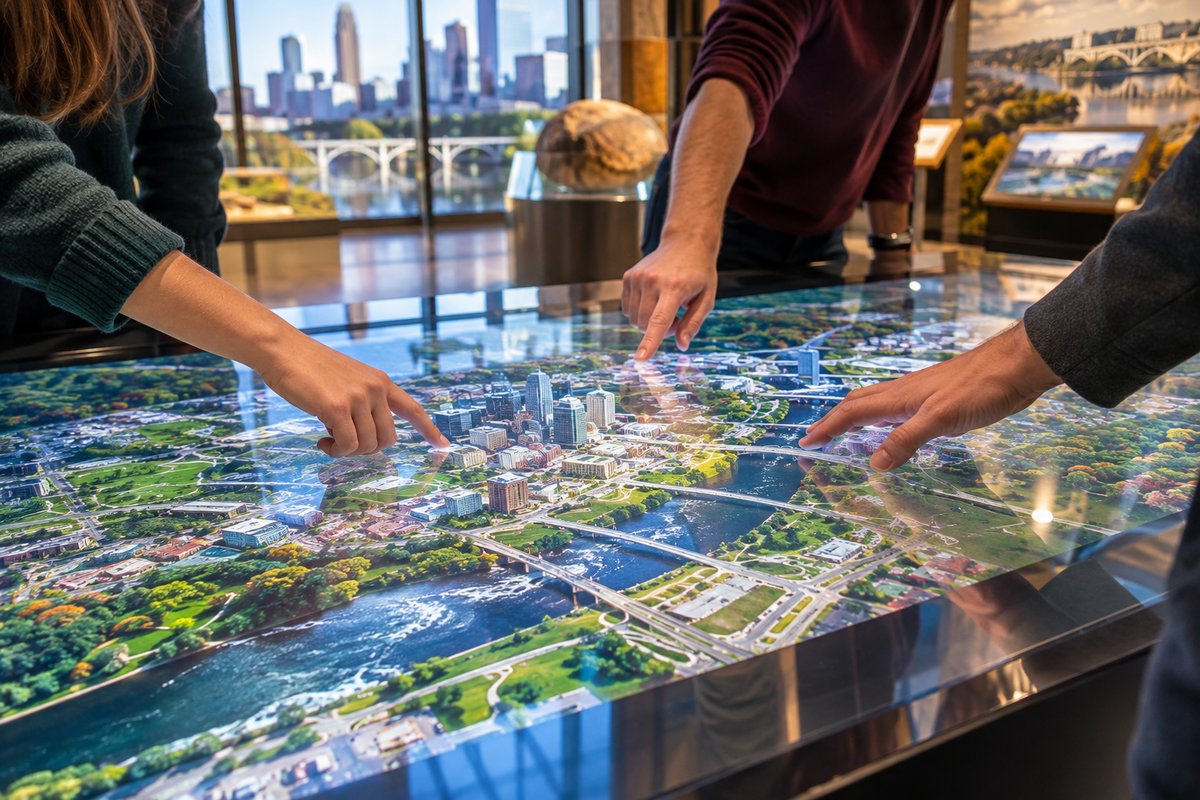
Museums, visitor centers, and festivals can add digital interaction to tables, counters, or kiosks using touch foil, with no need to leave screens exposed.
From campus lobbies to tech-forward meeting spaces, turn glass walls into collaborative touch screens—ideal for Minnesota’s universities and corporate hubs.
Review all available sizes and technical details to select the right touch foil for Minneapolis homes and venues. Choose the correct model for your glass thickness and desired touch capacity.
Compare all ProFoil touch foil models. Find options for interactive retail windows, touch tables, or custom applications—from standard and multi-touch to fully transparent or circular shapes.
Learn the step-by-step installation process tailored for local conditions, including wet-application and correct wiring for safe operation during Minneapolis seasonal changes.
Receive a custom project quote for your Minneapolis site. Every installation is unique, so request tailored recommendations and pricing.
Apply for a sign permit to legally display or alter projected, illuminated, or interactive signage visible from Minneapolis streets.
Consult guidelines for operating powered window projections and displays after dark to ensure compliance in Minneapolis.
The changing seasons in Minneapolis mean that displays need to be visible in low winter light and can’t expose electronics to the harsh outdoor climate. Touch foil makes any window interactive from the inside, keeping all sensitive components protected from snow, ice, and springtime rain. In summer, interactive glass attracts foot traffic during festivals, sporting events, and art walks, engaging visitors without concern for accidental weather exposure.
Popular venues in Minneapolis—from Uptown boutiques to North Loop corporate offices—use touch foil behind storefront glass or meeting room dividers. Touch tables at local museums and science centers let guests explore content safely, since the foil senses fingers through the glass surface. University lounges, real estate offices, and hotel lobbies benefit from clean, contactless interaction that works year-round.
Touch foil is also used for temporary installations, such as holiday pop-ups or event kiosks, where rapid setup inside the protected glass is essential. The film’s fast response (under 10 ms) and high light transmission (89%) keep displays vivid and responsive for Minneapolis audiences in any season.
Each touch foil setup in Minneapolis must include stable USB power (5V), with the controller grounded to the frame. Since the USB cable should be routed away from power and video lines, plan cable management before installation to avoid interference and ensure responsive multi-touch performance.
Check your building’s glass composition before ordering; the foil performs best on non-metal, thinner glass with no metal within 3 mm. Metal frames, tinting, or security films can impact performance, so always verify the glass is compatible and test before permanent installation.
For any illuminated or interactive storefront signage, the City of Minneapolis requires a sign permit, which is especially relevant if the display is visible to the public. Additionally, Minnesota’s outdoor display lighting laws regulate night-time operation, particularly for installations near residences. Always coordinate with local zoning or building departments before launching your interactive display to ensure regulatory compliance.
A frequent oversight when installing touch foil in Minneapolis is neglecting to test foil alignment with the intended screen or projection area before final application. The film is single-use and will not work if removed and repositioned, so initial testing is critical.
Another issue is running USB cables alongside power or HDMI leads—this can cause noise and reduce touch accuracy.
Glass with any metallic content, layered tints, or attached metal hardware too close to the foil can reduce or block touch sensitivity. Always check these factors in your storefront or venue’s construction before ordering your foil, and plan touch zones to align exactly with your display’s active area.
Touch foil is designed for use on non-metal, transparent glass or acrylic. Thinner glass offers better touch performance, but most models support up to 10 or even 12 mm, including some laminated double glazing with no air gap. Metal should be kept at least 3 mm from the foil. Always confirm your specific glass is suitable before installation.
Touch foil is always installed on the inside of the glass, keeping it away from snow, ice, and extreme temperature changes. Since all components remain indoors, the system functions normally in winter, provided the interior space is climate controlled. No special outdoor protection is required.
No. Each foil is a one-time-use product. The wet-application process bonds the foil to the glass, so removal will damage the sensing grid and void the warranty. Always confirm alignment and test touch functionality before final installation.
You can use either an LCD/LED display or a projector with rear-projection film mounted behind the glass. Both systems allow interactive content to appear directly behind the touch-enabled glass surface.
Yes. The ProFoil system includes a USB-powered controller and cable. Most computers will recognize the touch foil automatically, though further configuration or calibration may be needed for larger installations or for Object Recognition models using pucks.
ProFoil touch foil comes with a 3-year warranty on the foil and 1 year on the controller. All models are CE and RoHS compliant. Be sure to follow installation guidelines to maintain eligibility.