
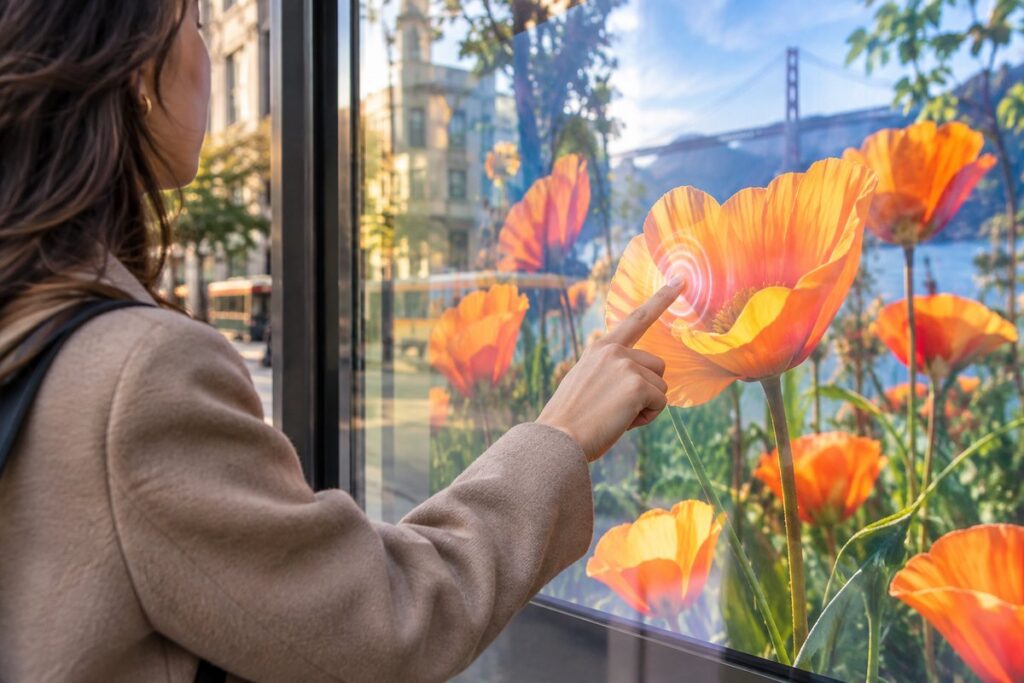
What is Touch Foil and How Does it Work?
Touch foil technology is a breakthrough for creating interactive storefronts in San Francisco. A touch foil is a transparent film embedded with a fine grid of sensing wires that mounts on the inside of glass or acrylic. Once installed, it enables touch interactivity—allowing fingers to be detected right through the glass without any exposed device or visible electronics on the customer side.
The magic lies in the sensing grid built into the film. When a user touches the glass from the street or lobby, tiny changes in the electrical field are picked up by the foil, registering touches and gestures. The How Touch Foil Works and How to Install It page explains the process in more detail, including the plug-and-play controller board and USB cable that connect to your computer. This setup lets you present interactive content safely behind the glass, perfect for storefronts, museums, schools, and lobbies in high-traffic areas.
As touch foil is always mounted on the inside of the glass, it is protected from the weather, vandalism, and cleaning agents. All models are CE and RoHS compliant, making them suitable for public environments, and each foil comes with a three-year foil and one-year controller warranty.
Building an Interactive Storefront or Table: The Two Main Setups
Planning an interactive storefront window or table in San Francisco starts with selecting how your display will come to life. Touch foil can be combined with either a flat display or a projection setup—each suited to different venues and design goals. Both methods let visitors use the glass itself as an interactive touch screen.
Option 1: Touch Foil + Glass + Display—Overlay the touch foil on the inside surface of non-metallic glass or acrylic, and mount an LCD or LED display directly behind it, facing out. This is the common choice for interactive kiosks, product selectors, digital lobby directories, and real estate windows, giving a bright, clear interface viewable in daylight. For layouts and sizing information, review Touch Foil Sizes and Specifications.
Option 2: Touch Foil + Glass + Rear-Projection—This approach uses a compatible rear-projection film behind the glass with a short-throw projector. Content is beamed from behind, while the touch foil picks up finger movements through the glass. This is ideal for larger installations, flexible layouts, and areas with custom lighting. For details on compatible foils and projection films, check the sister site RearProjectionFilms.com.
Understanding the Models: ProFoil Options for Any Application
TouchFoil (https://www.touchfoil.us/) offers several ProFoil models to match your San Francisco project, each with unique features. The Touch Foil Models guide describes the full range and technical details.
- ProFoil Standard: Recognizes up to 10 touch points through glass up to 10 mm thick, available in sizes from 10.1 to 55 inches, and features automatic calibration.
- Pro Touch 20 / 40: Offers 10 touch points up to 32 inches, 20 or 40 from 32 inches up, supports glass up to 12 mm including certain laminated varieties, and covers up to 100 inches with zone calibration. The 40-point version also supports Mac where the OS allows multi-touch.
- Object Recognition: Delivers over 40 touch points with exceptional accuracy (under 1 mm), works from 43 to 75 inches, and can identify special marker pucks—ideal for interactive exhibits or learning environments.
- ProFoil Clear: Fully transparent with no visible wires on the grid, up to 98 inches, and shipped pre-laminated to glass for a seamless look.
- Circular Touch Foil: Perfect for round tables and dome setups up to 140 cm in diameter—two halves can join for larger installations.
All ProFoil models have a three-year foil and one-year controller warranty and are CE and RoHS compliant. Custom foil sizes are also available up to 1.4 x 4.5 meters for special projects.
Planning for Glass Thickness, Size, and Material
Choosing the proper glass or acrylic is critical for performance and safety. Laminated glass is supported by some models (especially the Pro Touch 20 / 40) if there’s no metal between the layers and no air gap.
When retrofitting an existing window or wall in San Francisco, check that the pane is clear of embedded metal mesh or films, since these can prevent the sensing grid from operating. The glass must be clean before installation, as even minor contamination can affect bonding and performance. It is recommended to keep any metal mounting hardware at least 3 mm from the foil’s edges.
A great starting point is the sizing table on Touch Foil Sizes and Specifications, which lists standard and custom options. Consider traffic patterns, ADA access, and ambient light when determining the final size and placement, ensuring a comfortable and visible experience for all users.
Installation Best Practices for San Francisco Stores and Public Spaces
Proper installation is essential for reliable operation. Touch foil is always wet-applied to the inside surface of the glass, not the exterior. This method involves spraying the glass with a special solution, carefully positioning the foil so that its marked active area aligns exactly with the screen or projected image, and gradually squeegeeing out all air bubbles and water. Allow 24 to 48 hours for the adhesive to dry and bond thoroughly—it’s a permanent application, so always test with the display and foil before committing.
San Francisco’s climate means you typically don’t need to worry about extreme exterior temperature swings, but always consider indoor humidity and ensure the glass remains condensation-free during installation and drying. Temporary environmental enclosure may help during morning fog or high humidity days.
Follow local rules for electrical work. Always use a grounded power supply, and be sure to fix and connect the touch controller’s ground to the display mount or window frame. USB signal cables should be routed separately from display and power wiring to avoid interference. For more on controller setup and step-by-step installation instructions, see How Touch Foil Works and How to Install It.
Power, Permits, and Compliance Considerations for San Francisco Projects
Any time technology is added to a public window or display in San Francisco, securing the appropriate approvals is important. While touch foil hardware itself is low-voltage and installed on the inside of the glass, adding or moving power outlets, displays, or structural elements could mean you need a permit. Project teams should check requirements that may apply to storefront changes, digital signage, or public exhibits.
Touch foil’s CE and RoHS compliance supports high standards for public spaces, schools, and commercial buildings. When integrating into historic or protected architecture, designers may need to document all changes to glass, wiring, and visibility. Consider consulting with a local architect or code specialist to ensure compatibility with city guidelines.
A safe and reliable power supply is mandatory. All foil models use 5 V power delivered via USB, so plan your cable routes for both safety and aesthetics. For full system designs (projection or direct-view), ensure all gear meets local code and is safely accessible for service. Ask the project manager to check local codes or consult the San Francisco building permits office as needed.
Lighting, Visibility, and Weather: Making the Most of San Francisco’s Environment
Interactive storefronts and exhibit windows in San Francisco must perform well in both abundant daylight and foggy conditions. The active area of the touch foil must align exactly with the visible screen or projected image for best results. Anti-glare glass is often beneficial for east- and west-facing windows, helping to keep images sharp even during the city’s bright afternoons.
For projection-based installations, consider the direction and type of natural and artificial lighting. Discuss window tint and glass orientation with your design team and AV integrator to avoid unwanted reflections and ‘ghost’ images in the glass.
Touch foil systems transmit at least 89 percent of visible light (at least 85 percent for ProFoil Clear), minimizing loss of brightness. Even in foggy or overcast conditions typical of the Bay Area, content will remain clear and legible behind well-fitted glass or acrylic. For advanced projects, use environmental sensors to balance indoor brightness and reduce energy costs for the embedded display.
Designing the User Experience: Accessibility and Content Planning
Beyond the technical setup, the success of your interactive touch foil project depends on creating a seamless and welcoming user experience. Make sure touch targets and onscreen instructions are large and accessible for all potential users—including children, seniors, and people with disabilities. When planning kiosks or tables, keep edge-to-edge accessibility in mind for wheelchairs or groups.
Use interactive touch foil for anything from store directories and catalogs to museum exhibits and real estate maps. Plan content layouts that guide users naturally through tasks, and always include on-screen accessibility options such as adjustable font sizes or color settings for visibility. Consider sensor-based triggers (such as proximity sensors for a welcoming animation) to attract attention without constant touch.
Digital signage laws and ADA rules may apply to some installations. Make sure to check with your legal or compliance advisor regarding your location’s accessibility and digital information requirements before launching your touch screen experience.
FAQ: Touch Foil Interactive Window Solutions for San Francisco
Can I install touch foil on any glass or window?
Touch foil requires non-metallic glass or acrylic with no embedded wire mesh, films, or coatings. It must be clean and clear of any debris or oils prior to installing the foil. Metal must also be kept at least 3 mm away from the foil edges for reliable touch.
What maintenance does touch foil require in a San Francisco storefront?
Once installed, the touch foil is maintenance-free and is protected by the glass or acrylic. Clean only the exterior glass with non-abrasive products. Periodically check for changes in USB or display power connections.
How does fog or direct sunlight affect touch foil performance?
Foggy conditions do not affect touch operation since the foil is mounted inside. Direct sunlight is not a problem for touch sensing, but strong glare or sunlight may impact screen visibility—use anti-glare or tinted glass where needed.
Getting Started with Your San Francisco Touch Foil Project
Whether you’re equipping a retail window, a museum kiosk, or a hotel lobby, understanding the basics of touch foil will help you create a standout interactive experience in San Francisco. Start by exploring available models and sizes at Touch Foil Models and reviewing technical details at Touch Foil Sizes and Specifications. Assess your space, power layout, lighting, and user goals before moving to installation or integration.