
01 · Plan
Assess Your Glass and Display Options
Identify your target application—storefront window, table, kiosk, or wall—and evaluate your glass type, thickness, and display needs for product compatibility.
Transform your San Jose, CA storefront or venue with touch foil that turns any glass surface into an interactive multi-touch screen.
San Jose’s dynamic mix of retail destinations, forward-thinking tech venues, and public-facing spaces are perfect for creating immersive customer experiences with interactive glass technology. TouchFoil’s advanced transparent film solutions allow you to convert any glass window, table, or wall inside your space into an interactive multi-touch display—without altering the exterior look or accessibility.
Whether you manage a busy Santana Row storefront, a museum gallery near downtown, a tech-laden corporate lobby, or an educational environment in the South Bay, touch foil can be tailored to fit your vision. These advanced films automatically sense touch through glass or acrylic, supporting installations that brighten even the sunniest California days while maintaining crystal-clear visibility and smooth operation.
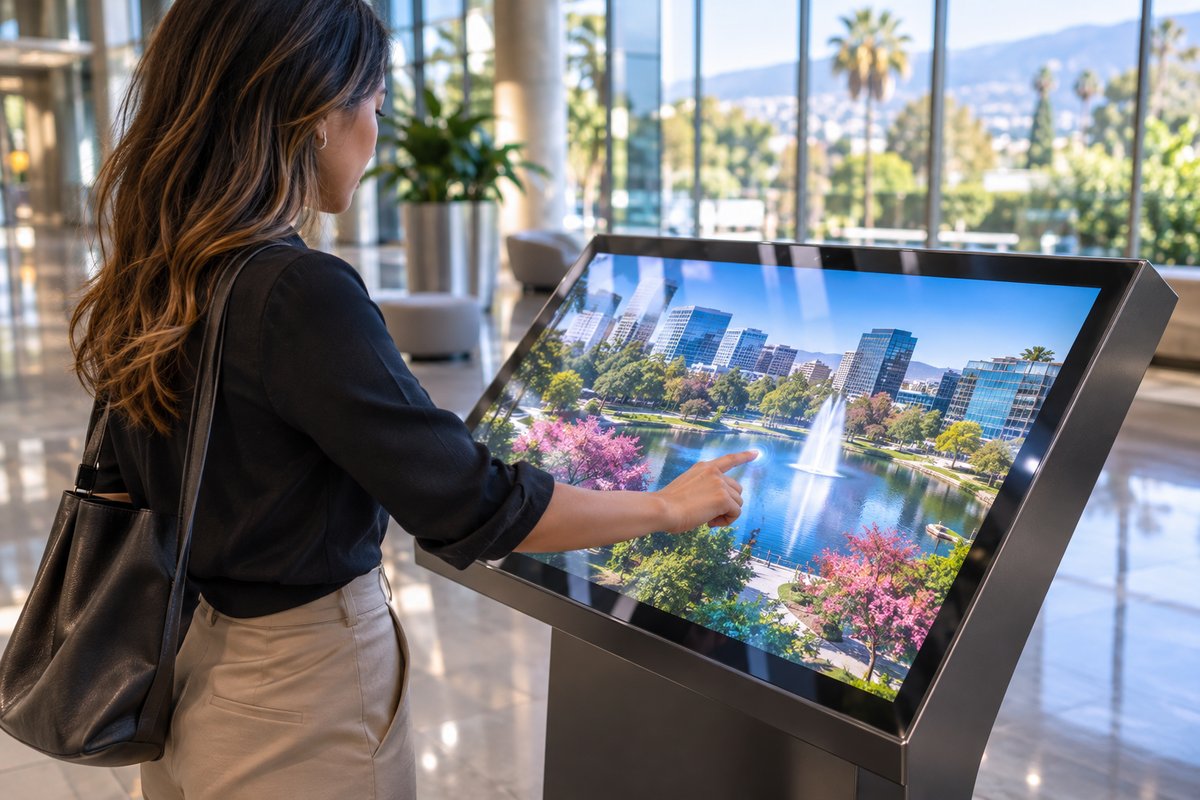
Identify your target application—storefront window, table, kiosk, or wall—and evaluate your glass type, thickness, and display needs for product compatibility.
Pick the ProFoil touch foil that fits your project: Standard for most retail glass, Pro Touch 20/40 for large displays or multi-user tables, Object Recognition for educational or interactive exhibits, or Clear for maximum transparency.
Contact TouchFoil for a custom quote, specifying your desired size, application, and any design requirements unique to San Jose’s venues or climate.
Engage shoppers in San Jose’s retail centers with dynamic storefront displays that respond to touch through the glass, delivering information and interactive promotions without compromising window security.
Enable hands-on exploration in local museums, visitor centers, and university spaces, turning standard glass panels or exhibit cases into interactive learning zones using transparent touch foil.
Upgrade hotel lobbies, real estate offices, and event centers with interactive touch tables and kiosks that guide guests and visitors effortlessly through San Jose’s busy venues.
Review detailed sizing to match your unique glass dimensions, whether planning a custom interactive storefront or a glass conference table in a San Jose office. The broad range of supported thicknesses and glass types suits both modern retail and historic venues.
Compare ProFoil Standard, Pro Touch 20/40, Object Recognition, Clear, and Circular models to select the right technology for your display size and local application demands. Each is designed for performance both in visitor-filled retail sites and precision environments.
Learn about controller setup, power, USB routing, and glass prep for reliable day-to-day operation.
Every project is quoted based on your application, dimensions, and requirements—essential for matching the variability of San Jose’s commercial and institutional buildings.
Reference state tourism trends and events to maximize display visibility for both local audiences and visiting guests.
Share your public installations or interactive exhibits with the local event calendar to attract attention and increase foot traffic.
San Jose’s mild, Mediterranean climate and year-round foot traffic make glass touch displays an attractive choice for public venues and retail environments. Touch foil solutions are designed for indoor use on the inside of glass, delivering consistent performance regardless of the cool, moist mornings of winter or the dry heat of summer afternoons.
Retailers in local shopping corridors and open-air centers can rely on touch foil technology to attract passersby and keep interactive content accessible, rain or shine. For museums and community spaces, the ability to engage visitors through interactive glass without exposing electronics to the elements is ideal in the region’s often variable, but generally temperate weather.
Special exhibitions and seasonal events, from holiday strolls in downtown San Jose to major conventions at local hotels, are enhanced when guests can interact with information or entertainment on glass touch surfaces tailored to match the city’s busy schedule.
For schools and universities, touch foils offer an easy way to equip common areas with interactive signage or learning tables, adapting to seasonal activity peaks and varying enrollment cycles.
Each venue’s glass composition and building wiring must be assessed before installation. For any uncertainties about building code compliance or safety in San Jose or greater Santa Clara County, check with the local office or your building manager before making modifications.
The touch foil system requires secure grounding for both the controller board and the host power supply. The USB cable should be routed away from power and display lines to avoid electromagnetic interference, which can be particularly relevant in densely equipped tech campuses or corporate towers. All installation occurs on the inside of the building’s exterior or interior glass, with no outdoor exposure for the foil itself.
Wet-apply installation ensures full adhesion and clear optical performance, but the drying period may be affected by local humidity, so plan for a drying window of 24–48 hours before using the display. Since installation is a one-time process and the foil cannot be repositioned, it’s critical to confirm screen alignment and area coverage before activation.
During planning, also consider how public use and local events may drive high traffic to the touch system, which might influence your choice of foil model or screen size for optimal responsiveness.
Careful pre-installation testing with your actual display hardware is essential to prevent alignment or sensing issues, as a foil cannot be moved once installed. Test the intended glass pane with the display, computer, and foil, ensuring no unexpected interference from nearby metal or electronic devices.
Avoid mounting the foil on glass with any embedded wires or metal, including heated glass or those with metallic security films, as this may prevent touch operation. Where possible, maintain a clearance of at least 3 mm between the foil and any external metal structures, as recommended.
For complex layouts—such as curved tables, domes, or custom-shaped glass walls—work with the available custom sizing options or consider the Circular Touch Foil version to achieve consistent touch coverage. Reference the size and model guide to verify fit with your architect or display supplier.
Finally, always allow time for the installation area to remain undisturbed during the adhesive curing process, and provide clear signage or barriers if open to the public during installation to protect both your new system and your visitors.
Touch foil must be mounted on the inside of non-metallic glass or acrylic. It is important to avoid glass with embedded wires or metal, such as security glass with metallic elements, as this can interfere with touch accuracy. Thinner glass gives better results, and there should be at least 3 mm of space between the foil and any external metal structures. Always test on your chosen glass pane before final installation.
Touch foil uses a fine grid of sensing wires (with no visible wires on ProFoil Clear) to detect fingers through glass or acrylic, turning the surface into a multi-touch screen. Since the foil and controller are installed indoors, weather does not impact their operation. The system maintains high light transmission and fast response for use year-round across San Jose’s variable climate.
All touch foil products have a 3-year warranty on the foil and 1 year on the controller. They are CE and RoHS compliant. This ensures your installation meets widely recognized standards for safety and environmental friendliness. Always review official documentation before planning public installations.
Selection depends on your glass thickness, desired number of touch points, and application. ProFoil Standard suits most storefronts up to 10 mm glass, while Pro Touch 20/40 supports bigger, busier displays or multi-user tables up to 12 mm, with Mac support for 40-point versions.
The touch foil is applied wet to the inside face of your prepared glass, aligning the active area exactly with your display or projection screen. After squeezing out water and bubbles, allow 24–48 hours for drying before use. The controller board is powered over USB and must be grounded; USB cables should be routed to avoid power or signal interference. The foil is single-use and cannot be moved to another pane once installed.
Begin by assessing your application and glass specifications, then review the size and product model guides for compatibility. Reach out for a custom quote with your dimensions, display plans, and any unique requirements.