
01 · Prep Glass
Prepare & Clean Surfaces
Select glass free of metal or coatings, thoroughly clean it, and ensure no metal is within 3 mm of the planned foil area for best touch accuracy.
Easily add a touch screen to any glass or acrylic in San Francisco with ultra-clear, multi-touch foil technology.
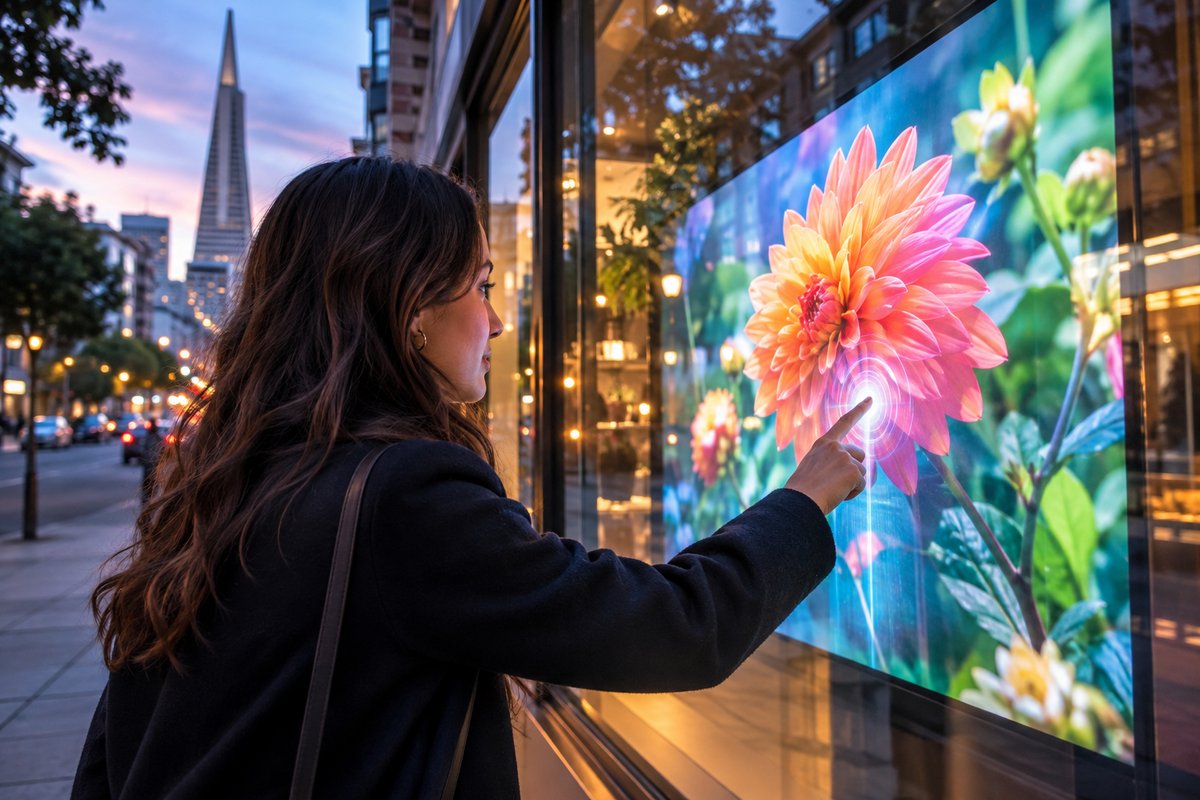
San Francisco’s vibrant business districts and innovative public spaces are a natural fit for TouchFoil’s interactive display solutions. ProFoil touch foil transforms ordinary glass into a responsive multi-touch interface, making digital interaction accessible in street-facing windows, lobbies, visitor centers, and more. Mounted discretely on the inside of glass or acrylic, the foil enables touch sensing through the pane without altering the exterior.
From retail pop-ups near Union Square to high-traffic museum exhibits along the Embarcadero, local designers and integrators can elevate engagement with interactive screens behind storefront glass, touch tables in hotels, or kiosks in universities. ProFoil is quoted per project and covers an extensive range of sizes and applications, all backed by a 3-year foil and 1-year controller warranty, and is CE and RoHS compliant.
Select glass free of metal or coatings, thoroughly clean it, and ensure no metal is within 3 mm of the planned foil area for best touch accuracy.
Position the foil on the inside of the glass, wet-apply, precisely align with the active area, and remove bubbles and water before allowing 24–48 hours to dry.
Secure the controller board, connect by USB to a computer, and complete automatic or zone calibration depending on your model.
Drive engagement and bring in foot traffic with dynamic multi-touch window displays on Union Square, Fillmore Street, or any busy shopping corridor.
Deliver hands-on digital learning in museums, visitor centers, and campus installations—ideal for the Exploratorium or university tech labs.
Impress guests and streamline wayfinding in hotels, offices, and luxury residential buildings with interactive directories or touch-enabled marketing displays.
Choose the right touch foil for unique San Francisco venues using the specifications guide. Consider glass thickness, active area, and installation space to match the selected display or projection system.
Select from ProFoil Standard, Pro Touch 20/40, Object Recognition, Clear, and Circular to suit display sizes, touch point requirements, and design concepts specific to Bay Area retail, museum, or hospitality environments.
Understand the full installation process. Learn about wet application, glass requirements, and key setup tips for variable glass thickness and the foggy, humid climate of San Francisco.
Every San Francisco project receives a custom quote. Submit your requirements—size, glass type, display concept—and receive information tailored to your use case and application.
San Francisco’s creative business culture, bustling tourism, and technology-forward spaces make it an ideal city for interactive window displays and touch-enabled environments. TouchFoil turns ordinary storefronts in areas like Union Square, SoMa, and the Marina into interactive canvases for promotions, wayfinding, and real-time information.
Museums and educational venues, from the Exploratorium to campus visitor centers, benefit by offering contactless, engaging experiences behind protected glass, crucial in high-traffic urban environments.
Hospitality venues—whether upscale hotels around Market Street or corporate towers in the Financial District—use touch foils for digital directories, check-in kiosks, or interactive displays that withstand the city’s busy pedestrian flow without exposing hardware to the elements.
In residential or mixed-use lobbies, such technology adds value by providing dynamic info and visually striking digital art through the glass, fitting the city’s climate and aesthetic needs.
Touch foil technology is designed for indoor application, making it well-matched for San Francisco’s foggy, moist coastal air, which can affect exposed electronics. The foil always mounts on the inside of glass or acrylic, with controller and cabling remaining protected from weather conditions.
Proper electrical planning ensures optimal performance—always use grounded power sources and fix the controller securely to the display frame. USB cables should be routed cleanly, avoiding interference from power or display wires, which is especially important in compact urban storefronts and built environments.
Local code requirements, particularly for publicly accessible digital signage, may affect mounting heights, ADA accessibility, or digital content. Always consult with the local San Francisco building department or your AV integrator for project-dependent permit or compliance review.
In high-rise or earthquake-prone areas, ensure glass is properly supported and secure before applying any interactive foil. Compatibility with safety glass and interior laminated glass with no air gap is supported for various models.
A primary concern is selecting glass without metallic coatings or embedded wires, as these can impede touch accuracy and performance. Thinner glass produces the best results, and metal elements should remain at least 3 mm away from the foil’s active area throughout the installation.
Wet-apply the foil with care—align the marked active area with the edges of your rear-projection film or display. Squeeze out all water and air bubbles to prevent uneven response or visual defects, then allow at least 24–48 hours to fully cure in San Francisco’s variable humidity.
Do not move or reposition the foil after installation—it is a permanent one-time mount. Test placement and touch functionality beforehand while the foil is temporarily in place.
For special installations like object recognition tables or circular domes, coordinate with your AV team to plan for unique calibration or integration steps. Refer to TouchFoil’s guidance on powering and grounding the controller for maximum reliability.
TouchFoil is designed for use on standard glass or acrylic without any metal in the pane. Laminated double-glazing with no air gap is compatible with supported models like Pro Touch 20/40. Avoid glass with wire mesh, metallic coatings, or embedded electronics for best performance.
After wet installation, the foil bonds permanently to the glass or acrylic and cannot be moved or reused on another pane. Always test touch response before doing a final install, as repositioning is not possible once set. Typical installations in San Francisco venues are designed to withstand regular indoor use in retail, hospitality, and public settings.
Touch Foil works either with a rear-projection film and projector setup or with a direct-view LCD or LED display placed behind the glass. The choice depends on your brightness needs, environment, and existing hardware in your San Francisco location.
Standard accuracy is about ±2 mm, with the Object Recognition model achieving under 1 mm. Touch response is under 10 ms, delivering a seamless user experience for interactive storefronts, kiosks, and tables.
ProFoil is available in multiple models to cover applications from shop windows to large interactive tables. Foils are custom cut up to 1.4 x 4.5 meters, with models for circular (up to 140 cm active diameter) and clear no-wire finishes. All are quoted per project for San Francisco’s diverse applications.
All Touch Foil products come with a 3 year foil and 1 year controller warranty. They are CE and RoHS compliant. For further warranty details or product compliance documentation, request a quote for your specific San Francisco project.