
01 · Plan
Choose Your Interactive Experience
Decide where you want interactive touch capability—storefront, kiosk, or interior glass—considering available light, display type, and visitor access.
Bring interactive storefront windows and touch-enabled displays to life in Phoenix, AZ with transparent touch foil technology.
Transform glass storefronts and commercial spaces in Phoenix, AZ by turning any glass or acrylic surface into an interactive, multi-touch screen. Touch foil from TouchFoil (a Screen Solutions International site) enables engaging displays that function perfectly through glass, allowing for direct finger interaction while keeping electronics safely indoors and protected from heat and dust. ProFoil touch foil is a transparent film that mounts on the inside of glass or acrylic and instantly upgrades your window, display wall, kiosk, or table for modern user experiences.
With Phoenix’s year-round sun and active tourism, retail businesses, museums, schools, and venues are seeking creative ways to attract attention and invite participation—without sacrificing security or aesthetics. Touch foil works with rear-projection films or LCD/LED screens, delivering flexibility for both temporary promotions and permanent interactive installations. Every project is custom-quoted to fit your vision, with easy, plug-and-play integration supported by local code guidance and a robust warranty.
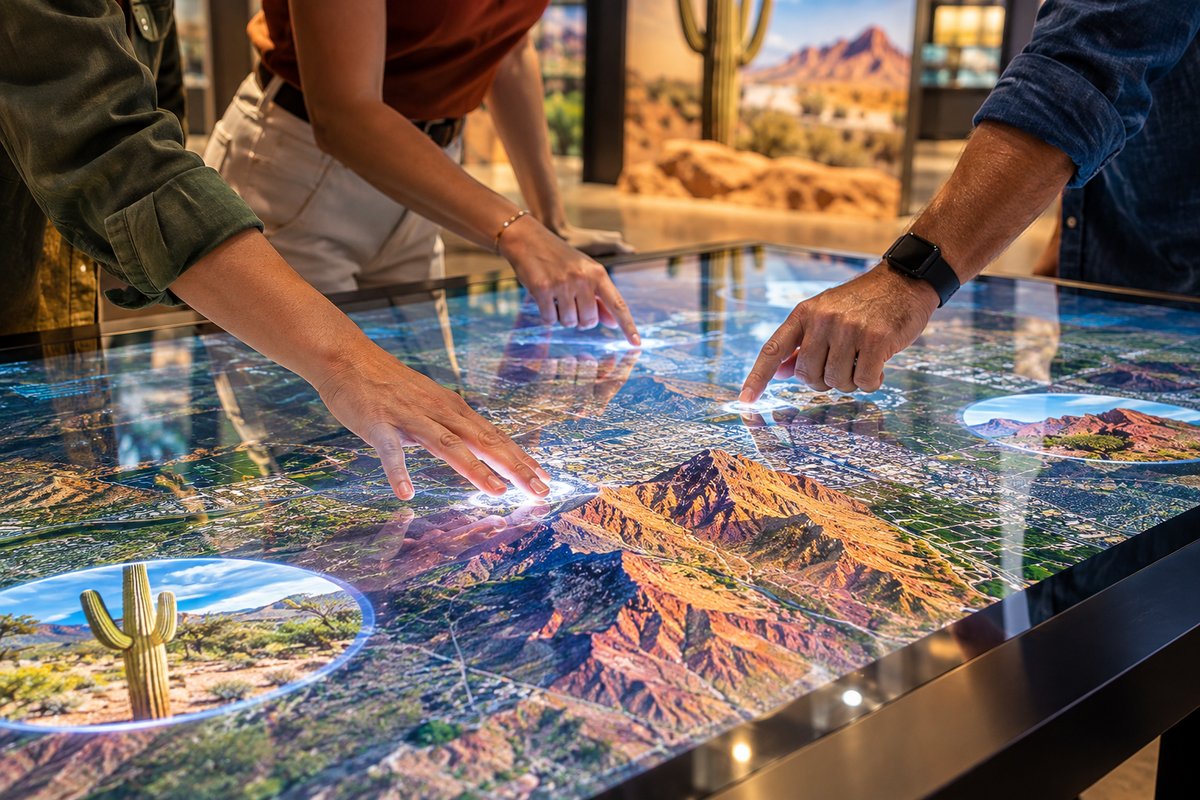
Decide where you want interactive touch capability—storefront, kiosk, or interior glass—considering available light, display type, and visitor access.
Ensure the glass or acrylic is clean, non-metallic, and the correct thickness. Choose a rear-projection film and projector, or an LCD/LED display, for behind the glass.
Wet-apply ProFoil touch foil on the inside of the glass, squeeze out bubbles, let dry 24–48 hours, then connect the included controller and USB. Test before final installation.
Retailers in busy Phoenix districts create interactive showcases that engage passersby in the heat of summer or winter visitor season, all through secure glass.
Museums, schools, and visitor centers use touch foil to modernize information panels and interactive exhibits, letting guests explore local history and attractions with a touch.
Corporate buildings, hotels, and real-estate offices install touch tables or wall displays for directories, wayfinding, and presentations—ideal for Phoenix’s conference traffic.
Select from standard and custom sizes for your storefront or glass wall in Phoenix’s diverse venues—from 10.1" tablets to large wall or table installations up to 1.4 x 4.5 m.
Choose ProFoil Standard for basic interaction, Pro Touch 20/40 for multi-user or large-format needs, Object Recognition for advanced exhibits, Clear for aesthetics, or Circular for custom tables.
Learn how to apply touch foil inside the glass, connect the controller via USB, and combine with display technologies to suit Phoenix’s ambient conditions.
Every project in Phoenix is unique—request a custom quote for your window, kiosk, or display with touch foil solutions tailored to your space and season.
Check local Phoenix guidelines for display window alterations, glass panels, and digital signage permits to ensure code compliance before starting your project.
Explore local event calendars and attractions to align content themes and interactivity with upcoming visitor flows and city-wide marketing opportunities.
Phoenix’s climate brings intense sunlight, long summers, and mild winters—a combination that shapes how businesses and public spaces use glass displays. Retailers capitalize on high pedestrian flow during major events and tourist season by making window displays interactive and eye-catching, even during the sunniest months when traditional screens glare or overheat. Museums and visitor centers can keep information up-to-date or create rotating displays that appeal to both residents and visitors in the off-season, using touch foil to maintain engagement in any weather.
With interactive touch foil, businesses keep their display hardware safely indoors and shielded behind glass—ideal in Phoenix’s dust or summer heat. Hotels, lobbies, and corporate offices can welcome guests with touch-enabled information walls, maps, or product showcases that work seamlessly under varied lighting and visitor traffic. Home and residential users may use the technology for unique entryway ideas or art displays, adapting to the Arizona lifestyle.
Downtown districts, malls, and transportation hubs all benefit from being able to change out digital content quickly for festivals, sports events, or holiday promotions. Because touch foil allows retrofit to existing glass, spaces can remain secure, easy to clean, and maintain a modern appearance through rapid urban change.
Whether you’re targeting seasonal tourism, year-round residents, or local commuters, integrating touch foil makes any glass surface a flexible communication platform for Phoenix’s ever-changing public landscape.
Planning for touch foil installation in Phoenix requires careful coordination between your display hardware, electronics, and approval from city planning offices. While the foil and its controller are low-voltage and plug-and-play (powered via USB), running cables safely through frames and connecting to grounded power is essential for reliable operation—especially in older or historic buildings downtown.
Phoenix’s strict signage and display codes mean that all storefronts and public-facing glass installations should be reviewed with the city permitting office in advance. If your planned project involves glass replacement, new digital signage, or changes to external façades, consult the Construction Permits and Planning office for current requirements. Local fire and occupation codes may also dictate minimum clearances and visibility for escape routes, especially for larger displays.
Environmental exposure, such as excess dust or rapid temperature swings from day to night, may affect where you house supporting computers and projectors. Keeping sensitive electronics inside and away from sunlight helps prolong system performance. Always follow the planning checklist, and engage with building or facilities managers to anticipate access needs for upkeep or upgrades.
In summary, successful installation hinges on integrating technology choice with local practicalities—ensuring safe, code-compliant, and efficient operation year-round in Phoenix.
A frequent issue for first-time installers is attempting to mount the foil on the exterior glass or not thoroughly cleaning and prepping the interior surface. Touch foil must always be mounted on the inside of the glass, protected from the elements and vandalism. Dust, fingerprints, or leftover cleaners can affect touch sensitivity, so ensure the installation area is spotless and dry before applying.
Another common error is neglecting glass composition and thickness—metallic layers or too-thick glass can impede touch performance, so always verify specifications for your chosen model before starting. For best results, use thinner non-metallic glass and make sure metal framing and structures are at least 3 mm away from the foil’s active area.
Improper cable routing is another pitfall. USB and controller cables should be kept clear of power and display signal lines to prevent interference; and the controller itself should be solidly grounded to reduce electrical noise that Phoenix buildings may have.
Finally, skipping a full pre-installation test can lead to frustration. Since a foil is a one-time install and cannot be moved or reused, always fully test positioning and touch response through the glass before performing permanent installation. This step ensures long-term reliability for interactive storefront windows or touch kiosks in Phoenix.
Touch foil is designed for use on non-metallic glass or acrylic surfaces. Thinner glass improves touch accuracy, and the foil should be mounted on the inside of the glass pane. Avoid any glass that contains metallic layers or wire mesh, and ensure metal framing or supports stay at least 3 mm away from the active area. Always check your exact setup before ordering.
Yes, touch foil mounts entirely indoors and senses fingers through the glass, so it is not exposed to outdoor conditions. However, the performance of your interactive display will depend on your choice of LCD/LED screen or projector and how much direct sunlight the area receives. For best visibility on bright Phoenix days, consider high-brightness displays, anti-glare films, or shaded placement.
Phoenix requires that any signage or significant glass alteration meet city permitting and zoning guidelines. Before installing touch foil or digital displays, consult the Construction Permits and Planning department to understand permitting timelines and requirements. Regulations differ for historic buildings, malls, and standalone storefronts, so early planning helps ensure a smooth approval process.
A complete setup generally includes the touch foil (applied inside the glass), a compatible rear-projection film and projector or an LCD/LED display behind the glass, and a computer for content. The included controller connects via USB, which provides both power and data. Installers should use grounded power and route cables away from sources of electrical noise for best results.
No, touch foil is designed for a one-time installation. Once applied and dried, the foil cannot be removed or repositioned to a different pane, as this may damage the technology. Always test fit and touch response before permanent installation to ensure optimal performance in your Phoenix location.
Every touch foil project is custom-quoted. Visit the Get a Touch Foil Quote page with your glass size, display type, and desired interaction features. Models include ProFoil Standard, Pro Touch 20/40, Object Recognition, Clear, and Circular—for unique tables or domes. The Touch Foil Models and Sizes and Specifications pages provide details to guide your selection.